
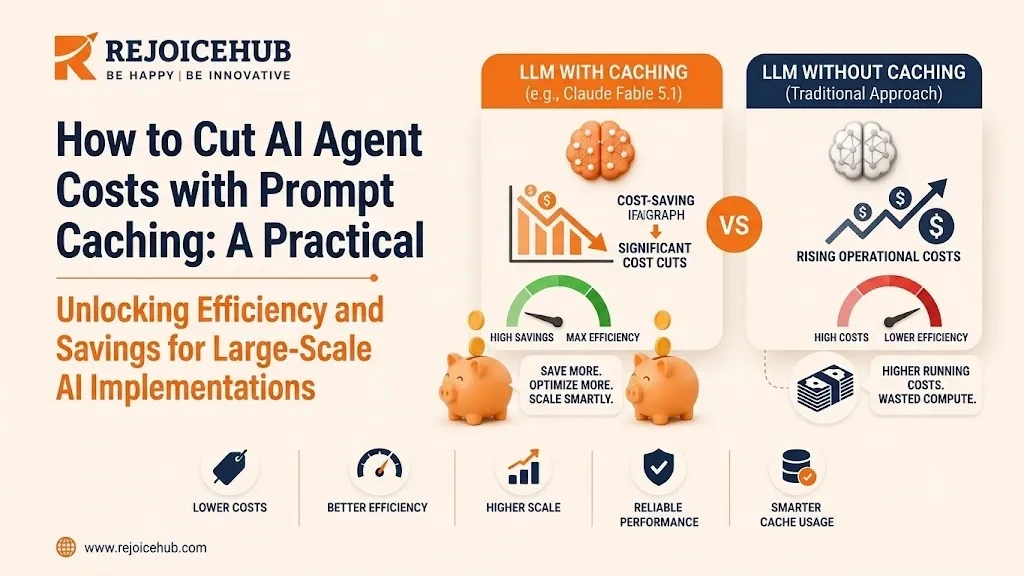
If you're running AI agents in production, you already know the pain: token costs climb fast once usage scales. AI prompt caching is one of the simplest, highest-leverage fixes available today, and most teams aren't using it correctly, if at all.
This guide breaks down how prompt caching works, when it actually saves money, and how to implement it without breaking your agent's reliability. If you're already tracking your token costs closely, caching is often the single biggest lever you haven't pulled yet.
Search intent for this article:
- Primary intent: Learn how prompt caching reduces AI agent and LLM API costs
- Secondary intent: Understand how to implement prompt caching correctly
- Pain points: Rising token bills, unpredictable AI agent costs, slow response times at scale
- Desired outcome: A working cost-optimization strategy that doesn't compromise agent performanc
What Is AI Prompt Caching?
Prompt caching enables an LLM provider to store and reuse a part of a prompt, such as system instructions or a reference document, to avoid processing it multiple times, thus reducing costs and latency due to repeated contexts.
This can be likened to a barista who learns a customer's order and asks whether they want "the usual?" instead of having to ask what they usually order.
Every request has two cost components once caching is enabled:
- Cache write cost: writing new content into the cache (a small premium)
- Cache read cost: reusing cached content on later calls (often 80 to 90% cheaper than a fresh read)
For AI agents that repeatedly send the same system prompt, tool definitions, or context window, this adds up fast.
Accelerate Your Workflows with Custom AI
Book a free consultation session with RejoiceHub. We'll map out a tailored automation roadmap for your company.
Why AI Agent Costs Spiral Out of Control Without Caching
AI agent costs explode due to the fact that every call to an LLM reprocesses the entire context window (system prompts, tool schemas, chat history) even if most of that hasn't changed since the last call.
We've seen this pattern repeatedly with our SMB clients who use customer support agents. A given agent has a 2,000-token system prompt describing its tone, policies, and available tools. That gets counted against the token budget for every single message in a conversation, even though most of it hasn't changed since the conversation began.
When you scale that across hundreds of conversations, multiple messages per conversation, and dozens of AI agent costs running concurrently, it adds up to a significant waste of tokens.
Common Cost Drains in AI Agent Systems
Here's where the waste typically hides in AI agent systems:
| Cost Driver | Why It's Expensive | Caching Impact |
|---|---|---|
| Long system prompts | Reprocessed every call | High savings potential |
| Tool/function definitions | Static but resent each turn | High savings potential |
| RAG reference documents | Often reused across queries | Medium-high savings |
| Chat history in multi-turn agents | Grows every turn | Medium savings |
| One-off user queries | Rarely repeated | Low/no savings |
How Prompt Caching Works (Step-by-Step)
Prompt caching is a way for you to signal to the provider that some part of your prompt can be cached by them upon initial call and charged at a reduced rate every time it appears as a prefix of a prompt within a sliding window of time.
- Structure your prompt so static content (instructions, tool definitions, documents) comes first, and dynamic content (user input) comes last.
- Mark the cache breakpoint: the point up to which content should be cached.
- The first call writes to cache: this costs slightly more than a normal call.
- Subsequent calls read from cache: as long as the prefix matches exactly and falls within the provider's time-to-live (TTL) window.
- The cache refreshes on each hit, extending its life for active conversations.
Important detail: even a single character change in the cached prefix breaks the match, so prompt ordering matters more than most teams expect.
Key Takeaways
- Static content should always come before dynamic content
- Cache hits typically cost far less than full-price input tokens
- Cache writes cost slightly more, so caching only pays off with repeat use
- TTLs vary by provider, so check current documentation before building around a specific window
When Prompt Caching Actually Saves You Money
Context caching is most effective when the same context is repeatedly used for different requests: multi-turn dialogues, agents with long static instructions, or RAG systems using the same source documents for many queries. It provides the least benefit when each request has unique context, or when conversations are short and rare.
Best Use Cases
- Customer support agents reusing the same policy documents across thousands of tickets
- Sales enablement agents referencing the same product catalog repeatedly
- Internal knowledge assistants querying a static document set
- Multi-agent workflows where sub-agents share common instructions
- Coding assistants referencing the same large codebase per session
If your use case fits one of these, prompt caching for AI agents isn't optional, it's table stakes for controlling costs at scale.
Prompt Caching vs. Other LLM Cost Optimization Methods
Prompt caching decreases cost by reusing static context, while other LLM cost optimization methods such as model downgrading, prompt compression, and batching decrease costs by reducing or rescheduling requests; thus, the best cost-saving AI agent strategies usually combine multiple methods.
| Method | How It Cuts Cost | Best For | Trade-off |
|---|---|---|---|
| Prompt caching | Reuses static prompt segments | Repetitive, structured prompts | Requires exact-match prefixes |
| Prompt compression | Shortens input text | Verbose documents | Risk of losing nuance |
| Model downgrading | Uses cheaper/smaller models | Simple tasks | Lower reasoning quality |
| Batching requests | Groups non-urgent calls | Async workloads | Not for real-time agents |
| Output token limits | Caps response length | Predictable-format tasks | Can truncate output |
Real-World Business Example
A mid-size SaaS company specializing in AI-powered onboarding assistants had a serious problem with cost optimization. Their system prompt containing the description of the product's functionality, tone of voice guidelines, and detailed description of 15 tools took almost 3 thousand tokens and got re-tokenized on every user interaction.
The prompt optimization reduced the token count by 70% and increased the cache hit rate across all active sessions by over 85%. The input cost per call dropped substantially for both repeated and unique queries. Latency also decreased due to context reuse when applicable, as processing a cached prompt is faster than querying the model every time.
The optimization was achieved not by simplifying the prompt or reducing the number of tools but rather through architectural changes in how the prompt was structured and utilized.
How to Implement Prompt Caching in Your AI Agents
To implement prompt caching, restructure your prompt to have static content before the dynamic part, specify the cache breakpoint in your API call, track hit rates of the cache, and rebuild your request patterns around re-use.
- Audit your current prompt structure: separate static content (system prompt, tool schemas, reference docs) from dynamic content (user input, live data).
- Reorder your prompt so static content comes first, dynamic content last. This is non-negotiable.
- Mark cache breakpoints using your LLM provider's caching parameter.
- Monitor cache hit rates. A low hit rate usually means your structure or TTL assumptions need adjusting.
- Group similar requests in time so they fall within the cache TTL window instead of spacing out.
Common Implementation Mistakes
- Putting user input before static instructions (breaks caching entirely)
- Assuming caching works automatically without explicit configuration
- Not accounting for TTL expiration in high-latency workflows
- Caching content that changes frequently (defeats the purpose)
- Failing to monitor cache performance after launch
If this sounds like more engineering work than your team has bandwidth for, that's exactly where RejoiceHub can help: we build our AI agents on cost-efficient architecture from the ground up, not retrofitted for cost efficiency later.
Prompt Caching and AI Overview / Voice Search
Because this topic tends to pop up in Google AI Overviews, ChatGPT, and Perplexity answers, let me give you my unsolicited take: caching of prompts is a token-reuse mechanism, not a privacy or data storage concern, if done right, by a trustworthy third party.
The data stored tends to be transient, and not used for training, unless explicitly stated otherwise, which is vital to know if you're trying to choose a privacy-compliant LLM partner for your enterprise, and want to reduce costs.
Expert Tips for Maximizing Savings
- Batch similar agent tasks so more calls land within the same cache TTL window
- Keep tool definitions stable: frequent schema changes force constant cache rewrites
- Separate static and dynamic RAG content so document context stays cacheable even as queries change
- Review cache analytics monthly: usage patterns shift as your agent scales
- Pair caching with prompt compression for compounding savings on large context windows
Conclusion
AI prompt caching is a practical way to reduce LLM costs without sacrificing your AI agent's performance. By keeping static content cacheable, monitoring cache hit rates, and combining caching with techniques like prompt compression, businesses can build more cost-efficient AI systems as they scale.
The key is to implement caching strategically rather than treating it as a simple API feature. If you want to build an AI agent with cost-efficient architecture from the start, RejoiceHub can help you design and implement the right caching and automation strategy for your business.
Frequently Asked Questions
What is AI prompt caching?
AI prompt caching lets an LLM provider store parts of your prompt, like system instructions, so it doesn't reprocess them every call. This cuts both cost and response time, especially for AI agents handling repeat conversations.
How does prompt caching reduce AI agent costs?
It charges a much lower rate for reused (cached) tokens than fresh ones. Since cache reads can cost 80 to 90 percent less than normal input tokens, agents making repetitive calls save a lot over time.
How do I implement prompt caching in my AI agent?
Put static content like system prompts and tool definitions first, and dynamic user input last. Then mark the cache breakpoint in your API call and monitor your hit rate to confirm it's working.
Does prompt caching work with every LLM provider?
Most major providers support some version of prompt caching now, but the details differ. TTL length, minimum token count, and pricing all vary, so check current documentation before building your setup.
Is prompt caching the same as prompt compression?
No, they solve different problems. Caching reuses identical static content so it isn't reprocessed, while compression shortens the actual prompt text to use fewer tokens. Many teams use both together.
How much money can prompt caching actually save?
Savings depend on your use case, but agents with long, repeated system prompts, like support bots or RAG assistants, often see a big drop in input costs once cache hit rates are solid.
When should I not use prompt caching?
Skip it if requests rarely repeat, conversations are short, or your prompt is already minimal. In these cases, the extra cost of writing to cache may not pay off in enough reuse.
What breaks a prompt cache?
Even one changed character in the cached prefix breaks the match. Putting dynamic content before static content, editing tool schemas often, or changing instruction wording will all force a fresh cache write.
Is cached prompt data used to train AI models?
No, cached data is typically transient and meant for reuse only, not training, unless a provider states otherwise. Always confirm this in your provider's data policy if privacy is a concern.
What's the difference between cache write and cache read cost?
A cache write happens on the first call and costs a bit more than normal. A cache read happens on repeat calls using the same prefix, and it's usually far cheaper than processing fresh tokens.
