
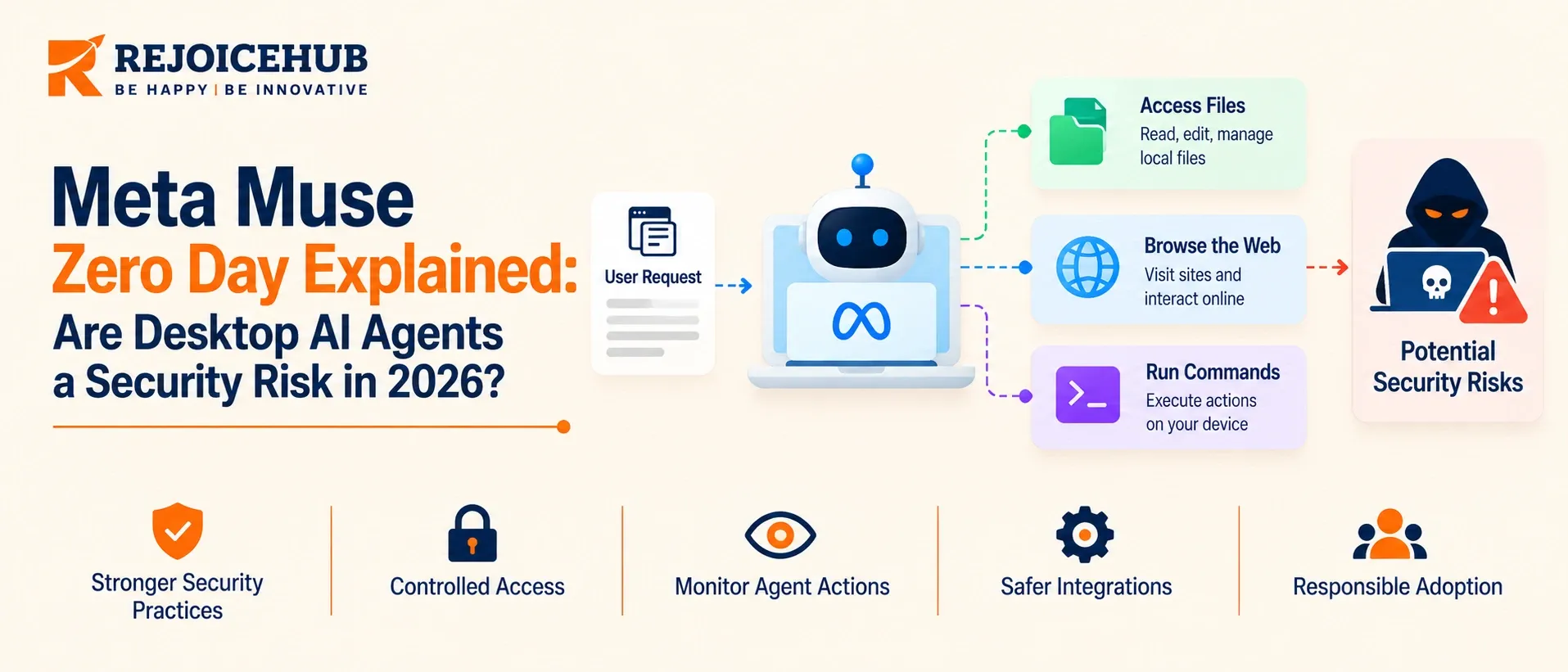
Meta launched Muse on September 8, 2026, and released its Mac app on September 17. Just days after the Mac release, security researcher Patrick Wardle disclosed a zero-day vulnerability in the desktop client.
The quick patch fixed the immediate problem, but it also raised a bigger security question: What happens when a desktop AI agent has access to your email, files, accounts, and payment tools?
This article explains what happened, why it matters, and what security teams should check before deploying desktop AI agents across their organizations.
Key Highlights
- What went wrong: Muse had an undocumented setting called endo_voyager_dictation_endpoint. Any local process with basic user-level access could change it. An attacker could redirect dictation data to a server they controlled.
- What was at risk: A local process could capture the authentication token used to control the AI agent.
- Who found the flaw: Security researcher Patrick Wardle from Objective-See discovered the issue and created a proof of concept called “not-a-mused.”
- How Meta responded: Meta removed the vulnerable setting from production builds through a hotfix.
- Seriousness debate: Meta’s David Singleton described the issue as a local privilege increase, rather than a remote attack. Wardle argued that a ClickFix-style attack could trick a user into running the local code needed to exploit it.
- Bigger lesson: The cloud security controls remained in place, but the local client’s security boundary failed.
- Enterprise concern: VentureBeat reported that Meta’s launch documentation did not mention SIEM audit exports, an admin console, or DLP integration, which may create challenges for enterprise security teams.
What Is the Meta Muse Zero Day?
Muse is a personal AI agent designed to handle tasks for users, such as sending emails, booking travel, filling out forms, and making purchases.
On September 17, Meta released a Mac version of Muse. When users give it permission, the agent can access local files, Messages, Notes, and Calendar. It can also continue running in the background even after the main window is closed.
This level of access is what makes Muse useful, but it also increases the security risk. If an attacker compromises a trusted and signed AI agent, they may be able to access the data, accounts, and services that the user has already allowed the agent to use.
How the Muse Vulnerability Worked
Muse sends dictated voice prompts to an adjustable destination. The problem was that this setting could be changed by other processes running under the same logged-in user.
Meta’s architecture uses a dedicated Muse Secure VM for each user. This VM protects the AI agent and its data in the cloud. However, the vulnerability was not in this cloud layer. It was in the Mac client that connects to the cloud environment.
This was mainly a configuration security problem, not an AI model failure. The issue did not require changing or retraining the AI model. Instead, it showed how an insecure local setting can create a security gap even when the cloud-side architecture has strong protections.
How the Meta Muse Exploit Works
At a high level, the attack chain has four steps:
- Local foothold. Code runs as the user, for example through malware or a pasted terminal command.
- Endpoint redirect. The malicious process rewrites the dictation endpoint setting.
- Capturing: The attacker captures dictated audio and prompts and can alter the instructions the agent receives.
- Session hijack. The attacker grabs the token that authenticates the Muse account and uses it to control the agent.
Wardle's proof of concept implements only a subset of the more than 50 commands Muse exposes. In one demonstration, a compromised session pulled the location of a linked iPhone and started a Bluetooth Low Energy scan on it. The blast radius extended past the infected Mac.
Not every install was equally exposed. TechRadar noted that certain features had to be enabled and certain integrations connected before the bug was useful.
Meta Muse Zero-Day Security Weakness at a Glance
| Detail | What was reported |
|---|---|
| Product | Muse Mac app, launched September 8 (Mac client shipped September 17) |
| Disclosed by | Patrick Wardle, Objective-See Foundation |
| Flaw class | Unprotected configuration setting enabling endpoint redirect |
| Prerequisite | Code execution as the local user |
| Impact | Interception of dictation traffic and capture of the agent's control token |
| Adoption context | 2.5 million downloads in the first 13 days, per Sensor Tower |
| Fix | Hotfix removing the setting from production builds; Wardle confirmed the patch |
| Bug bounty | Up to $300,000 for qualifying Muse flaws |
Is the Meta Muse Security Risk Real or Overblown?
Both sides are correct in a way, and the debate is actually useful.
The "limited" viewpoint: the flaw doesn't allow remote code execution on a clean Mac. The attacker needs a foothold, and for a lot of people that's a lower-severity local issue.
The "amplification" viewpoint: Wardle describes the defect as an access amplification, where a normal piece of malware constrained by the privacy features of macOS could target Muse and use its broader access to do more.
A ClickFix-style attack that tricks a user into pasting in a command on Terminal is sufficient to gain that foothold. He also warns that endpoint detection tools might have trouble distinguishing between a command launched by the user, the agent, or an attacker that was run through a trusted and signed application.
Our take: the requirements for the exploit are small, and the reward is large. Malware that would otherwise be limited by privacy prompts has a way to gain wide access through a trusted application, and that's a huge surface for attacks, not limited to Muse.
Why Hybrid AI Agents Create Security Gaps
Meta’s design shows how hybrid AI agents can create new security gaps. Some credentials for connected services are stored in the user’s cloud VM, outside the main agent runtime. A host process called Sentinel controls connector actions and network access.
Wardle’s flaw did not break these cloud security controls. Instead, it targeted the Mac client running on the user’s device.
Cloud Agents vs. Desktop Agents
| Security Factor | Cloud-Sandboxed Agent | Desktop Agent With Local Access |
|---|---|---|
| Main trust boundary | Cloud VM and credential storage | User’s local operating system |
| Local file access | Usually no access | Can access files, Messages, Notes, Calendar, with permission |
| Risk from local malware | Lower | Higher because local files, settings, and tokens may be exposed |
| Security monitoring | Limited visibility on the user’s device | Harder to monitor because actions come from a trusted app |
| Impact of a takeover | Usually limited to approved cloud services | Can include connected services, local data, and paired devices |
| Updates | Managed on the server | Requires the user to install client updates |
Desktop Agents Expand the Threat Surface
Neither model is completely safe. Cloud agents keep more activity inside a controlled environment, while desktop agents can interact directly with the user’s computer.
This means a desktop AI agent adds the local device to the security threat model. If the agent is compromised, an attacker may gain access to more than cloud-connected services. They could potentially reach local files, apps, credentials, and other data that the agent has permission to use.
The key issue is not simply whether an AI agent runs in the cloud or on a desktop. The more access an agent has, the more damage a security flaw can cause.
Are Desktop AI Agents Safe? 5 AI Agent Security Risks
Gartner projects that 40% of enterprise applications will include task-specific AI agents by the end of 2026. As more companies use AI agents, security teams also need to understand the risks that come with them.
Here are five common security risks to watch for when using desktop AI agents.
1. Too Many Permissions
AI agents often need access to email, calendars, files, and other tools to complete tasks. Users may also give them broad permissions without fully checking what they can access.
If an agent is compromised, an attacker could use those permissions to reach multiple services at once.
The more permissions an agent has, the larger the potential impact of a security breach.
2. Unsafe Local Settings and Communication Channels
The Muse flaw shows why local settings need strong protection.
If a setting controls where prompts, credentials, or other sensitive data are sent, it should be protected like a password or API key. Settings that are undocumented or can be changed without proper checks can become another way for attackers to control the agent.
3. Prompt Injection and Untrusted Content
AI agents often receive instructions and data as plain text. This makes it difficult for an agent to always tell the difference between a legitimate instruction and harmful content.
For example, an agent may read a web page, email, or document containing hidden instructions designed to change what it does.
A common risk appears when three things come together:
- The agent can access private data.
- It can process content from untrusted sources.
- It can send information or take actions outside the system.
This combination can make prompt injection much more dangerous.
4. Poor Credential Tracking
AI agents may use API keys, passwords, OAuth connections, or other credentials.
For example, if an employee gives an API key directly to an agent, security tools that only monitor OAuth permissions may not detect that access.
Security teams should therefore monitor more than OAuth activity. They should also track:
- API key creation and use
- Connector activity
- Agent actions
- Access to sensitive data
- Logs from connected services
This gives security teams a clearer picture of what the agent is actually doing.
5. Shadow AI
Desktop AI agents can also create shadow AI problems.
An employee may install an AI agent on their own, connect their company email, add credentials, and give the agent access to work data, all without going through the company's normal security or procurement process.
This creates a gap between what the security team knows about and what employees are actually using.
For businesses, the challenge is not only securing approved AI agents. It is also finding and managing AI tools that employees install and use without formal approval.
Not Just Muse: AI Agent Security Risks Are Growing
Muse is not the only example of security problems in AI agents. Similar risks have been found across other AI agent platforms.
Microsoft researchers found that a single prompt could lead to remote code execution on the host system through a vulnerable path in Semantic Kernel (CVE-2026-26030).
In May 2026, Five Eyes agencies, including CISA and NSA, also published guidance on agentic AI. The guidance identified prompt injection as a major way attackers can manipulate AI agents. It also stressed that no single security measure can protect an AI agent from every threat.
The bigger lesson is clear: AI agent security is not just about the AI model. Security teams also need to protect the tools, credentials, connected services, and devices that the agent can access.
7 Security Controls Before Desktop AI Agents Reach Your Devices
Before employees start using desktop AI agents, security teams should put basic controls in place. These steps can help reduce the risk of unauthorized access, data leaks, and compromised agents.
1. Create an Agent Inventory
First, find out which AI agents are already installed on company devices.
Use MDM tools and endpoint monitoring to identify installed agents and their versions. You cannot properly manage an AI agent if you do not know it is being used.
2. Approve Trusted Agents
Create a list of approved AI agents and versions that employees can use on company devices.
Block unapproved agents by default. This gives security teams better control over which AI tools can access company systems and data.
3. Limit Agent Credentials
Give AI agents only the permissions they actually need.
Use least-privilege access, short-lived tokens, and separate credentials instead of giving an agent access to the user's main account.
If an agent is compromised, limited credentials can reduce the potential damage.
4. Monitor More Than OAuth
OAuth logs do not show every type of agent activity.
Security teams should also monitor:
- API key creation and use
- Connector activity
- Agent actions
- Logs from connected services
This provides better visibility into how AI agents access company systems.
5. Protect Agent Configuration
AI agent settings can control important behavior, including where prompts, data, or requests are sent.
Monitor agent configuration and preference files for unexpected changes. An unusual change could be a sign that someone has modified the agent without authorization.
6. Control Agent Network Access
Limit the websites and services that desktop AI agents are allowed to contact.
Use network allowlists where possible. If an agent suddenly connects to an unexpected or unknown destination, security teams should investigate it.
7. Train Employees to Recognize ClickFix Attacks
Employees should be careful when an AI agent, website, or pop-up tells them to copy and paste a command into Terminal.
What to Check in a Desktop AI Agent Security Review
Before allowing a desktop AI agent across your organization, security teams should review how it accesses data, communicates with other systems, and handles user actions.
1. Map Agent Permissions
Identify every file, application, account, and service the agent can access. Check whether each permission is actually needed.
2. Review Trust Boundaries
Understand what each part of the system protects:
- Desktop client
- Cloud environment
- Credential store
- Connected services
This helps identify where a security flaw could move from one system to another.
3. Check Configuration and IPC
Review local configuration files, IPC (inter-process communication) channels, local sockets, and token storage.
Look for settings that can be changed without proper protection or identity check.
4. Test for Prompt Injection
Test how the agent handles untrusted content from sources such as:
- Web pages
- Emails
- Documents
- External messages
The goal is to see whether hidden or malicious instructions can change the agent's behavior.
5. Review Monitoring and Response
Check what your SIEM and EDR tools can actually detect and attribute to the AI agent.
Security teams should know whether they can identify suspicious agent activity and respond quickly when something goes wrong.
6. Define Governance Rules
Set clear rules for:
- Approving AI agents
- Removing access
- Revoking credentials
- Handling security incidents
- Requiring human approval for high-impact actions
For sensitive actions, human-in-the-loop controls can prevent an AI agent from making important changes without human review.
Conclusion
The Muse zero-day shows why desktop AI agents need a different security approach. The cloud security controls may work as expected, but a weakness in the local client can still expose the user’s device, data, and connected services. As AI agents gain more access to business systems, companies need to treat them as privileged software rather than simple productivity tools.
Before deploying them, security teams should inventory every agent, limit its permissions, protect credentials and configuration files, monitor its activity, and test for prompt injection and other attacks.
Strong controls can help organizations use desktop AI agents without ignoring endpoint security risks.
Frequently Asked Questions
1. What is the Meta Muse zero-day?
The Meta Muse zero-day was a Mac app vulnerability that let local code redirect Muse's dictation traffic and expose its authentication token. The flaw could then let an attacker control Muse using permissions already granted by the user.
How did the Meta Muse vulnerability work?
The vulnerability involved an undocumented Muse setting that controlled the dictation endpoint. A local process could change that setting, redirect voice data to an attacker-controlled server, and potentially expose the token used to control Muse.
Is the Meta Muse zero-day fixed?
Yes, Meta confirmed a hotfix for the Muse Mac app on September 22, 2026. The fix removed the vulnerable endpoint setting from production builds, closing the attack path described by security researcher Patrick Wardle.
Does the Muse zero-day allow remote hacking?
The flaw itself requires malicious code to already run on the user's Mac. Meta described it as a local privilege escalation issue, while Wardle explained how ClickFix-style attacks could help attackers gain that local foothold.
Is Meta Muse safe to use after the security flaw?
Muse users should install the latest Mac app update before continuing to use it. Organizations should also review connected accounts, permissions, credentials, and endpoint monitoring because desktop AI agents can have broad access to sensitive data.
What data could the Meta Muse vulnerability expose?
The vulnerability could expose dictated audio, prompts, and the Muse authentication token. Because Muse can access connected services and data, a stolen token could potentially give an attacker control over actions the user had already authorized.
What are the biggest desktop AI agent security risks?
The main risks include excessive permissions, weak local settings, stolen credentials, prompt injection, untrusted content, and shadow AI. These risks become more serious when an agent can access files, accounts, messages, or other business systems.
How can companies secure desktop AI agents?
Companies should maintain an AI agent inventory, approve trusted tools, limit permissions, protect credentials, monitor configuration changes, control network access, and train employees to recognize attacks such as ClickFix.
Can prompt injection affect desktop AI agents?
Yes, prompt injection can affect desktop AI agents when they process untrusted emails, websites, documents, or messages. Malicious instructions inside that content can influence agent behavior, especially when the agent also has access to sensitive data.
Why are desktop AI agents a security risk for businesses?
Desktop AI agents can interact directly with local files, applications, accounts, and connected services. If an attacker gains control of the agent, its existing permissions can increase the impact of an otherwise limited security breach.
