However, AI agents are rapidly expanding their scope beyond chatbots and chat windows, taking actions such as booking, scheduling, purchasing, and task management directly within popular applications.
Android 17 is one of the most recent developments in that direction. Google has unveiled Android MCP, a platform allowing AI agents, including Gemini, to access the functions available in Android apps without any screen tapping.
This is very important for anyone who develops or invests in AI agents. This is a completely new channel for the distribution of app features and, at the same time, an integration interface for AI-powered products.
In this guide, we will cover what Android MCP is, how it works, architecture details, some use cases, and preparations needed by developers.
What Is Android MCP?
One should first consider what MCP is. Model Context Protocol is a standardized interface that allows AI agents to recognize and access "tools" offered by various apps/services without implementing any integration solutions for each specific system.
Previously, MCP was implemented on a server. Backend makes its capabilities available via the MCP server, and the cloud-based AI agent connects to it via the network and uses these capabilities.
Now, with Android MCP, the same approach can be implemented locally, on the device. Android 17 introduces the AppFunctions API and the Jetpack library to implement AppFunctions and make it possible for Android MCP to work with apps' capabilities as a set of callable tools.
This means that instead of a cloud server providing tools to an agent, the Android OS does so. And an agent like Gemini will have access to these local tools and be able to discover and invoke them.
In short, every application that will support the AppFunctions API will become a bunch of tools for an AI agent to use.
Why Android MCP Matters
For businesses building or evaluating AI agents, a few things stand out.
-
AI interoperability: Apps no longer need a bespoke integration built from scratch for every AI assistant. A single, standardized function layer can serve any agent that understands AppFunctions.
-
Reduced integration complexity: Developers describe what a function does once (using structured annotations and documentation), and the OS handles discovery and registration, with no manual catalog to maintain.
-
On-device execution: Functions run locally instead of over a network round trip to a cloud MCP server, which means lower latency and data that doesn't have to leave the device for many tasks.
-
Privacy by design: Because execution happens on-device, sensitive data, such as photos, health logs, and financial records, can stay local while still being accessible to an agent the user has approved.
If you're looking to build a custom AI agent that takes advantage of this kind of on-device tool access, RejoiceHub can help you design the architecture from day one.
How Android MCP Works
1. AI Agent Discovery
When an application makes use of AppFunctions, it provides information about itself in terms of annotations and documentation comments, which state the purpose of each function and the inputs and outputs associated with it.
During installation, the operating system indexes those functions. When in use, a software robot such as Gemini may interrogate the device to learn the nature of functions present in all installed applications based on its queries made in natural language.
That is essentially how Android MCP operates; rather than attempting to make guesses about the functionality of any particular application or simulate a user interface, it simply has a structured index of the capabilities of those applications.
2. App Functions Integration
Android 17 upgrades AppFunctions to allow more developers and manufacturers to connect to this framework. The use case would be the ability for Samsung's Gallery app to be integrated with Gemini, and when a user asks Gemini to show images of their cat, Gemini will be able to call upon the app's feature and display the results without any further scrolling by the user.
For cases where an app doesn't have AppFunctions, Google will develop an automation framework in order to let Gemini interact with the app itself.
This serves as backup and is not meant to replace AppFunctions, where developers are encouraged to build these into their apps.
3. Tool Invocation Flow
Here's the step-by-step version of a typical Android MCP tool call:
- The user makes a natural-language request to an AI agent (e.g., "Add a meeting with the design team Monday at 3 PM").
- The agent matches the request against the index of available AppFunctions on the device.
- The agent selects the relevant function in this case, a calendar app's "create event" function.
- The agent extracts the parameters from the request (title, date, time) and invokes the function.
- The app executes the function locally and returns a structured result.
- The agent presents the outcome to the user, often without the user ever opening the app.
This is the practical heart of Android MCP implementation for developers: build a function, describe it clearly, and let the OS and the agent do the matching and invocation.
Accelerate Your Workflows with Custom AI
Book a free consultation session with RejoiceHub. We'll map out a tailored automation roadmap for your company.
Android MCP Architecture Explained
Core Components
Android MCP architecture has four main layers working together:
-
AI Agent: The assistant (like Gemini) that interprets user intent and decides which tool to call.
-
MCP Layer: The on-device indexing and discovery system that exposes available AppFunctions to approved agents.
-
App Functions: The structured, developer-defined functions inside each app are annotated, documented, and registered with the OS.
-
Android Apps: The actual applications holding the data and business logic that the functions act on.
Request and Response Flow
The communication cycle looks like this: the agent sends a structured request to the MCP layer, the MCP layer routes it to the matching AppFunction inside the target app, the app executes the function against its own local state, and a structured response flows back up through the MCP layer to the agent, which then turns it into a natural-language answer or action confirmation for the user.
Featured Snippet: Android MCP Architecture Summary Android MCP connects four layers: the AI agent, the on-device MCP/discovery layer, app-defined functions (AppFunctions), and the Android app itself, so a user's natural-language request can be matched to a specific app function, executed locally, and returned as a structured result, all without leaving the agent interface.
Android MCP Use Cases
1. Personal Productivity
-
Calendar management: Creating, moving, or canceling events through a single spoken or typed request.
-
Email drafting: Asking an agent to draft and queue a message based on the context the agent already has, without opening the email app.
2. Smart Commerce
-
Booking services: Reserving a table, a ride, or an appointment by describing what's needed, with the agent calling the relevant app's booking function directly.
-
Shopping assistants: Comparing products or completing a purchase across apps that expose catalog and checkout functions.
3. Enterprise Mobile Apps
-
CRM access: Pulling up a customer record, logging a call, or updating a deal stage through natural language instead of navigating multiple screens.
-
Workflow automation: Triggering multi-step internal process approvals, ticket creation, and status updates through an agent that calls several AppFunctions in sequence.
This is precisely what we at RejoiceHub offer today by building such workflows for our clients: artificial intelligence agents that can connect with your systems and perform certain tasks rather than just answering queries. In case you are working on implementing automation like this for your mobile or enterprise applications, it would be great to talk about it early enough before others do.
Android MCP vs Traditional APIs
| Feature | Traditional APIs | Android MCP |
|---|---|---|
| Discovery | Manual developers must document and integrate each endpoint separately | Automatic functions are indexed by the OS and discovered at runtime |
| Agent Support | Limited usually requires custom glue code per AI system | Native built for AI agents to find and call directly |
| Context Awareness | Low APIs don't inherently understand user intent | High functions are matched to natural-language requests with contextual parameters |
| Execution Location | Typically server-side, often with network latency | On-device, with direct access to local app state |
| Developer Effort | Highly separate integration work per AI partner | A lower one structured function definition serves any compliant agent |
The practical takeaway: traditional APIs still matter for backend and cross-platform integrations, but Android MCP is purpose-built for the agent-driven mobile experience Android 17 is pushing toward.
How Developers Can Implement Android MCP
1. Expose App Functions
First, you need to determine what aspects of your app are worth making visible to an agent. In other words, find out what actions people do repeatedly in your app or what actions people don't like doing.
Next, document these actions as AppFunctions using Jetpack library because documentation serves as metadata for agents to call your AppFunction.
2. Register Capabilities
After defining the functions, register them so that the operating system can index them during installation. This is usually done by configuring the function provider for your application such that the system knows about it.
3. Enable Agent Access
Lastly, make sure that everything works end to end – that the functions are discoverable, that the parameters can be successfully extracted from the natural language requests, and that the results come back in a consistent form. This functionality has been introduced by Google incrementally via early access, allowing developers to integrate it into their applications.
It is at this point that outsourcing becomes invaluable. With an AI agent development company such as RejoiceHub, the design and testing process will be done for you so you have your app ready for when broader access is available.
The Future of Android AI Agents
This is early Google has been clear that Gemini integration with AppFunctions is rolling out gradually, starting with a limited set of partners and devices. But the direction is unmistakable.
-
Agentic Android: More of the OS is being built around the assumption that an agent, not just a human finger, will be operating apps.
-
Multi-app workflows: Agents that can chain several AppFunctions together checking a calendar, booking a ride, and confirming with a message without the user touching multiple apps.
-
AI operating systems: Android is explicitly being reframed from an operating system into what Google calls an "intelligence system," where apps compete to be the best, fastest, most useful tool an agent can call.
For businesses building mobile products, the apps that expose clean, well-described functions early are the ones that get found and used by agents first.
Conclusion
Android MCP marks a significant advancement towards agent-based mobile experiences, wherein application capabilities can be discovered and called to perform tasks as functions. The new capabilities introduced by Android 17 set a foundation that paves the way for a world in which the user expresses what needs to be done, and an agent performs how it should be done.
Developers who embrace AppFunctions and Android MCP early have an edge over other developers in terms of discovering and developing agents, as well as having their applications appear within the AI world being created by millions of users.
Looking to build AI-powered mobile applications or AI agents? Explore RejoiceHub's AI Agent Development Services and discover how we help businesses deploy next-generation AI solutions.
Frequently Asked Questions
1. What is AI in medical imaging?
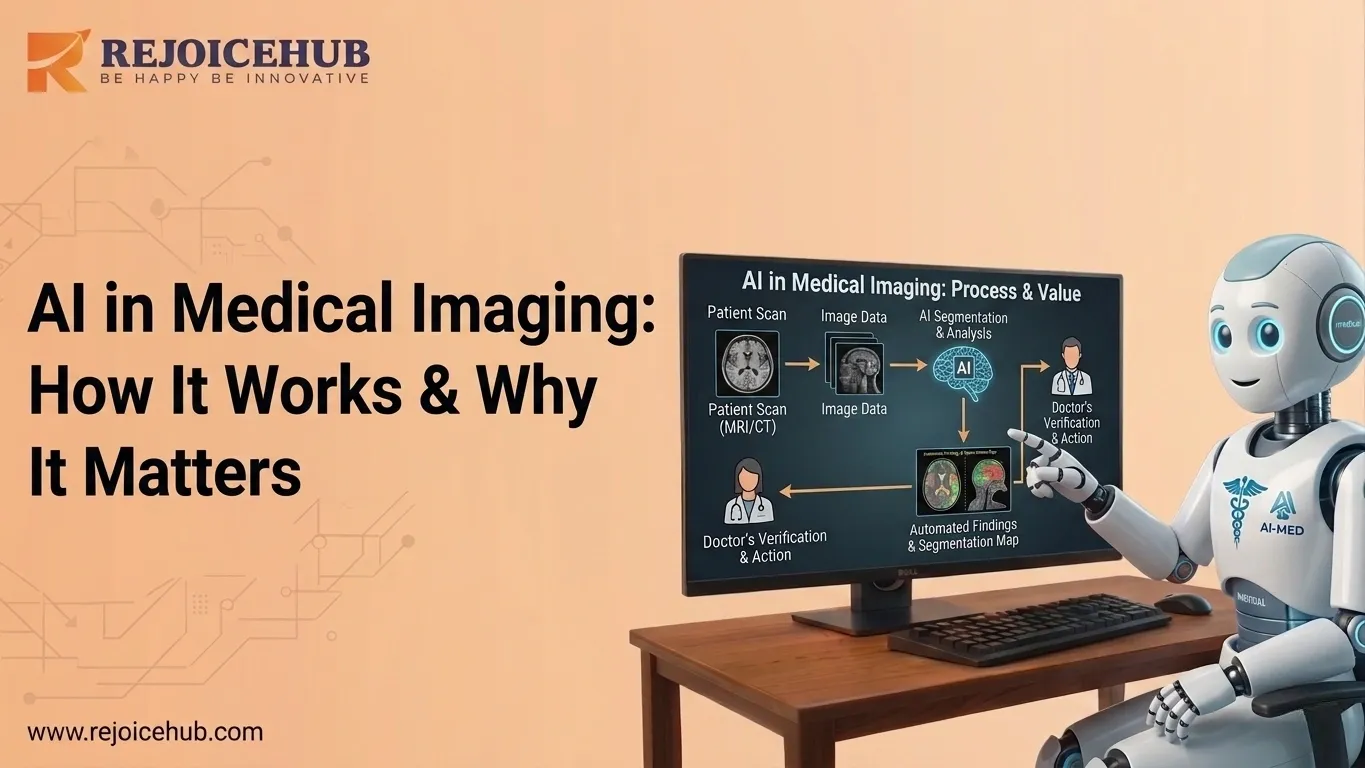
AI in medical imaging means using machine learning and deep learning to read and analyze medical scans like X-rays, MRIs, and CT scans. It helps doctors spot diseases faster by recognizing patterns in images that might be hard for the human eye to catch every single time.
2. How is AI transforming medical imaging today?
AI is changing medical imaging by automating the review of scans, flagging urgent cases right away, and reducing the workload on radiologists. It helps hospitals handle a growing number of scans without slowing down, while keeping accuracy high and getting results to doctors much faster than before.
3. How accurate is AI in medical imaging?
AI in medical imaging is quite accurate for many conditions. Studies show it can match or even beat average radiologists in detecting breast cancer and eye diseases. That said, it works best when paired with a human doctor, since edge cases and rare conditions still need real clinical judgment and experience.
4. What is an AI body scanner and how does it work?
An AI body scanner is an imaging device that uses AI software to analyze scan data in real time. It captures images, cleans and segments the data, then runs it through deep learning models. The system then creates a report with findings and confidence scores for the clinical team to review.
5. What are the main benefits of AI in radiology?
AI in radiology speeds up diagnosis, cuts down on missed findings, and reduces repetitive work for radiologists. It helps flag strokes or tumors within minutes, lowers burnout, and allows doctors to focus on complex cases. Most importantly, faster and more accurate reads lead to better outcomes for patients.
6. Can AI in medical imaging replace radiologists?
No, AI is not here to replace radiologists. It is built to support them. AI handles high-volume routine reads and flags urgent scans, but a licensed radiologist always makes the final call. The combination of AI speed and human judgment consistently outperforms either one working on its own.
7. What are the biggest challenges with AI in medical imaging?
The main challenges include data privacy, regulatory approval, and bias in training data. AI tools need FDA clearance before clinical use in the US. If training datasets lack diversity, accuracy can drop for certain patient groups. Connecting AI tools with existing hospital systems also takes careful planning and technical work.