AI tools have come a long way from simple Q&A chatbots. Today, Claude Artifacts really show one of the biggest changes in how businesses and developers deal with AI, shifting things from plain conversation to actual creation.
If you've been thinking about what Claude Artifacts are, how they operate, and if they can genuinely support your business to build faster, then this guide is right where you want to be. Let's sort it all out.
What Are Claude Artifacts in Claude AI?
Definition of Claude Artifacts
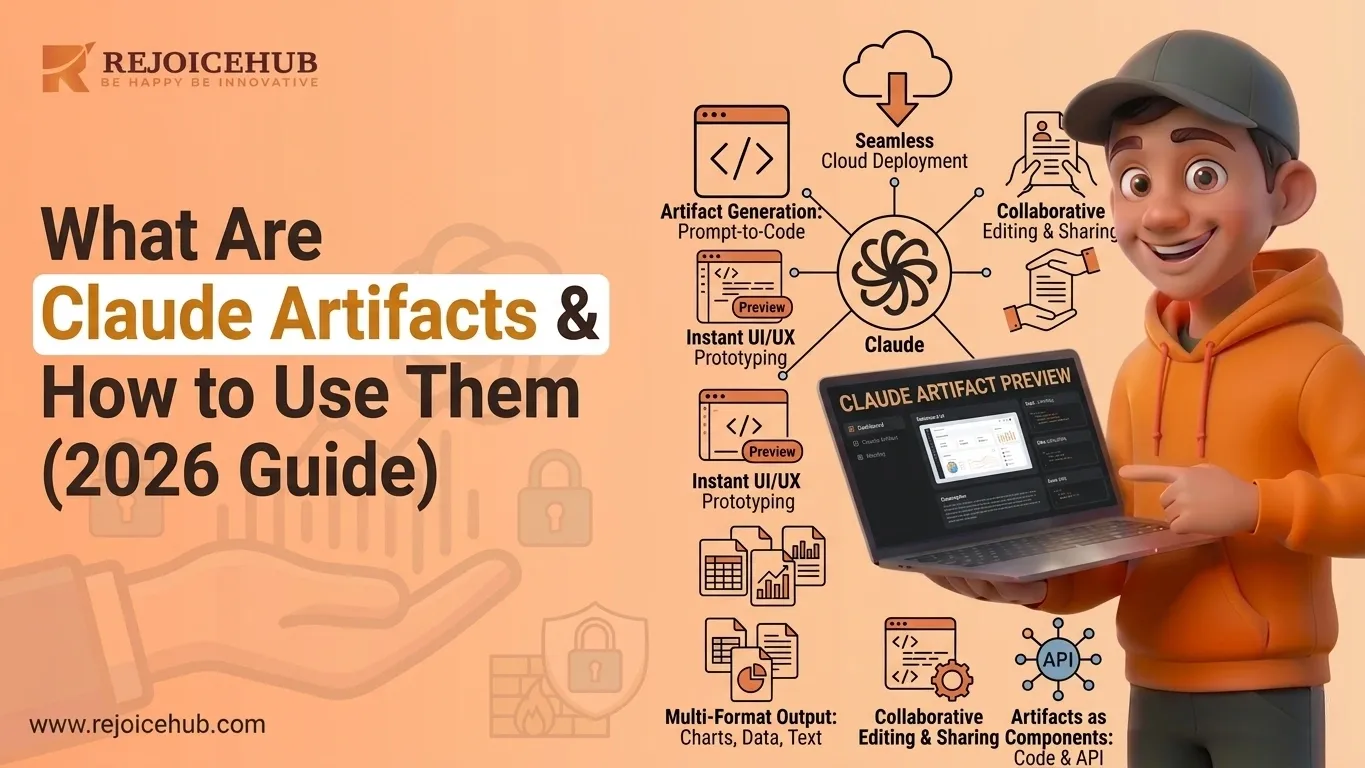
Claude Artifacts are self-contained interactive outputs that Claude makes right in the chat interface. Instead of spitting out a long wall of text, Claude can drop fully functional web apps, code files, documents, dashboards, and data visualizations all still in that same conversation window.
Think of it this way: instead of Claude describing how to build a product landing page, it just builds one and you can view, edit, and interact with it instantly.
Featured Snippet Answer: Claude Artifacts in Claude AI are interactive, editable outputs such as code, web apps, documents, and dashboards that Claude generates and renders directly inside the chat interface, allowing users to preview and iterate on them in real time without switching tools.
How Artifacts Differ from Regular AI Responses
Standard AI responses give you text. Artifacts give you something you can use.
Here's what makes them different:
-
Interactive output: Artifacts aren't static. A generated web app actually runs. A data visualization keeps updating. A calculator calculates it doesn't just sit there.
-
Persistent workspace: Artifacts hang around in a side panel as you keep chatting, so you can swing back and forth, adjust them, and keep expanding iteratively.
-
Editable content: You can ask Claude to modify any part of the artifact through follow-up prompts. No manual copy-paste, no switching tools.
This makes Claude less of a chatbot and more of a collaborative development environment one that speaks plain English.
How Claude Artifacts Work
Artifact Generation Process
The workflow is simple, but powerful:
- Prompt: You tell Claude what you want in regular natural language (e.g., "Build me a revenue dashboard with a bar chart and filters")
- Creation: Claude generates the actual artifact HTML, React components, documents, whatever fits in real time
- Preview: Shows up right away in a side panel, so you can see exactly what was built
- Iteration: You keep going with follow-up prompts (e.g., "Make the chart blue, add a date range filter, and enable CSV export")
No IDE. No local setup. No build tools. Just a prompt, and then a result.
Supported Artifact Types
Claude can generate a wide range of artifact types, including:
- Web apps: Functional single-page applications with HTML, CSS, and JavaScript
- React components: Reusable UI components with state management and logic
- Documents: Structured reports, proposals, and documentation in Markdown
- Code files: Python scripts, SQL queries, API integrations, and more
- Dashboards: Interactive data displays with charts, KPIs, and filters
- Visualizations: Graphs, diagrams, flowcharts, and data tables
For businesses, this means you can go from idea to working prototype in minutes, not weeks.
How to Create Claude Artifacts Step-by-Step
Step 1: Write an Effective Prompt
The quality of your artifact depends heavily on the clarity of your prompt. Here's what works:
- Be specific about the output type: "Create a React dashboard" beats "Make something for tracking data"
- Define your requirements upfront: Include data, layout preferences, colors, and functionality
- Mention the audience: "This is for a sales team" helps Claude make better design decisions
- Use examples: "Similar to a Stripe-style metrics page" gives Claude clear direction
Example of a strong prompt:
"Build a React-based sales dashboard that shows monthly revenue as a bar chart, total deals closed as a KPI card, and includes a dropdown to filter by region. Use a dark theme."
Step 2: Generate the Artifact
After you send your prompt, Claude will generate the artifact and render it in the side panel. This usually takes a few seconds.
You'll see the live output alongside Claude's explanation of what it built and why it made certain decisions.
Step 3: Refine and Iterate
This is where the magic happens. Use follow-up prompts to:
- Change the design ("Use our brand color #1A73E8 instead")
- Add functionality ("Add an export to CSV button")
- Fix errors ("The chart is not showing Q4 data correctly")
- Expand the scope ("Now add a second tab for pipeline forecasting")
Claude maintains the full context of what it built, so every iteration builds on the last no starting over.
Step 4: Export or Deploy the Output
Once you're satisfied, you can:
- Copy the code directly from the artifact panel
- Download the file to use in your project
- Embed it in your existing codebase or CMS
- Share the Claude conversation with teammates for collaborative refinement
Accelerate Your Workflows with Custom AI
Book a free consultation session with RejoiceHub. We'll map out a tailored automation roadmap for your company.
Claude Artifacts Examples and Use Cases
1. For Developers
Developers working on AI-powered tools can move significantly faster with Artifacts:
- Landing pages: Generate a fully styled marketing page from a brief in under 60 seconds
- UI prototypes: Mock up new product features as functional React components before engineering commits
- Code generators: Build scripts that automate repetitive development tasks (data migrations, file parsers, API wrappers)
- API testing tools: Create lightweight clients to test endpoints without spinning up a full environment
A developer who might spend 3 hours crafting a prototype UI can end up with a functional initial draft in about 5 minutes, then use the rest of the time for polishing and validation.
2. For Content Teams
Content teams gain a powerful new production tool:
- Interactive reports: Turn quarterly data into a visual, interactive HTML report instead of a static PDF
- Presentations: Generate structured slide outlines with embedded data visualizations
- Documentation: Produce structured technical docs, FAQs, and onboarding guides from a simple brief
- Content templates: Build reusable frameworks for blog posts, newsletters, or social media campaigns
3. For Businesses
The business use cases are where Artifacts deliver serious ROI:
- Internal tools: Provide lightweight admin dashboards, trackers, and calculators without engineering resources
- Customer dashboards: Prototype client-facing reporting tools before committing to full development
- Workflow automation: Generate custom scripts that automate data processing, reporting, or CRM updates
- Proposal builders: Create structured, interactive client proposals that go beyond static documents
If you're looking to build custom AI agents or production-ready tools powered by Claude, RejoiceHub can help you move from prototype to deployment explore our AI development services.
Claude Artifacts vs Traditional Development Tools
Here's a straightforward comparison:
| Feature | Claude Artifacts | Traditional Development |
|---|---|---|
| Speed to prototype | Minutes | Days to weeks |
| Cost | Low (included in Claude plan) | High (dev time + tooling) |
| Prototyping ease | Extremely high | Moderate to complex |
| Technical skills required | Minimal (plain English) | High (code, frameworks, tooling) |
| Scalability | Limited (MVP/prototype layer) | Fully scalable |
| Customization | Moderate | Complete |
| Production readiness | Needs engineering handoff | Production-ready |
Where Artifacts Shine
- Rapid ideation and MVP validation
- Non-technical teams building internal tools
- Proof-of-concept demos for stakeholders
- First drafts that get handed off to developers
Where Artifacts Fall Short
- Large-scale, production-grade systems requiring security audits
- Complex backend infrastructure (databases, auth, microservices)
- Highly branded, pixel-perfect design systems
- Long-term maintainability at enterprise scale
In short, artifacts aren't a replacement for the craft of software engineering more like a turbocharger for those early phases of building, and a strong bridge between the initial idea and real execution.
Best Practices for Using Claude Artifacts Effectively
1. Start With Clear Requirements
Vague prompts produce vague artifacts. Before you write your prompt, spend 2 minutes answering:
- What is this artifact for?
- Who will use it?
- What does it need to do?
- What should it look like?
The more context Claude has, the better the output.
2. Use Iterative Prompting
Don't try to build everything in one massive prompt. Start simple:
- Build the core structure first ("Create a basic sales tracker with a table")
- Add functionality in layers ("Now add filtering by month")
- Polish last ("Improve the visual design and add color-coded status badges")
This approach produces cleaner, more accurate artifacts and is much easier to debug when something doesn't look right. This iterative style is also core to how modern agentic AI workflows are designed to operate.
3. Validate Outputs Carefully
Artifacts are fast, but they're not infallible. Always:
- Test interactive elements: Click buttons, submit forms, try edge cases
- Review the generated code before using it in production
- Check data accuracy if you've provided real datasets
- Validate logic for any calculations or business rules
Treat Claude Artifacts like you'd treat output from a junior developer: capable and fast, but requiring review.
4. Consider Security and Scalability
If you're moving an artifact toward production:
- Have a developer audit the code for security vulnerabilities
- Avoid hardcoding sensitive data (API keys, credentials) in artifacts
- Think about how the solution scales as your data or users grow
- Consider accessibility (a11y) standards for customer-facing tools
Artifacts are ideal for getting to 80% fast. Closing the final 20% for production usually requires experienced software engineering practices and proper review.
Conclusion
Claude Artifacts represent a real shift in what AI can do for businesses and developers. They move Claude out of being just a text-generating chatbot and into an actual creation workspace where you can build, preview, iterate, and deploy faster than traditional routines allow.
Whether you're a startup founder validating an idea, a developer prototyping a feature, or a business team smoothing out an internal workflow, Artifacts give you a competitive edge. They shrink the time from "concept" to something working in the real world from weeks down to minutes.
The teams that end up winning won't necessarily be the ones with the biggest engineering budgets. More likely, they'll be the ones that use tools like Claude Artifacts to move faster, test more often, and iterate smarter with less friction.
Frequently Asked Questions
1. What are Claude Artifacts in Claude AI?
Claude Artifacts are interactive outputs like web apps, dashboards, code files, and documents that Claude builds right inside the chat window. Instead of just describing how to build something, Claude actually creates it, and you can see, edit, and use it right away without switching to another tool.
2. How are Claude Artifacts different from regular AI responses?
Regular AI responses give you text. Claude Artifacts give you something you can actually use a working app, a live chart, or a styled document. They sit in a side panel, stay visible as you chat, and can be updated anytime through simple follow-up prompts- no manual editing needed.
3. How do I create Claude Artifacts step by step?
Just type a clear prompt like "Build a sales dashboard with a bar chart." Claude generates the artifact instantly in a side panel. From there, you can refine it with follow-ups like "add a date filter" or "use a dark theme." No setup, no code editor, no build tools required.
4. What are the best Claude Artifact use cases for businesses?
Businesses use Claude Artifacts to build internal tools, prototype dashboards, create interactive reports, and automate workflows, all without hiring developers. It's great for validating ideas fast, showing stakeholders a working demo, or giving your team a lightweight custom tool they can actually use.
5. Can beginners use Claude Artifacts without coding knowledge?
Yes, absolutely. Claude Artifacts are designed to work with plain English prompts. You don't need to know HTML, React, or any programming language. Just describe what you want, and Claude builds it. It's one of the most beginner-friendly ways to go from an idea to a working product quickly.
6. What types of outputs can Claude Artifacts generate?
Claude Artifacts can generate web apps, React components, Markdown documents, Python scripts, SQL queries, data dashboards, flowcharts, and more. Basically, if you need something built, structured, or visualized, Claude can likely generate a solid working version of it right inside the chat.
7. How do I use Claude Artifacts effectively to get better results?
Start with a specific, detailed prompt. Mention the output type, layout, colors, and audience. Then build in layers, get the core structure first, add features next, and polish last. Always test buttons and logic before using anything in production. Treat it like output from a fast junior developer review before shipping.