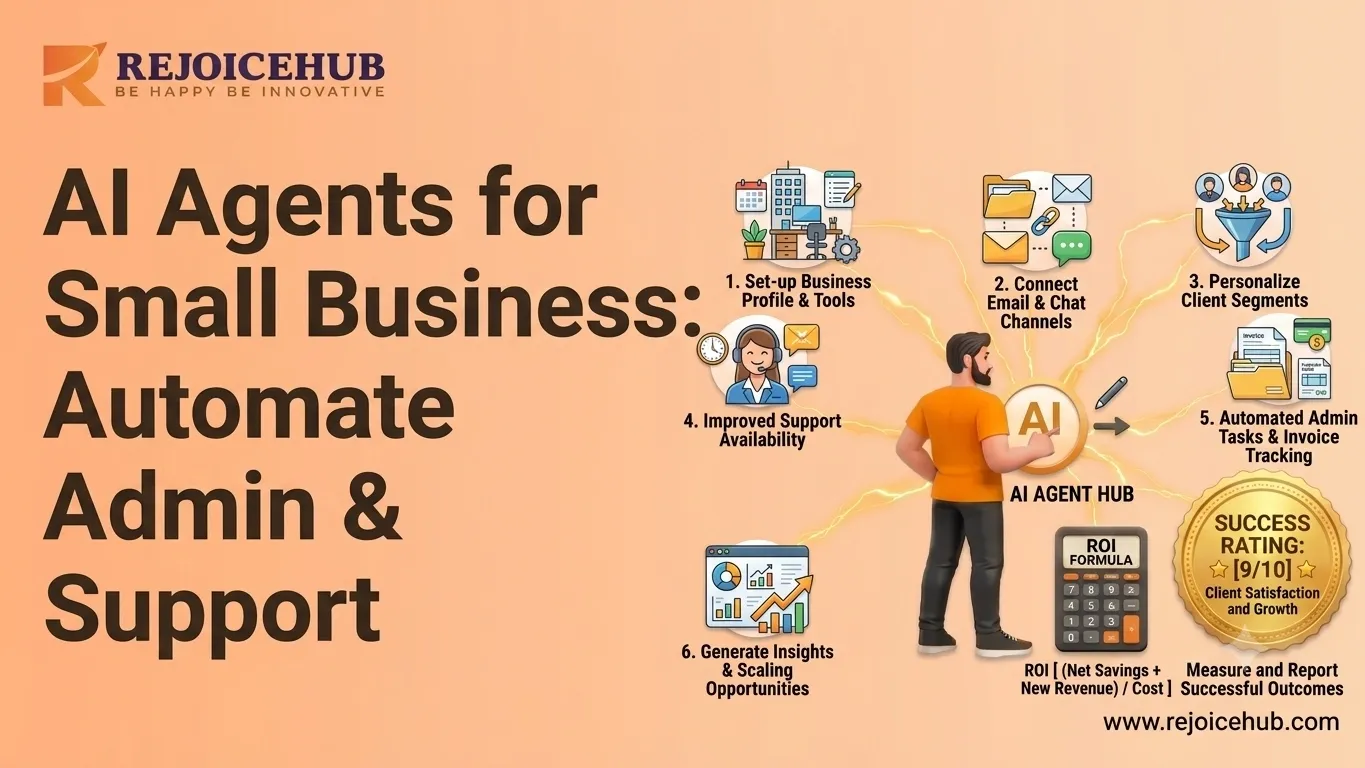
In the year 2026, running a small business is like having too many things to do and never having enough time in a day to do them. The average small business owner spends over 40% of his/her weekly working time performing mundane activities such as chasing for invoice payments, booking appointments, replying to similar queries, and manually managing their databases. If you're wondering what AI automation actually means for your business, the short answer is: it's changing all of this fast.
AI agents intelligent software systems that can plan, reason, and take action autonomously are no longer just for large enterprises. Today, even a five-person team can automate invoicing, administration, and customer support with tools that are affordable, fast to deploy, and genuinely impactful.
In this guide, we break down exactly how AI agents work, where they deliver the most value for small businesses, and how to start without getting overwhelmed.
What Is Small Business AI Automation?
Understanding AI Agents
AI agents differ from regular software, and this difference is crucial.
Regular software has very strict conditions for example, if X happens, then Y must be done. It cannot adapt and can function only according to the conditions it has been set up for.
AI agents are different. They can:
- Understand natural language instructions
- Plan multi-step tasks without being told each step
- Learn from context and improve over time
- Interact with other tools, apps, and APIs autonomously
Think of an AI agent as a digital employee that doesn't sleep, doesn't make transcription errors, and can handle dozens of tasks simultaneously. Business process automation through AI agents is not just faster it's smarter.
Why Small Businesses Are Adopting AI
There are three main reasons why small businesses should consider implementing AI today:
Increasing cost of manpower. Today, hiring an administrative assistant, a billing coordinator, or a support specialist costs anywhere between $40,000–$65,000 annually. And it's possible to get this done much more cheaply with the help of an AI agent.
Necessity for increased efficiency. With customer demand for immediate service rising, small companies need solutions similar to those used by bigger companies to meet the growing needs of customers.
Competitive pressure. Automation has become common practice for bigger companies, and small companies that refuse to follow the trend will lose out to their competitors.
Fortunately, AI-based solutions for small businesses are more accessible than ever.
How AI Agents Help Small Businesses Automate Tasks
1. Automating Invoicing
Creating invoices manually is one of the most time-consuming processes in the operation of small businesses, but it's also one that is easy to automate.
-
Invoicing: AI-based bots can create invoices professionally depending on the trigger point when projects are completed, according to time tracked, or depending on the sale made. This eliminates the need for formatting, copying, and pasting.
-
Following up payments: Rather than sending awkward reminder emails, an AI-based bot will monitor payment status and send personalized reminders that get increasingly more serious as time goes by.
-
Expenses: An AI agent can sort out expenses incurred during the day according to receipts received and credit card statements.
Example: A freelance designer firm employs an AI agent linked to their project management platform. As soon as the project is marked as completed, invoices are sent out automatically after 7, 14, and 30 days.*
2. Administrative Automation
Admin tasks are silent productivity killers. AI agents reclaim hours every week.
-
Calendar management: AI agents can parse email requests, check availability, and book meetings handling back-and-forth scheduling that typically takes 5–10 emails.
-
Appointment scheduling: For service businesses like salons, consultants, and clinics, AI virtual assistants integrate with booking systems to confirm appointments, send reminders, and handle rescheduling.
-
Data entry: From transferring CRM data to updating inventory records, AI agents eliminate the manual copy-paste work that leads to errors and frustration.
Example: A small law firm deployed an AI virtual assistant to handle new client intake. It collects contact information, schedules consultations, and populates the CRM saving the receptionist roughly 12 hours per week.*
3. Customer Support Automation
Customer support is where AI delivers some of its most visible results for small businesses.
-
AI chatbots: Deployed on your website or WhatsApp, AI chatbots answer questions 24/7 even when your team is offline. They handle product queries, pricing, location, hours, and more.
-
Ticket handling: AI agents can classify incoming support tickets by urgency and type, route them to the right team member, and even resolve common issues automatically. To understand how this works in practice, see how AI customer support automation is being applied across industries today.
-
FAQ responses: Rather than writing the same answers repeatedly, AI agents pull from a knowledge base to respond instantly and consistently.
Example: A small e-commerce store handling 200+ support queries per week uses an AI customer support agent. It resolves 68% of tickets without human involvement, reducing average response time from 6 hours to under 3 minutes.
Key Benefits of AI Agents for Small Businesses
-
Reduced Operational Costs
AI agents typically cost a fraction of what a full-time employee costs for the same tasks. Most small businesses report a 20–40% reduction in operational costs within the first six months of deploying automation for core workflows.
You're not replacing people you're freeing them to focus on higher-value work. For a broader look at how this plays out, the benefits of AI for business go well beyond just cost savings.
-
Increased Productivity
When repetitive tasks are handled by AI, your team does more in less time. Studies show employees reclaim 2–4 hours per day when admin work is automated. For a five-person team, that's the equivalent of adding another full-time employee without the hiring cost.
-
Faster Customer Response Times
Speed is currency in customer service. AI agents respond to customer inquiries in seconds, not hours. Businesses using AI support agents consistently report response time improvements of 60–80% and higher customer satisfaction scores as a result.
-
Better Scalability
This is perhaps the most overlooked benefit. With manual processes, scaling means hiring. With AI automation, you can handle 2x or 5x the volume without a proportional increase in headcount.
A business that can scale operations without scaling costs has a structural advantage. That's exactly what AI-powered business automation makes possible.
Accelerate Your Workflows with Custom AI
Book a free consultation session with RejoiceHub. We'll map out a tailored automation roadmap for your company.
AI Agents vs. Traditional Business Automation
Here's a clear breakdown of how AI agents compare to the rule-based automation tools many small businesses rely on today:
| Feature | Traditional Automation | AI Agents |
|---|---|---|
| Decision-making | Rule-based (if/then) | Intelligent, context-aware |
| Flexibility | Limited breaks outside preset rules | Adaptive, handles new scenarios |
| Maintenance | Requires frequent manual updates | Self-improving with feedback |
| Workflow type | Fixed, linear workflows | Dynamic, multi-step reasoning |
| Natural language | Not supported | Fully supported |
| Learning ability | None | Improves over time |
| Integration depth | Limited API connections | Deep cross-platform integration |
| Cost over time | Increases (maintenance + updates) | Decreases (learns, needs less oversight) |
Old technologies such as Zapier and simple email workflows still find their uses. However, for complicated decisions that require reasoning like chasing late invoices, dealing with tricky customer issues, and organizing busy schedules AI agents vs. SaaS tools is a comparison that increasingly tips in favour of AI.
Best AI Solutions for Small Business Operations
Rather than overwhelming you with a list of 50 tools, here's how to think about AI solutions by category:
1. AI Virtual Assistants
These handle scheduling, email drafting, meeting prep, and internal communications. The best ones integrate with your existing calendar, email, and CRM.
Best for: Solopreneurs, consultants, and service-based businesses with heavy scheduling needs.
Look for: Tools that connect to Google Workspace or Microsoft 365 and can take natural language instructions.
2. AI Customer Support Agents
Purpose-built to handle inbound queries, these agents learn your product or service catalog and respond with accuracy across web chat, email, and messaging apps.
Best for: E-commerce stores, SaaS companies, and any business with high support volume.
Look for: Agents that escalate intelligently to humans when needed and log all interactions. You can explore a curated breakdown of AI customer support agents to find the right fit for your team size and industry.
3. AI Sales & Lead Generation Agents
These qualify leads from your website, follow up with prospects, and book sales calls all without human intervention.
Best for: B2B companies, agencies, and professional service firms.
Look for: CRM integration, multi-channel outreach (email + LinkedIn), and customizable qualification criteria. If lead generation is a priority, AI tools for lead generation are worth comparing before you commit to a platform.
4. AI Workflow Automation Agents
The most powerful category orchestrates multiple tools and complete end-to-end workflows. Think: receive a form submission → create a project → generate a proposal → send it to the client → follow up automatically.
To understand how these multi-step flows are designed, agentic AI workflows give a solid foundation for what's possible.
How to Get Started with AI-Powered Business Automation
The biggest mistake businesses make is trying to automate everything at once. Here's a practical, low-risk approach:
Step 1: Identify repetitive tasks. List every task your team does more than 3 times a week. These are your automation candidates. Common ones: invoice follow-ups, appointment booking, answering FAQs, data entry, and lead follow-up.
Step 2: Choose automation opportunities. Not every task is worth automating. Prioritize tasks that are high-frequency, rule-based (or mostly rule-based), and time-consuming. Start with the ones that cause the most friction.
Step 3: Start with one workflow. Pick one process and automate it fully before moving on. Common starting points: invoice reminders, customer support chatbot, or meeting scheduling. Get it right before scaling.
Step 4: Monitor performance. Set measurable goals response time, hours saved, error rate, and cost per task. Review after 30 days. AI agents improve when you give them feedback and better data.
Step 5: Scale gradually. Once your first automation is running smoothly, expand. Add a second workflow. Connect more tools. If you're not sure where to go next, a practical guide on how to build an AI agent stack for your business can help you plan the next phase without guesswork.
Conclusion
Small businesses no longer need to choose between staying lean and staying competitive. With AI agents, they can automate repetitive workflows like invoicing, administration, and customer support without hiring a large team or increasing operational costs.
The smartest businesses are starting small identifying one time-consuming workflow, automating it properly, and then building from there. AI agents help teams save time, reduce manual effort, improve response speed, and scale operations without scaling expenses at the same rate.
Frequently Asked Questions
1. What is small business AI automation, and how does it work?
Small business AI automation uses AI agents, smart software that can plan, reason, and take action on its own. Unlike basic tools, these agents understand instructions, handle multi-step tasks, and connect with your apps. They work 24/7 without breaks, errors, or supervision, making daily operations a lot smoother.
2. How do AI agents help small businesses automate tasks like invoicing?
AI agents can create and send invoices automatically once a project is done, track payment status, and follow up with clients on your behalf. They handle the entire billing cycle without you lifting a finger, no copy-pasting, no awkward reminder emails, and no missed payments slipping through.
3. What are the best AI agents for small business automation in 2026?
The best AI agents for small businesses fall into a few main groups AI virtual assistants for scheduling, AI customer support agents for handling queries, and workflow automation agents that connect your tools end-to-end. The right choice depends on where your team loses the most time each week.
4. What are the real benefits of using AI agents for small businesses?
Small businesses using AI agents typically cut operational costs by 20–40% in the first six months. Teams also reclaim 2–4 hours daily from repetitive admin work. On top of that, customer response times drop by 60–80%, and the business can handle more volume without needing to hire extra staff.
5. Can AI virtual assistants really replace admin work for small businesses?
They can handle a huge chunk of it. AI virtual assistants manage calendar bookings, client intake, CRM updates, and appointment reminders automatically. One small law firm saved its receptionist 12 hours per week just by using an AI agent for new client scheduling that's real, measurable time back.
6. How is an AI agent different from tools like Zapier or basic automation?
Zapier and similar tools follow fixed rules — if X happens, do Y. That's it. AI agents are flexible. They can reason through new situations, handle messy inputs, and improve over time. For tasks like chasing late invoices or managing tricky customer questions, AI agents handle things basic tools simply can't.
7. How should a small business get started with AI-powered business automation?
Start simple. Pick one repetitive task your team does more than three times a week, like invoice follow-ups or FAQ replies, and automate just that first. Once it runs smoothly, add the next workflow. Building step by step is much less risky and gives you real results faster.