
Try AI Studio / RejoiceHub products
Try AI Studio: generate product images from a brief
Upload a product photo, choose a visual direction, and generate image variations for your team to review. Check that the result accurately represents the product before using it in a listing or campaign.
See the product website for current plans and availability.
Capabilities
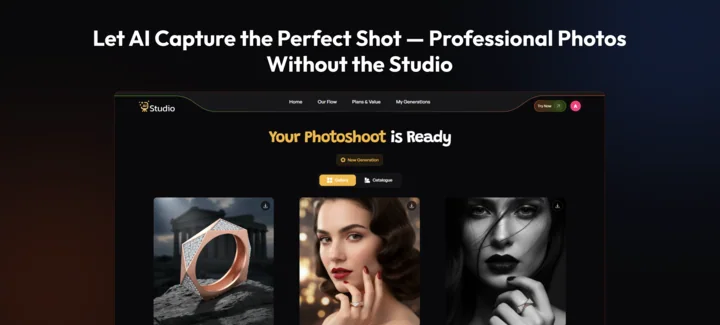
What you can do with Try AI Studio
Product images
Generate a new presentation from the product photo you provide.Backgrounds and themes
Choose settings and styles for different campaigns.On-model styling
Explore product presentations on AI-generated models where supported.Preview and download
Review generated images and download the selected output.Creative variations
Compare styles for catalog, social, and advertising formats.
HOW TO USE
How to get started
Add your product
Upload a clear product photo.Choose a style
Set the theme, background, and other available preferences.Review and download
Check product details in the result and download the image you want to use.
Android
Get the Try AI Studio Android app
View the app listing for device requirements and current availability.
FAQs
Before you get started
Using Try AI Studio and checking its current terms.
Check the current plan, output limits, and commercial-use terms on Try AI Studio before generating or publishing images. This page does not quote a plan price or grant usage rights.
Visit Try AI Studio using the link above for current plans, available features, and account requirements.
Read the privacy policy and terms on Try AI Studio's own site before uploading sensitive data. Contact the product team if you need details about retention, processing, or account access.
Product enquiries
Questions about Try AI Studio?
Ask about product access, integrations, or requirements for your team. For account and billing details, use the product's own support channel.