
CallIntel / RejoiceHub products
CallIntel: AI voice agents for business calls
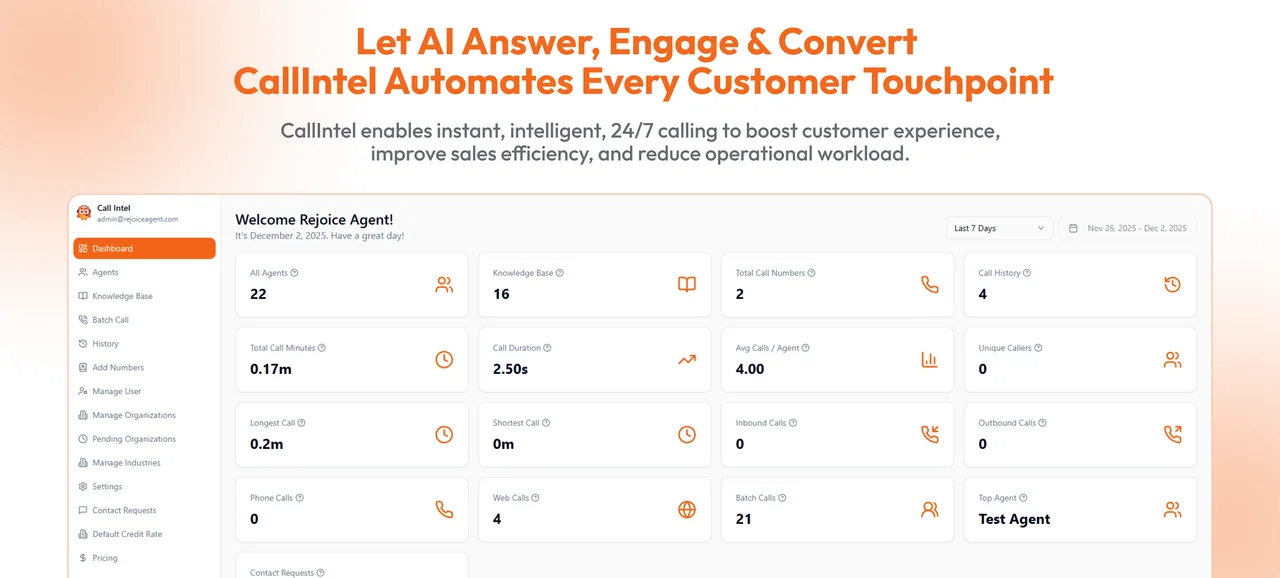
Configure voice agents for inbound and outbound calls, appointment requests, and lead qualification. Connect the conversation to your business tools and review call records with your team.
See the product website for current plans and availability.
Capabilities
What you can do with CallIntel
Voice agents
Define the agent's instructions, questions, and call workflow.Appointment scheduling
Connect scheduling tools so callers can request an appointment.CRM integration
Connect customer records and follow-up tasks to supported systems.Call records
Review transcriptions and call information to assess how the agent handled a conversation.Outreach workflows
Configure follow-up and reminder calls for contacts your business is authorized to call.Language configuration
Choose from the voice and language options available for your setup.
HOW TO USE
How to get started
Define the call
Agree the questions, permitted actions, and handoff to your team.Connect your systems
Configure the tools and records the agent needs to access.Test conversations
Review representative calls, misunderstandings, and escalation behavior.Launch and review
Monitor call records and adjust the configuration with your team.
FAQs
Before you get started
Using CallIntel and checking its current terms.
Review the call script, recording and consent requirements, access to customer data, and the handoff to a person. Test the configured voices and languages with representative callers.
Visit CallIntel using the link above for current plans, available features, and account requirements.
Read the privacy policy and terms on CallIntel's own site before uploading sensitive data. Contact the product team if you need details about retention, processing, or account access.
Product enquiries
Questions about CallIntel?
Ask about product access, integrations, or requirements for your team. For account and billing details, use the product's own support channel.