
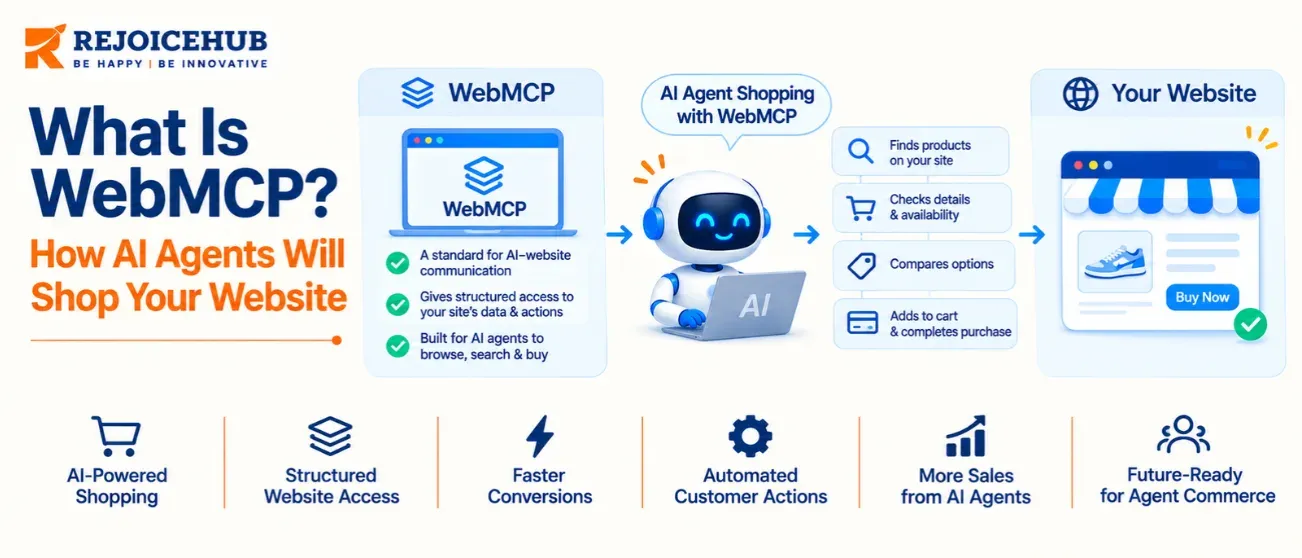
WebMCP is a proposed web standard that lets a website hand AI agents a menu of structured actions, such as search products, add to cart, and start checkout. Agents call those actions directly instead of guessing which button to click. Google and Microsoft co-authored it, and Chrome is testing it now.
WebMCP gives your online store a way to tell AI shopping agents exactly what they can do. A shopper's assistant can then search your catalog, fill a cart, and reach checkout without clicking through your pages by trial and error. Chrome began testing it in February 2026, and Shopify and BigCommerce now support it. Teams already working on AI agent development will see why this matters: agents are becoming customers.
What Is WebMCP?
WebMCP, short for Web Model Context Protocol, is a browser API that lets a web page declare tools for AI agents. Each tool carries a name, a plain-English description, and a list of inputs.
The Web Machine Learning Community Group at the W3C hosts the draft. Engineers from Google and Microsoft wrote it together. Google's Chrome team opened an early preview on February 10, 2026 (Source: W3C Web Machine Learning Community Group technical notes, 2026).
Picture a store counter with labeled windows. An agent reads "search_products" or "add_to_cart" and uses it. It never has to hunt for a magnifying-glass icon.
How Do AI Agents Shop a Website Today?
Most AI agents shop by reading screenshots or raw page code and guessing what to click. That guessing breaks easily.
Why Guessing Fails
- A size filter hides inside a dropdown the agent misreads.
- A pop-up covers the "Add to cart" button.
- A redesign moves the checkout link, and the agent gets lost.
- Every step needs a fresh look at the page, which is slow.
Guessing vs Structured Tools
| Task | Agent without WebMCP | Agent with WebMCP |
|---|---|---|
| Find a product | Reads the page and guesses where search lives | Calls a search tool with a query and price limit |
| Add to cart | Locates a button and clicks it | Calls an add-to-cart tool with product ID and quantity |
| After a site redesign | Often breaks, because the layout changed | Keeps working, because tools connect to app logic |
| Who sets the path | The agent decides | The site owner defines the preferred path |
| Speed | Several screen reads and clicks | One direct call with no extra network hop |
Data sourced from Chrome for Developers, "When to use WebMCP and MCP." Last updated: October 2026.
How Does WebMCP Work?
A page registers tools with the browser. The browser shows those tools to an agent. When the agent calls one, the page's own JavaScript runs it.
The Imperative API (JavaScript)
Developers register each tool with navigator.modelContext.registerTool(). Here is a simplified store search example:
if ("modelContext" in navigator) {
  navigator.modelContext.registerTool({
    name: "search_products",
    description: "Search the catalog by keyword and maximum price",
    inputSchema: {
      type: "object",
      properties: {
        query: { type: "string" },
        maxPrice: { type: "number" }
      },
      required: ["query"]
    },
    async execute({ query, maxPrice }) {
      const results = await searchCatalog(query, maxPrice);
      return { content: [{ type: "text", text: JSON.stringify(results) }] };
    }
  });
}
The API has already changed since launch. Developers reported the removal of the provideContext and clearContext methods in March 2026 (Source: DataCamp WebMCP tutorial, 2026). Check Chrome's current docs for the exact format before you ship.
The Declarative API (HTML)
Chrome also supports a declarative route. Developers annotate existing HTML forms, and the browser turns them into tools. A search box or a quote form can become agent-ready without custom scripts (Source: Chrome for Developers, WebMCP early preview, April 2026).
Where the Tools Run
Tools run inside the page, using the shopper's current login session. They exist only while the page stays open. Close the tab and the tools disappear (Source: Chrome for Developers, October 27, 2026).
Why Should US Store Owners Care Now?
AI-referred shoppers are still a small share of traffic, but they are growing fast and converting well. Three figures show the direction:
- AI-driven traffic to US retail sites grew 393% year over year in Q1 2026 (Source: TechCrunch, as cited by VortexIQ, 2026).
- AI-referred visitors converted about 42% better than other sources by March 2026 and stayed about 48% longer (Source: TechCrunch, as cited by VortexIQ, 2026).
- Morgan Stanley projects agentic AI could influence up to $385 billion of US e-commerce by 2030 (Source: Ecommerce Guide, as cited by VortexIQ, 2026).
Treat these as directional, since they reach us through secondary summaries. Agents will not replace your visitors overnight. They will become one more way people reach your catalog.
WebMCP vs MCP: What Is the Difference?
MCP connects agents to your backend at any hour. WebMCP connects agents to your page while a shopper has it open. Chrome states that WebMCP is not an extension or a replacement of MCP.
Chrome's team compares MCP to a call center that is always reachable. WebMCP is the in-store expert who is present only while the shopper is in the store.
| MCP | WebMCP | |
|---|---|---|
| Where tools live | On a server | In a web page |
| When it is available | Always, while the server is up | Only while the page is open |
| Whose login it uses | Its own credentials | The shopper's current session |
| Building blocks | Tools, resources, prompts | Tools only |
| Best for | Background tasks and data access | In-page web actions and client-side sessions |
Data sourced from Chrome for Developers, "When to use WebMCP and MCP." Last updated: October 2026.
Use Both Together
Chrome recommends keeping core business logic in MCP and adding WebMCP as the final layer on the page. That makes your API development work the foundation. Prices, stock rules, and permissions live in one backend, and both channels read from it.
Who Supports WebMCP Right Now?
Chrome leads, and Shopify and BigCommerce have shipped support. No browser ships WebMCP to everyone by default yet.
| Date | Event |
|---|---|
| February 10, 2026 | Chrome opens an early preview, available behind a flag in Chrome 146 |
| May 19, 2026 | Google announces a Chrome 149 origin trial at I/O 2026 |
| August 21, 2026 | Shopify WebMCP support takes effect for Liquid and Hydrogen storefronts |
| September 28, 2026 | Shopify adds checkout tools for browser agents |
| October 21, 2026 | BigCommerce launches WebMCP through Cloudflare |
Data sourced from Chrome for Developers, PPC Land, Idukki (citing the Shopify changelog), Relevant Audience, and Affect Group. Last updated: November 2026.
Browser Support
Chrome offers WebMCP through an origin trial that began with Chrome 149 (Source: Chrome for Developers, June 9, 2026). Web platform data shows no browser shipping it by default (Source: Web Platform DX browser support data, 2026). Firefox and Safari take part in the working group but have not shipped it (Source: Bug0 Chrome 146 guide, 2026).
Platform Support
Shopify's checkout tools let a browser agent update an order and place it only after the shopper confirms (Source: Relevant Audience, September 30, 2026). BigCommerce reached nearly 100,000 store domains through Cloudflare (Source: Stellagent, October 2026). Custom and headless stores have no native support by default, so you build the tools yourself (Source: VortexIQ, 2026).
What Should You Expose to Agents First?
Start with read-only tools, add cart actions next, and hand checkout back to the shopper.
- Catalog search with filters for price, size, and color.
- Product details with live stock and shipping estimates.
- Policy lookup for returns, shipping, and warranty.
- Cart actions to add, remove, and change quantity.
- Checkout handoff that asks the shopper to confirm.
Shopify's own tool list covers catalog, cart, checkout, orders, and policy search (Source: Shopify WebMCP tools reference, as cited by Idukki, September 2026).
A Common Mistake
Teams often turn every button into a tool. Chrome says WebMCP tools connect to application logic, not design. Model tasks such as "find a gift under $50" instead of single clicks.
What Are the Risks and Limits?
WebMCP is experimental, and letting agents act on your store raises real security questions.
Status
- Chromium is the only engine testing it today.
- The spec is a Community Group draft, and details are still moving.
- Never make it the only path to your products.
Security
Agents act inside the shopper's session. Chrome publishes tool security guidance for this reason. Sensitive actions such as a purchase can trigger a confirmation dialog before the tool runs (Source: PPC Land, May 2026).
Validate every input on the server. Re-check price, stock, and payment there. Keep the normal human interface working for shoppers without agents.
Is Your Site Agent-Ready? A 6-Step Checklist
Most stores can prepare in a few weeks without a rebuild. Work through these steps in order:
- Check your platform. Shopify and BigCommerce merchants should confirm which tools are already live.
- Clean your product data. Use clear titles, structured attributes, and current stock counts.
- Fix your forms. Label every field and use proper HTML inputs, since the declarative API builds on them.
- Pick three to five agent tasks. Search, compare, and add to cart are good starts.
- Register tools behind a feature check. Use if ("modelContext" in navigator) so other browsers are unaffected.
- Test with Chrome's tools. The Model Context Tool Inspector extension lists every registered tool.
A custom store or headless build needs hands-on work. RejoiceHub's web development team builds websites, applications, and APIs that connect to existing systems, and can scope a first set of agent tools with you.
Conclusion
WebMCP turns your website into something an AI agent can use on purpose, not by luck. The standard is still young, but Chrome, Shopify, and BigCommerce have already moved. Start small with search, product details, and a safe checkout handoff.
If you want help scoping agent-ready tools for a custom store, contact the RejoiceHub team through our web development services.
FAQs
Frequently Asked Questions
What is WebMCP in simple words?
WebMCP is a browser feature that lets a website list the actions an AI agent can take, such as search products or add to cart. The agent uses that list instead of guessing where to click. Google and Microsoft engineers wrote the draft.
Is WebMCP the same as MCP?
No. MCP connects agents to backend services and works at any time. WebMCP works inside an open web page and uses the shopper's session. Chrome says one does not replace the other.
Which browsers support WebMCP?
Chrome is the main browser testing it, through an origin trial that began with Chrome 149. Firefox and Safari take part in the working group but have not shipped it. Check Chrome Status for updates.
Can an AI agent buy from my store without approval?
Not on Shopify. Its checkout tools let an agent update the order and place it only after the shopper confirms (Source: Relevant Audience, September 30, 2026). Custom stores can add a confirmation step to any sensitive tool.
Do I need a developer to add WebMCP?
On Shopify and BigCommerce, the platform provides the main shopping tools. On a custom or headless store, a developer registers tools or annotates forms. Plan a small first set of tools.
Does WebMCP replace my API or MCP server?
No. Chrome recommends keeping core business logic in MCP and your API, then adding WebMCP as the page-level layer. Your tools should call the same backend rules so prices stay consistent.
Will WebMCP change my Google search rankings?
The Chrome documentation reviewed for this article does not link WebMCP to search rankings. It serves agents acting inside a browser, not crawlers. Treat it as a new sales channel, not an SEO tactic.
Is WebMCP safe to use?
It is safer than blind scraping because the site defines each action. Risks remain. Validate every input on the server, require shopper confirmation for purchases, and follow Chrome's tool security guidance.
Will WebMCP become a web standard?
Today it is a Community Group draft, not a finished standard. Chrome's origin trial will shape the next version. Other browsers have not committed to ship it, so timing is uncertain.
What should I do first?
Check whether your platform already supports it. Then clean your product data and forms, pick three to five agent tasks, and test with Chrome's Model Context Tool Inspector extension.
