
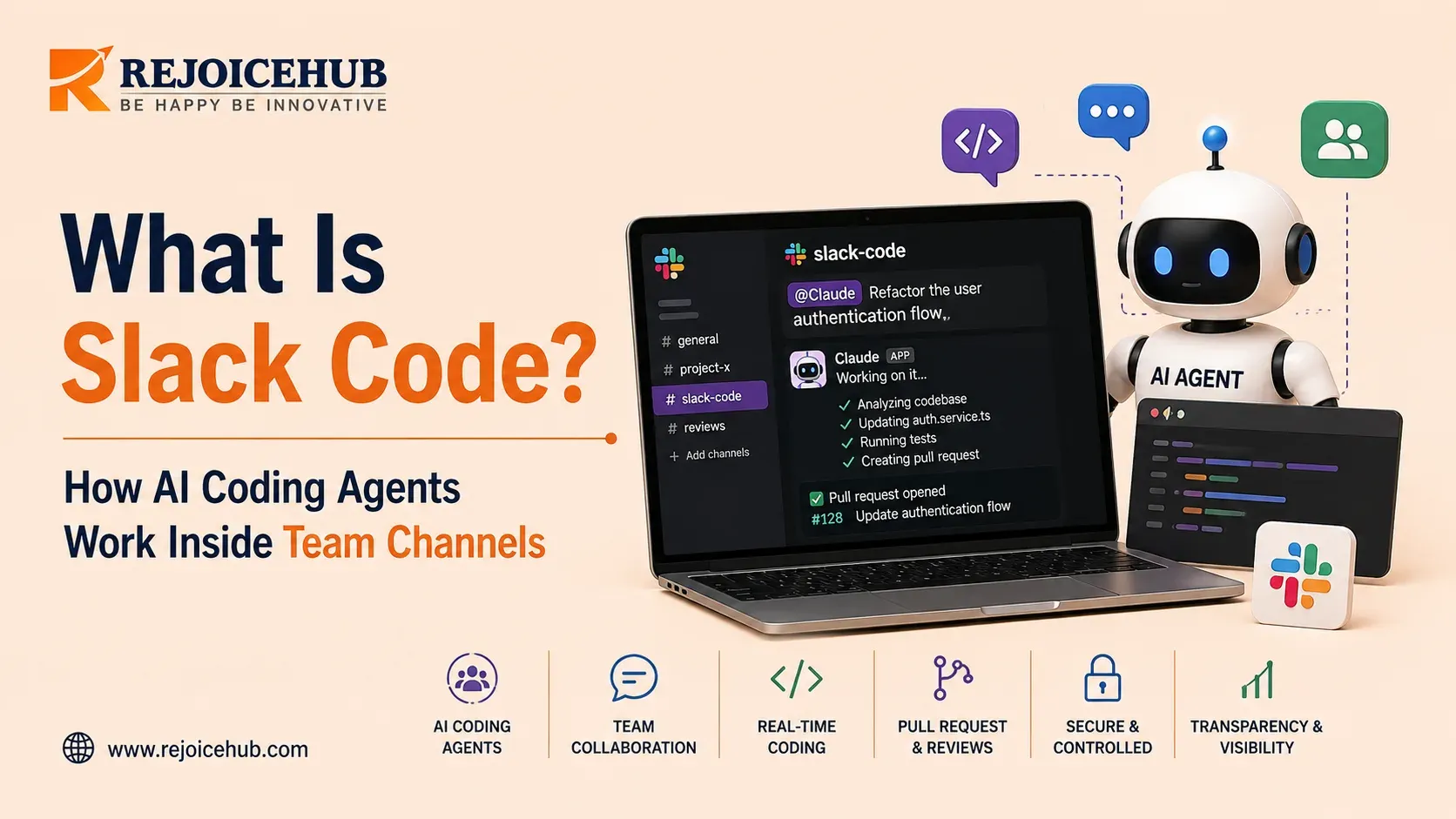
If you lead engineering, you've seen the same pattern unfold over the last two years: one dev opens up a private tab, asks an agent for something, leaves for twenty minutes, and comes back to a diff that none of his peers saw come across their desks. The agent did that work. His team just wasn't there for it.
Slack is bringing AI coding agents directly into team conversations, creating a shared workspace where developers and other stakeholders can provide context, monitor progress, and collaborate around agent-generated work, a shift many teams support through dedicated AI integration planning as part of their broader adoption strategy. This code-channel experience moves agentic development beyond an individual terminal or IDE workflow and into a shared team environment.
This post will detail what Slack Code is, how it works technically, which agents are supported, and, most importantly to leaders considering its adoption: what it does and does not address in terms of production agent use cases.
What Is Slack Code?
Slack Code is a Slack feature that transforms the experience of interacting with AI-assisted software development into a multi-user cooperative in-channel activity. Instead of keeping an AI coding task inside a developer's private terminal or IDE, a team member can invoke a supported AI agent from Slack and collaborate with teammates around the task.
Depending on the integration, the agent can work within a dedicated code-channel workflow while team members provide context, review progress, give feedback, and coordinate the resulting changes.
According to Slack, the underlying theme of their new feature is that building code with agents has so far been "a single-player game" – one user, one agent, one conversation, and one team member only seeing the final changes.
Slack's current coding-agent ecosystem includes integrations such as Claude Code, OpenAI Codex, Cursor, and GitHub Copilot, tools that reflect the broader industry shift toward vibe coding development practices. The capabilities and requirements vary by integration, and the broader Slack platform supports additional AI agents and apps.
How Slack Code Works, Step by Step
The mechanics are straightforward, which is arguably the point. Slack designed this to feel like starting a conversation, not opening a dev tool, echoing the same principles behind good automation services design.
Tag an agent in a Slack conversation. Someone has a bug report, a feature request, or a one-off task ("update the pricing page copy," "fix the null pointer in the checkout flow") and mentions a supported coding agent: for example, @Claude directly in a channel, thread, or DM.
A code channel spins up automatically. The agent creates a new, project-specific channel scoped to that task, an approach that mirrors how modern generative AI development workflows are structured. It pulls in relevant teammates and inherits context from the conversation that triggered it, so nobody has to re-explain the problem.
The team can follow the agent's progress, discuss the task, review proposed changes, and interact with previews when the specific integration supports them.
This is important for reasons that go beyond mere convenience. In practice, each coding task that has been completed results in an audit trail in and of itself: the original ask, the agent's strategy, all diffs, all human feedback, and approval, all in a single channel.
Which Agents Support Slack Code
At launch, Slack Code AI agents include:
Claude (Anthropic): Claude Tag invokes a code channel on request, posts a running summary back to the originating thread so people can follow along without opening the channel, and archives the room once work lands.
Devin (Cognition): designed to behave like a quiet coworker: it responds when tagged, fixes flagged bugs, and reports back with a working preview, without adding a new channel to check constantly.
GitHub Copilot: built to widen who can contribute; a non-technical teammate can describe a problem in plain language, Copilot drafts a fix, and an engineer is tagged in to review, all inside the same channel.
Vercel Agent: kicks off a live preview the moment a change ships and posts a shareable link directly in the channel, a workflow that fits naturally alongside broader web development services, so the team sees the actual result before it reaches users.
ChatGPT (OpenAI): announced as a launch partner, with support arriving shortly after the initial rollout, joining Slack's growing list of ChatGPT customization integrations.
Each integration will be a little different, but the general idea is the same: working in a place where the team works, not in the tool they have to come to.
Accelerate Your Workflows with Custom AI
Book a free consultation session with RejoiceHub. We'll map out a tailored automation roadmap for your company.
Why This Matters for CTOs and Engineering Leaders
1. Visibility Drives Adoption Slack Code makes agent activity visible to the team instead of keeping it inside an individual developer's terminal. Plans, changes, and diffs can be reviewed as work happens.
2. Coding Agents Become Team-Accessible Non-engineers can interact with coding agents through Slack, lowering the barrier to software development, similar to how AI agent kit builders are designed to widen access. However, this also increases the need for clear access and security policies.
3. Permissions Affect Governance Shared conversations and audit records can improve visibility into agent activity, but they do not replace security controls. Organizations still need secret scanning, least-privilege access, code review, CI/CD checks, approval workflows, and production safeguards, the same fundamentals covered under good DevOps consulting practices.
4. Audit Trails Have Limits Archived code channels provide useful visibility into what happened during an agent task. However, audit logs alone cannot replace secret detection, approval workflows, or broader security controls.
5. Governance Must Go Beyond Slack CTOs should define what agents can access, what actions they can perform, which repositories they can modify, and when human approval is required before changes reach production, decisions best mapped out through focused AI strategy consulting.
Slack Code vs. Solo Agent Workflows
| Solo agent (terminal/IDE/CLI) | Slack Code (code channel) | |
|---|---|---|
| Visibility | Only the person who prompted it | Whole team, in real time |
| Context handoff | Manual, someone re-explains the task | Automatic, pulled from the triggering conversation |
| Review point | After the PR is opened | Continuous, during the build |
| Non-technical participation | Effectively none | Supported by design |
| Record of what happened | Git history only | Git history + full channel transcript |
| Governance | Whatever your CI/CD and code review process enforces | Slack's existing permissions, plus optional human approval step |
Neither model replaces the other: solo, terminal-based agent work is faster for a developer deep into a well-scoped task that they don't need assistance with. Slack Code coding agents are better suited for tasks that benefit from additional eyes and context, or which require non-engineering input, which represents an increasing amount of work as coding agents proliferate internally.
Where Slack Code Fits and Where It Doesn't
A Slack Code announcement is an important milestone on the path towards more open auditing of agentic software development, with a significant emphasis on wider accessibility beyond just engineering. It's something that teams with an established agent workflow can genuinely benefit from adopting on top of their existing internal tooling.
However, Slack does not by itself solve the broader governance challenges of deploying coding agents at scale. Organizations still need to define agent access policies, repository permissions, approval thresholds, security controls, and production guardrails that can scale beyond early pilot teams, groundwork that often overlaps with a wider digital transformation initiative.
For organizations moving from early experiments to production-scale agent adoption, these governance decisions become part of the implementation strategy. A well-defined agent access model, approval workflow, and security framework can help teams adopt "multiplayer AI coding" without weakening existing engineering controls.
Conclusion
Slack's coding-agent experience reflects a shift from isolated AI-assisted development toward more collaborative and visible agentic coding. By bringing coding agents into team conversations, Slack makes it easier for engineers and other stakeholders to provide context, discuss requirements, and collaborate around development work.
However, Slack's coding-agent capabilities are not a replacement for broader engineering governance. Organizations still need policies for agent permissions, repository access, secrets management, human approvals, security testing, deployment controls, and production access.
For organizations adopting coding agents at scale, the challenge is no longer just enabling the technology. It is creating the right operating model so teams can benefit from agents while maintaining security, accountability, and production-grade engineering controls.
Frequently Asked Questions
What is Slack Code?
Slack Code is a Slack feature that lets teams work with AI coding agents inside shared channels instead of a private terminal. It turns solo agent work into a group activity where the whole team can watch, comment, and review as the task happens.
How does Slack Code work?
Someone tags a supported agent, like @Claude, in a Slack conversation. The agent then spins up a dedicated code channel, pulls in relevant teammates, and works on the task while the group follows along, gives feedback, and reviews changes in real time.
Which AI agents work with Slack Code?
At launch, Slack Code supports Claude from Anthropic, Devin from Cognition, GitHub Copilot, and Vercel Agent. ChatGPT from OpenAI is also confirmed as a launch partner, with support rolling out shortly after the initial release.
Is Slack Code the same as Claude Code?
No. Claude Code is Anthropic's coding agent, while Slack Code is the Slack feature that lets you invoke agents like Claude directly inside a channel. Claude is one of several agents that plug into the Slack Code experience.
Can non-engineers use Slack Code?
Yes. One of the main points of Slack Code is that non-technical teammates can describe a problem in plain language and tag an agent for help. An engineer can then step in to review the proposed fix before it ships.
What happens to a code channel after the task is done?
Once the work is finished and approved, the code channel is archived. It stays as a record showing the original request, the agent's approach, all changes made, and the team's feedback and sign-off.
Does Slack Code replace code review and security checks?
No, it does not. Slack Code adds visibility and an audit trail, but teams still need secret scanning, least-privilege access, CI/CD checks, and approval workflows. Governance has to happen outside Slack as well.
How is Slack Code different from using an agent in a terminal?
A terminal or IDE workflow is usually solo, with only the developer seeing the work until a pull request is opened. Slack Code makes the process visible to the whole team from the start, with automatic context handoff.
What is a code channel in Slack Code?
A code channel is a project-specific Slack channel that an agent creates automatically when tagged. It holds the task context, the agent's progress, team discussion, and reviewed changes all in one place until the work is archived.
Why are CTOs paying attention to Slack Code?
Slack Code makes agent activity visible instead of hidden in one developer's terminal, which helps with team collaboration and audit trails. But leaders still need clear policies on agent access, repository permissions, and approval steps before adoption.
