
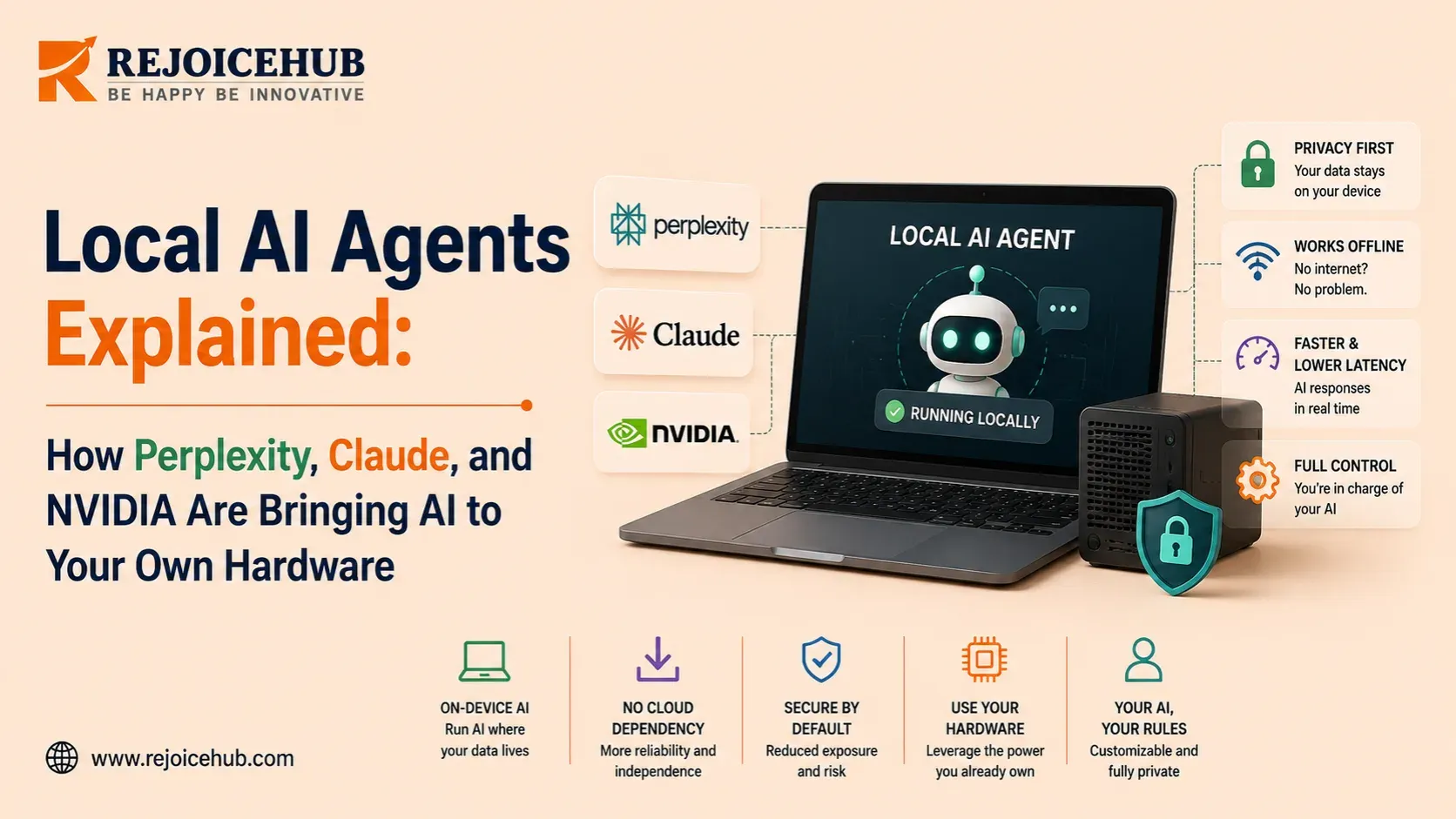
Local AI agents perform inference, the model's memory management, and the decision-making process on the hardware you own rather than in a rented data center that charges per token.
Until now, this meant having to settle for a less powerful model, a complex installation process, and an AI agent which could barely hold a conversation, let alone complete a workflow.
But that all changed fast in 2026. Perplexity already released the fully local version of its agent platform powered by Nvidia. Apple overhauled its Mac Studio to include on-device AI. Nvidia's DGX Spark made "running a 200-billion parameter model on your desk" an actual thing you can order.
This article explains what local AI agents actually are, the differences between current generations of such agents by Perplexity, Anthropic's Claude ecosystem, and Nvidia, and how to build your own.
Key Takeaways
- A local AI agent runs its model, orchestration layer, and tool access entirely on your own device, no per-token cloud billing and no prompt data leaving the machine by default.
- Perplexity's Portable Computer, launched August 25, 2026, is the first mainstream product to move a full agent stack, not just a chatbot, onto local hardware, using compact models like Qwen 3.8 27B.
- Claude itself has no downloadable weights; "local Claude" setups actually run Claude's agent tooling (Claude Code, MCP) against a different open-weight model on your machine.
- Nvidia's DGX Spark (1 petaFLOP, 128GB unified memory, from roughly $3,999) and Apple's new M5 Ultra Mac Studio (up to 512GB unified memory, from $5,499) are the two hardware platforms most local agent software targets right now.
What Are Local AI Agents?
A local AI agent is software that senses an objective, plans a course of action, invokes other services, and executes the plan, like any other AI agent. The critical difference lies in the fact that each of these parts is executed on hardware owned by the user or their company, and not by the vendors' servers.
A true local AI agent must maintain on-device the following things: model parameters, an inference engine running the parameters, and the agent harness deciding which step to make next. When all these pieces are available on your device, the agent is able to continue functioning even without a Wi-Fi connection.
How Do Local AI Agents Actually Work?
A local AI agent typically has three core layers: the AI model, the inference server, and the agent harness. Together, these components allow an AI system to run on your own hardware and complete multi-step tasks without relying entirely on the cloud.
1. The AI Model
The first layer is the AI model itself. Unlike large frontier models that require data-center infrastructure, local agents generally use compact, quantized models built through focused machine learning development work, designed to deliver strong performance with fewer resources.
Examples include Nvidia's Nemotron 3.5 Lightning and Alibaba's Qwen 3.8 27B, which are designed to provide capable inference while remaining practical for local hardware.
2. The Inference Server
The second layer is the inference server. It loads the model into memory and processes requests so the AI can generate responses.
For individual developers, popular options include Ollama, LM Studio, and llama.cpp, tools that are widely supported through active open-source consulting communities. Nvidia and Perplexity take a more integrated approach with Portable Computer, bundling the required software so users do not have to configure the inference stack themselves.
3. The Agent Harness
The third layer is the agent harness. This is the orchestration layer that gives the model access to tools, memory, and multi-step workflows.
This layer is what turns a simple chatbot into an actual AI agent, and building one well is essentially what an AI agent kit builder is designed to help teams do. Instead of only answering a question, the agent can research a topic, edit a spreadsheet, use external tools, and complete several steps toward a larger goal.
The Companies Pushing Local Agents in 2026
Perplexity: Portable Computer
Perplexity's original "Computer" service, built by a company known for reshaping how people search and discover information through digital marketing-adjacent AI answer engines, was launched in February 2026 and worked with Anthropic's Claude Opus 4.6 in the cloud using 19 models. In August 2026, on the 25th, the company released the service called "Portable Computer," a localized version of the original product where the orchestrator, subagent model, and the whole harness will be running on your computer.
At the initial stage, the service will support Nvidia's DGX Spark and Linux machines with at least 24GB of GPU memory (RTX 3090, 4090, or 5090-class GPUs); the Windows version was promised to arrive by September 2026.
The subscription is required in the form of Perplexity Pro, Max, Enterprise Pro, or Enterprise Max; however, the local application has zero cost per token fees.
Claude: the ecosystem runs local, the model doesn't
That is the point where the keyword "Claude local AI" requires a clear statement: Anthropic hasn't open-sourced Claude's model weights and has announced no plans to do so. There is no downloadable file, and no local execution is possible for Claude. What has become truly local, though, is the suite of tools around Claude, an approach not unlike how teams pursue ChatGPT customization to fit assistants around their own workflows without owning the underlying model.
Both Claude Code and Claude Desktop use the Anthropic Messages API format, and since January 2026, Ollama supports this API natively as well. Just set the ANTHROPIC_BASE_URL environment variable to point to a local Ollama or LM Studio instance instead of api.anthropic.com through a straightforward AI integration, and now Claude's agent framework, tool use, Model Context Protocol connectors, and file access use an open-weight model on your local machine.
NVIDIA: the hardware every local agent stack runs on
NVIDIA isn't creating an agent product for consumers; it is rather creating the platform for all other agents to be created on. The Nvidia DGX Spark, based on the GB10 Grace Blackwell Superchip, provides 1 petaFLOP of AI processing capacity and 128GB of unified memory in a device the size of a Mac mini and costs somewhere between $3,999 and $4,699 depending on the configuration. This computer, purpose-built for serious generative AI development work, is capable of processing models of up to 200 billion parameters or even 405 billion parameters when connected via the network to another similar device.
Apple: betting the Mac on on-device AI
In another interesting coincidence, Apple, a company long defined by its brand design philosophy, unveiled the M5 Ultra, its first quad-die processor, integrated into the new design of Mac Studio, on August 25, 2026.
It is a combination of two M5 Max dies using the company's proprietary technology called UltraFusion interconnect and provides up to 36 CPU cores, 80 GPU cores, and 512GB of unified memory with the capacity of up to 1.2TB/s.
Local AI Hardware at a Glance
| Platform | Chip | Unified Memory | AI Compute | Starting Price |
|---|---|---|---|---|
| NVIDIA DGX Spark | GB10 Grace Blackwell | 128GB | 1 petaFLOP (FP4) | ~$3,999 |
| NVIDIA DGX Station | GB300 Grace Blackwell Ultra | 784GB | ~20 petaFLOPs | $50,000+ (est.) |
| Apple Mac Studio (M5 Ultra) | M5 Ultra (quad-die) | Up to 512GB | Vendor-reported; no independent petaFLOP figure published | $5,499 |
| Consumer PC (RTX 4090/5090) | GeForce RTX | 24–32GB VRAM | Varies by card | Hardware-dependent |
Real-World Examples of Local AI Agents in Action
When someone runs Claude Code against their own Qwen or Llama instance using Ollama, they get code completion, refactorings, and an explanation of their codebase without any limits and no invoice at all, great for big volumes and tasks with less requirements in terms of reasoning depth, as they always have the option to turn to Claude in the cloud when needed.
The appeal for regulated industries is not about minor improvements, but fundamental. A law firm analyzing lease agreements, or a healthcare organization sorting their patients' messages much like a well-built mobile app would handle sensitive communications, can run the agent against documents that don't ever leave the computer in the office, which is similar to the way RejoiceHub's real estate agent is already working, analyzing leases and purchase agreements, extracting dates and obligations from them.
How Businesses Are Using Local AI Agents
For most companies, the decision to go local isn't philosophical as much as it is a natural step in a broader digital transformation journey, it comes down to three practical drivers:
- Cost predictability. Per-token cloud billing scales with usage in a way that's hard to forecast. A local agent's marginal cost per task is close to zero once the hardware is paid for, which matters most for high-volume, repetitive workflows like document triage or data extraction, the kind of work suited to targeted automation services.
- Data residency and compliance. Finance teams building fintech software, along with healthcare and legal teams, increasingly need to show that sensitive data never left a controlled environment. Local inference is a straightforward way to satisfy that requirement without redesigning a whole compliance program.
- Latency and reliability. An agent running in the same building as its data doesn't wait on network round trips, and it keeps working through a cloud outage or a spotty connection.
Finding that sweet spot and figuring out what workflows would warrant such hardware investment is the exact type of assessment you should conduct before any purchase. RejoiceHub's AI strategy consulting service is designed around this assessment and not around the local deployment assumption.
Benefits of Local AI Agents
- Lower marginal cost. Once hardware is purchased, running additional tasks doesn't add to a monthly bill the way cloud API calls do.
- Data control. Prompts, files, and outputs stay on hardware you own, which simplifies privacy reviews and reduces exposure if a cloud vendor is breached.
- Offline capability. A local agent keeps functioning without an internet connection, which matters for field work supported by IoT development, secure facilities, or unreliable connectivity.
- Predictable performance. No dependency on a shared cloud service's current load or rate limits, the hardware you bought is the hardware you get.
Limitations, Risks, and Trade-offs
Local AI agents are not simply a better version of cloud-based agents. They offer more control and privacy, but they also come with important limitations. Before choosing a local setup, it is worth understanding where the trade-offs appear.
Capability Gap
Local AI models have become much better at handling agentic tasks, but they still cannot match the strongest cloud models in every situation. Complex reasoning, long-running tasks, and difficult technical problems can still favor frontier cloud models. This is why some local agent setups include an escalation path to stronger cloud models when needed.
Upfront Hardware Cost
Running AI agents locally can require a significant investment in hardware. A DGX Spark can cost several thousand dollars, while high-end Mac Studio configurations can become expensive as memory increases. For occasional users, a monthly cloud API may therefore be more cost-effective than buying dedicated hardware.
Setup and Maintenance Complexity
A local AI agent is not always plug-and-play. Users may need to select a model, configure an inference server, choose an agent framework or harness, and connect the different components. Hardware and software compatibility can also create additional maintenance work, especially when running demanding models for long periods.
Governance Doesn't Disappear
Keeping data on your own hardware can reduce exposure to external cloud services, but it does not eliminate security risks. Local agents still need proper sandboxing, permission controls, authentication, and access restrictions, the kind of groundwork typically handled through dedicated DevOps consulting. In other words, local deployment can improve privacy, but security still depends on how the system is designed and managed.
Limited Model Selection
Local hardware limits which models you can realistically run. The amount of available RAM or unified memory directly affects the size and type of models you can use. Cloud platforms provide access to a much wider range of models, including larger systems that may be impractical to run on personal or workstation hardware.
Local AI Agents vs. Cloud AI Agents
| Factor | Local AI Agents | Cloud AI Agents |
|---|---|---|
| Data location | Stays on your device by default | Sent to vendor servers |
| Cost structure | One-time hardware cost, near-zero marginal cost | Ongoing per-token or subscription billing |
| Peak capability | Limited to what fits in local memory | Access to frontier-scale models |
| Offline use | Works without internet | Requires a connection |
| Setup effort | Hardware purchase plus configuration | Sign up and start |
| Model selection | Constrained by hardware memory | Broad, vendor-managed |
How to Get Started with Local AI Agents
Getting started with local AI agents does not require building a complex system from day one, in fact it can start closer to a vibe coding experiment than a full engineering rollout. The best approach is to start with a clear workload, choose suitable hardware, and add complexity only when you need it.
1. Define the Workload First
Start by identifying what you actually want the agent to do, a step that benefits from the same rigor as good user research. Tasks such as document review, code assistance, and research summarization can work well with compact local models. More complex reasoning or highly specialized tasks may still require a cloud model.
2. Match Hardware to Memory Needs, Not Hype
Choose hardware based on the models and workloads you plan to run rather than simply buying the most powerful system available. A 24–32GB consumer GPU can handle many mid-size models, while systems with 128GB or more of memory become useful for larger models or multiple agents running together.
3. Pick a Harness That Fits Your Team's Skill Level
Your technical expertise should influence how you build the local agent stack. Developers can work directly with tools such as Ollama, LM Studio, or llama.cpp much like they would approach any other web development project, while non-technical teams may prefer packaged, well-designed solutions built with strong UI/UX design such as Portable Computer that combine the model, server, and agent harness.
4. Build in a Cloud Fallback
A local-first setup does not have to mean local-only. Adding a permission-controlled cloud fallback lets the system send difficult tasks to a larger model when the local model cannot handle them effectively. This creates a practical balance between local control and broader model capability.
5. Treat Governance as a Separate Step
Security and governance should be planned from the beginning, regardless of where the AI model runs. Sandboxing, access controls, permission scoping, and audit logging help prevent an agent from accessing or changing resources beyond what it needs.
What's Next for Local AI Agents
The pace of announcements in mid-to-late 2026 suggests this category is still accelerating rather than settling. Nvidia's higher-end DGX Station, aimed at running hundreds of agents and trillion-parameter models locally through advanced generative AI solutions, is targeted for release later in 2026, though pricing hasn't been officially confirmed. Reports point to Apple continuing to push memory capacity further in future Mac chip generations, aimed squarely at on-device model size. Microsoft has also entered the space with always-on personal agents and on-device models built into Windows.
Accelerate Your Workflows with Custom AI
Book a free consultation session with RejoiceHub. We'll map out a tailored automation roadmap for your company.
Conclusion
Local AI agents stopped being a hobbyist project in 2026. Perplexity, Nvidia, and Apple all shipped products in the same week built around the same idea: keep the model, the memory, and the decision-making on hardware you control, with the cloud as a fallback rather than the default. Claude's own weights remain closed, but the tooling built around Claude and the broader MCP ecosystem it helped establish now works comfortably with local models too.
None of this makes cloud AI obsolete, and it shouldn't be adopted as a default without checking whether your actual workload justifies the hardware.
If you're trying to figure out which of your team's AI workflows would genuinely benefit from running locally versus staying in the cloud, that's the exact scoping conversation to have before buying anything. Talk to RejoiceHub about mapping your workflows to the right architecture first.
Frequently Asked Questions
What is a local AI agent?
A local AI agent is software that runs its model, memory, and decision making right on your own device instead of a cloud server. This means no per-token billing and your data stays with you.
A local AI agent is software that runs its model, memory, and decision making right on your own device instead of a cloud server. This means no per-token billing and your data stays with you.
No, Claude's model weights are not open source and can't be downloaded. What you can do is run Claude's tools like Claude Code against a different open-weight model using your own local hardware setup.
What hardware do I need to run a local AI agent?
You need a device with enough unified memory, like NVIDIA's DGX Spark (128GB) or Apple's M5 Ultra Mac Studio (up to 512GB). A consumer GPU with 24 to 32GB VRAM also works for smaller models.
Is Perplexity's Portable Computer free to use?
No, it needs a Perplexity Pro, Max, Enterprise Pro, or Enterprise Max subscription. Once you have that, there are no extra per-token fees since everything runs on your own hardware locally.
What is the difference between local AI agents and cloud AI agents?
Local agents keep data on your device and cost a one-time hardware price with almost no ongoing fees. Cloud agents send data to servers and charge per token, but they give access to bigger, more powerful models.
How much does NVIDIA's DGX Spark cost?
The NVIDIA DGX Spark starts around $3,999 and can go up to $4,699 depending on configuration. It offers 1 petaFLOP of AI compute and 128GB of unified memory for running large models locally.
Are local AI agents good for businesses in healthcare or legal fields?
Yes, they're a strong fit because sensitive documents never leave your office network. This helps healthcare and legal teams meet data residency and compliance needs without redesigning their whole security setup.
What are the biggest downsides of local AI agents?
The main downsides are upfront hardware cost, setup complexity, and a capability gap compared to top cloud models. Complex reasoning tasks may still need a cloud fallback for the best results.
Do local AI agents work without internet access?
Yes, once the model and tools are installed, a local AI agent keeps working with no internet connection at all. This is useful for field work, secure facilities, or places with unreliable connectivity.
How do I get started with building a local AI agent?
Start by picking a clear task like document review or code help, then choose hardware that matches your memory needs. Add a harness like Ollama, and keep a cloud fallback for harder tasks.
