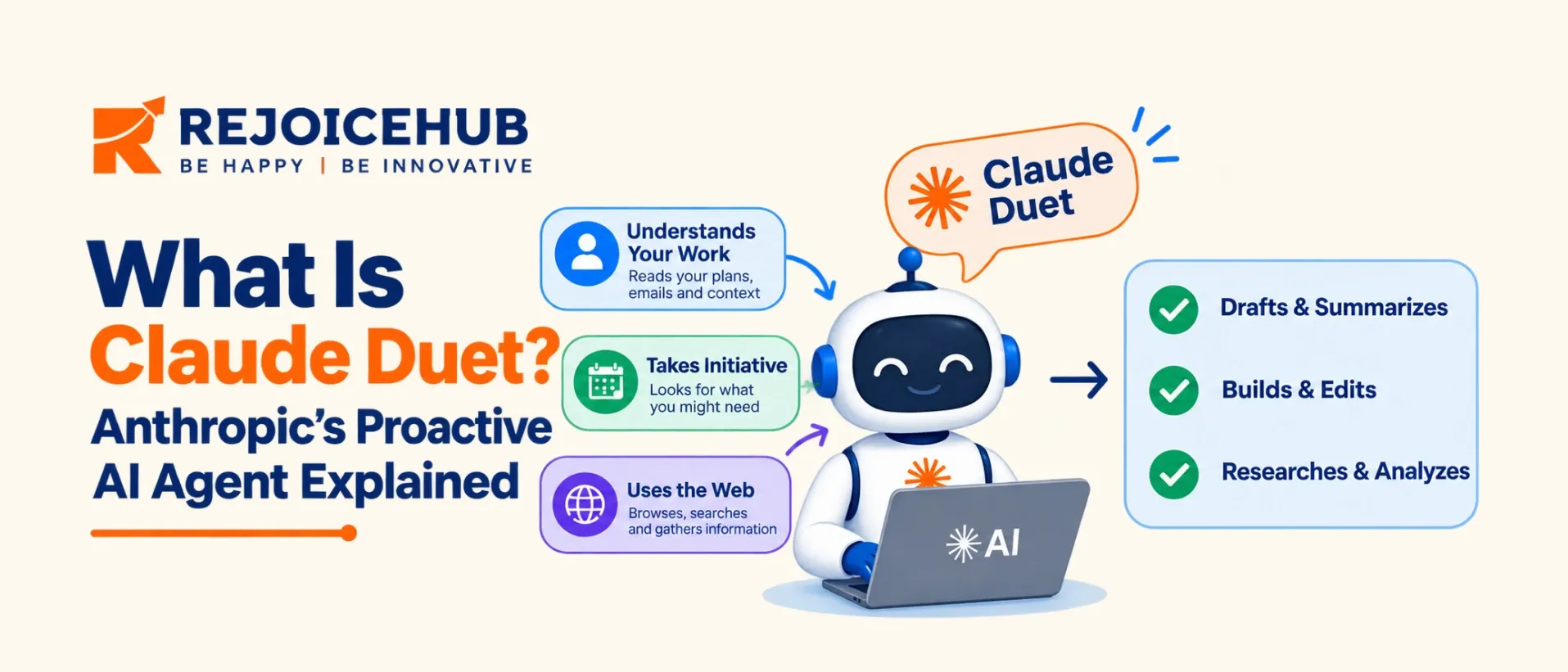
Claude Duet is a new standalone application from Anthropic which lets Claude act as an active AI agent. It will provide you with a morning summary, monitor other apps you connect, perform actions inside a cloud VM, and ask you to approve any actions it takes.
The research preview was opened on October 21, 2026. The waitlist is available only to Claude Pro and Max users in the US. It is only available on Claude Opus 5.5. This doesn't come with an additional cost as it is included in the Pro and Max plans. It is using the same rate limits as the rest of Claude.
What makes this interesting for engineers and security leads is the architecture of the application. It makes use of credential separation, an external approval layer, and a sensitive data classifier. These are the same patterns needed to create your own agents.
Key Highlights
- Proactive Assistance: Handles assigned tasks in the background without requiring constant user input.
- Cloud-Based Work: Continues working even when your laptop or phone is switched off.
- Workflow Automation: Helps professionals manage routine tasks across connected business tools.
- Human Control: Requests approval before performing sensitive actions, keeping users involved in important decisions.
- Ideal Use Cases: Best suited for ongoing business workflows, task follow-ups, and professional productivity.
What Is Claude Duet?
Unlike most AI assistants, Claude Duet is a proactive tool. According to Anthropic, it ‘proactively alerts you to what you need to do, finishes those tasks on your behalf, continues to work while you’re away and always asks for your permission.’
This is the first product developed by Anthropic around this proactive loop. Designed to help busy professionals and small business owners who have too much coming through their inbox, calendar and invoices to keep up with.
If you’re familiar with Claude as a chatbot, Claude Duet is the same family of models but with 3 new features. It adds a continuous conversation thread, a private computer in the cloud and the ability to proactively start conversations.
Who built it and why it matters now
The AI agent market is becoming more competitive. Companies are developing AI agents that can work in the background and manage tasks with less human input. This shift is important for technical leaders because employees may connect these tools to company accounts, such as Slack, Gmail, and finance platforms, without IT approval. Understanding how Claude Duet works, what data it can access, and which actions require approval can help businesses create clear AI usage policies and reduce security risks.
How Does Claude Duet Work?
Claude Duet works through four main mechanisms: it uses your existing Claude context, runs tasks in a cloud-based environment, checks connected accounts on a schedule, and asks for approval before taking sensitive actions.
Understanding these features can help businesses decide where Duet fits into their workflows and what security rules they should set before using it.
1. It Starts With Your Existing Claude Context
Claude Duet uses the memory, skills, and connected apps associated with your Claude account. This helps you get started without setting up everything from scratch. You can give instructions through text or voice in one ongoing conversation, whether you need a quick answer or help with a longer project.
Why it matters: Your existing Claude context may include information that Duet can use. Before enabling it, review your saved memory and connected apps to understand what information may be available to the agent.
2. It Runs Tasks in a Cloud-Based Environment
Duet works inside its own cloud-based virtual machine with a browser. You describe what you want it to do, and it determines which connected apps to use and which steps to take. It can then notify you when a task is complete or when your input is needed.
Because the work runs in the cloud, your laptop or phone does not need to remain switched on.
Why it matters: This setup allows teams to delegate work that takes longer than a normal chat. However, businesses should still define which tasks the agent can handle and which require human review.
3. It Checks Connected Accounts Periodically
Duet checks connected accounts every few hours rather than monitoring them continuously. You can specify what information you want it to look for and how often it should check. According to the product details, frequent background activity can also use your Claude subscription limits more quickly.
Duet may not always judge urgency correctly, so it should not be treated as a real-time monitoring system.
Why it matters: Businesses should avoid relying on Duet for urgent alerts or time-sensitive operations unless the workflow has been tested and its monitoring limitations are understood.
4. It Requires Approval for Sensitive Actions
Duet can read information, prepare drafts, and organize work with less direct input. However, it asks for approval before performing sensitive actions, such as sending messages, making payments, signing documents, or deleting data.
Some actions remain restricted even with approval, including trading securities, moving money between accounts, and accessing another person's account.
Why it matters: Approval steps help keep people involved in important decisions. Still, businesses should review permissions carefully and avoid giving an AI agent access to more information or tools than it needs.
Claude Duet: What Can It Do on Its Own?
| Action | Duet's behavior |
|---|---|
| Read emails, calendars, and accessible files | Can perform autonomously, subject to permissions |
| Draft replies, reports, and forecasts | Can prepare drafts autonomously |
| Send messages | Requires approval |
| Make payments | Requires approval |
| Sign documents | Requires approval |
| Delete data | Requires approval |
| Trade securities | Not allowed |
| Move money between accounts | Not allowed |
| Access someone else's account | Not allowed |
Key Features of Claude Duet
1. Daily Summaries and Smart Notifications
Claude Duet summarizes important updates from your connected apps. It can alert you about missed messages, scheduling conflicts, and tasks that need attention. This helps you stay organized without checking every app manually.
2. Automated Multi-Step Task Execution
Claude Duet can handle tasks such as creating dashboards, preparing sales forecasts, and building prototypes. Its cloud-based browser helps it work across multiple tools. This allows professionals to delegate complex tasks and save time.
3. Integration With Business Apps and Tools
Claude Duet connects with business tools such as Gmail, Slack, QuickBooks, Stripe, HubSpot, DocuSign, and Shopify. These AI integrations help users manage messages, track invoices, and prepare follow-ups. Available actions depend on app permissions and supported features.
4. Payments and Online Purchasing
Claude Duet supports purchasing workflows through payment options such as Link and Shop Pay. It requires approval before making payments or performing other sensitive actions. This helps users maintain control over important transactions.
5. Dedicated Mobile App and Web Access
Claude Duet is available on iOS, Android, and the web through claude.ai. It operates separately from the main Claude app, giving users a dedicated place to manage tasks and receive updates. This makes it easier to keep track of ongoing work.
Claude Duet Availability and Waitlist
| Detail | Status (October 2026) |
|---|---|
| Stage | Research preview |
| Access method | Waitlist, with email notification when ready |
| Plans | Claude Pro and Max |
| Region | United States |
| Platforms | iOS, Android, claude.ai |
| Model | Claude Opus 5.5 |
| Team and Enterprise | Not named in the announcement |
To join the Claude Duet waitlist, use the signup on Anthropic's Claude Duet product page at claude.com/product/claude-duet. Anthropic says it will email you when your access is ready.
If you are outside the US or on a plan other than Pro or Max, the announcement does not give a date. Check Anthropic's site for updates, since preview programs tend to expand in stages.
Claude Duet Pricing and Usage Limits
Claude Duet does not have a separate subscription fee during its research preview. It is included with eligible Claude Pro and Max plans and shares their usage limits.
However, background checks and complex tasks, such as building financial models or presentations, can use your allowance faster than regular chats. Actual usage depends on the task's complexity and how much work Duet performs.
Practical Tip: Start with a few connected apps and simple tasks. Monitor your usage for a week before adding more workflows.
Claude Duet vs. Claude: Key Differences
Claude and Claude Duet use the same Claude account, memory, connectors, and subscription limits. The main difference is how they handle tasks: Claude responds when you interact with it, while Duet is designed to work proactively in the background.
| Feature | Claude Chat | Claude Duet |
|---|---|---|
| Interaction | Responds to your prompts | Can initiate updates |
| Work environment | Chat interface | Cloud VM with a browser |
| Device requirement | Device needed for active use | Works without your device staying on |
| Monitoring | Mainly prompt-driven | Checks connected apps periodically |
| Main purpose | Answers and content creation | Background tasks and proactive updates |
| App | Main Claude app | Separate Duet app |
| Availability | Depends on your plan and region | Waitlist for eligible US Pro and Max users |
| Usage limits | Based on subscription | Shares Claude's usage limits |
In simple terms: Claude is an assistant you ask for help, while Duet is designed to handle tasks in the background and report when something needs your attention.
Claude Duet vs. OpenAI Dots vs. Meta Muse
These AI agent products aim to make digital assistance more proactive, but they differ in how they are delivered, who can access them, and how they handle permissions.
| Feature | Claude Duet | OpenAI Dots | Meta Muse |
|---|---|---|---|
| Launch | October 2026 research preview | September 2026, according to supplied details | Early September 2026, according to supplied details |
| Platform | Standalone app and claude.ai | Reportedly ChatGPT, Slack, and Teams | Meta apps |
| Access | US Pro and Max waitlist | Reportedly selected paid plans | Reportedly includes a free tier |
| Pricing | Included in eligible plans | Pricing needs verification | Pricing needs verification |
| Permissions | Approval for sensitive actions | Depends on available controls | Sensitive actions reportedly require approval |
Practical Use Cases of Claude Duet
Claude Duet is designed to help professionals automate routine work, manage business tasks, and handle multi-step workflows. Here are some of its key use cases.
1. Executive Task Management
Duet summarizes updates from Gmail, Slack, and calendars. It can highlight scheduling conflicts and help prepare meeting briefs, allowing business leaders to focus on important decisions.
2. Invoice Tracking and Follow-Ups
Duet can check QuickBooks or Stripe for unpaid invoices and draft payment reminders for approval. This helps businesses manage outstanding payments and reduce manual follow-up work.
3. Sales and CRM Management
Duet can use HubSpot deal and contact history to draft sales follow-ups. This helps sales teams maintain communication with leads and manage their pipelines more efficiently.
4. Routine Business Operations
Duet can help prepare payroll information, draft job postings, and prepare agreements for signatures. Approval requirements help keep users involved in sensitive actions.
5. Dashboards and Internal Tools
Duet can help create dashboards, financial forecasts, prototypes, and small web apps. These capabilities can support teams that need quick solutions for internal business tasks.
6. Business Purchases
Duet can support purchases through payment options such as Link and Shop Pay. Users retain control through approval steps before sensitive transactions are completed.
Current Limitations: Duet may be less reliable for personal errands, such as booking tickets. It also cannot yet show users its browser activity, making it harder to monitor each step of a task.
Claude Duet vs. a Custom AI Agent: Which Should You Choose?
Claude Duet is designed for individual productivity, while a custom AI agent can be built around your business needs. The right choice depends on your users, data, and workflow requirements.
| Factor | Claude Duet | Custom AI Agent |
|---|---|---|
| Setup time | Quick once access is available | Weeks to months |
| Best for | Personal tasks and connected apps | Team and business workflows |
| Data control | Managed by Anthropic | Depends on your infrastructure |
| Customization | Available features and connectors | Custom tools, rules, and workflows |
| Security and audits | Available app controls | Can include custom access controls and logs |
| Multi-user support | Preview capabilities may be limited | Can be designed for multiple users |
| Cost | Included in eligible plans | Development and operating costs |
When Should You Choose Each Option?
Choose Claude Duet if you need help managing your inbox, calendar, and everyday tasks using standard business apps.
Build a custom AI agent if you need to support multiple users, handle sensitive data, connect internal systems, or follow specific approval and compliance rules.
Some businesses may use both: Duet for individual productivity and custom agents for important business workflows.
Conclusion
Claude Duet shows how AI assistants are moving beyond answering questions to completing tasks with less manual effort. However, it is still in an early stage, with limited availability and features that may change over time.
For businesses, the key lesson is to build AI agents with the right safeguards. Protect sensitive data, require approval for important actions, and control what the agent can access. Whether you use an existing tool like Duet or build a custom AI agent, start by identifying the tasks you want to automate and choose a solution that fits your business needs and risks.
Frequently Asked Questions
What is Claude Duet?
Claude Duet is Anthropic’s proactive AI agent app. It sends a morning brief, watches your connected apps, finishes tasks in the cloud, and asks for your approval before sending, paying, signing, or deleting anything. It runs on Claude Opus 5.5.
How does Claude Duet work?
Claude Duet runs in its own cloud virtual machine with a browser, so your devices can stay off. It checks your connected apps every few hours, handles tasks you assign, and notifies you when something needs your attention or review.
Is Claude Duet available now?
Claude Duet is available only as a research preview through a waitlist. Access starts with Claude Pro and Max subscribers in the US. Anthropic will email you when your spot is ready. It runs on iOS, Android, and the web.
How do I join the Claude Duet waitlist?
Join the Claude Duet waitlist from the Claude Duet page on claude.com. You need to be a Claude Pro or Max subscriber in the US. Anthropic emails you as soon as your access opens, so check your email inbox often.
How much does Claude Duet cost?
Claude Duet has no separate price. It comes with Claude Pro and Max plans during the research preview and uses the same usage limits as Claude. Background checks and big tasks use more of your allowance than a normal chat.