
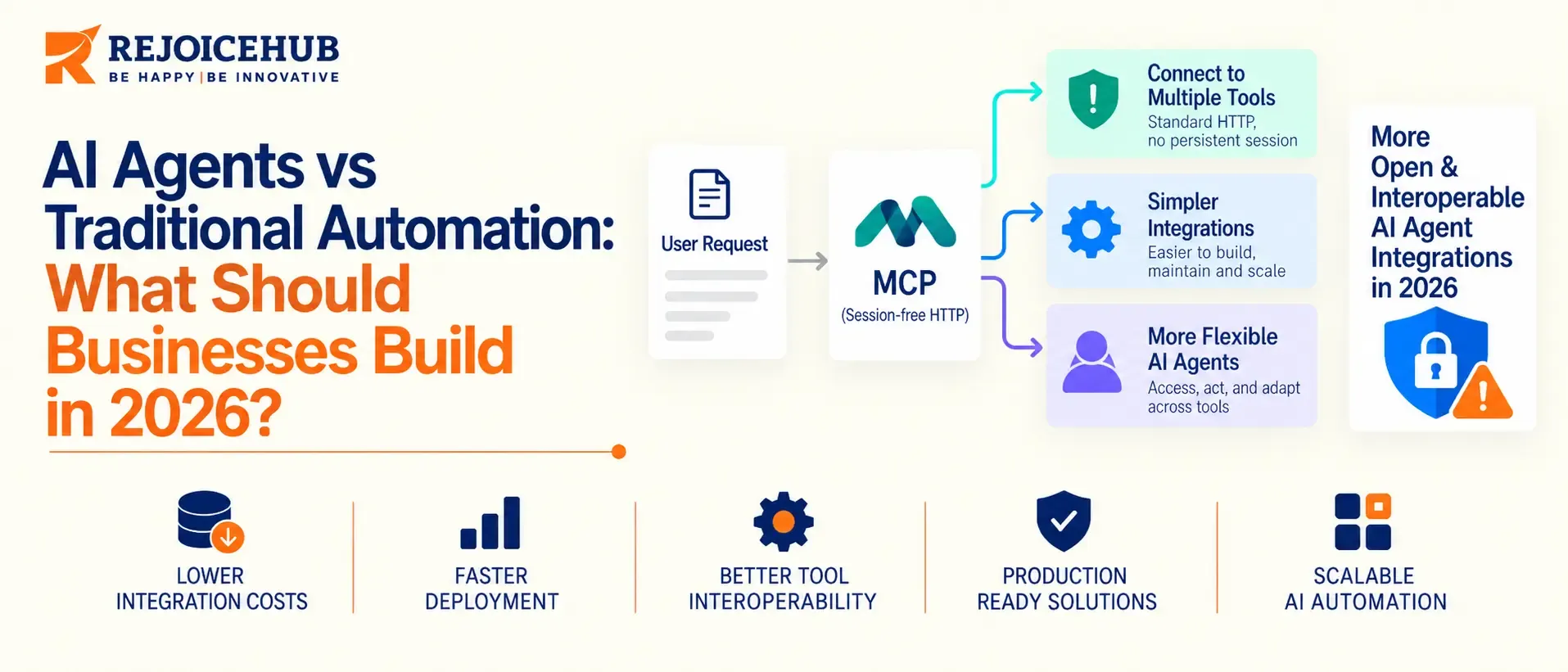
Your ops team spent six weeks designing an RPA workflow to route vendor invoices. It stopped working the first time a supplier updated their PDF template.
This isn't an edge case. It's the default outcome of any rule-based automation, and the reason why "AI agents vs traditional automation" has become the central debate in business technology for 2023.
The real answer isn't that agents are better, it's that the two approaches solve basically different problems at different points in the operations stack, have urgently different economics, and fail in different ways. Getting this wrong on either side can cost enterprises hundreds of thousands of dollars.
This guide explains what problems each approach is actually best for solving.
Why This Decision Is Harder in 2026 Than It Was in 2023
Three years ago, the word 'automation' meant RPA bots and if-this-then-that scripts, and 'AI' meant a chatbot tacked onto a helpdesk widget. The boundary between the two has become increasingly blurred.
With large language models now supporting tool-calling, the Model Context Protocol (MCP) specification for exposing external systems to agents, and orchestration frameworks (LangGraph, CrewAI, AutoGen, Claude's own Agent SDK) for building multi-agent workflows, the prospect of autonomous, tool-using software as a production technology, not an experiment, has become real.
The danger is that agentic AI is presented as a one-size-fits-all solution to automation needs, when in fact, used in the wrong way it can be slower, more error-prone, and less easily audited than the predictable system it has replaced.
What Traditional Automation Actually Is
Traditional automation, be it RPA, workflow engines, or scripted API interfacing, applies a set of predefined logic rules to a fixed-format input.
If the field in the invoice falls under the expected hierarchy, extract it. If the order status changed, proceed to the next step. There is no room for judgment, adaptation or learning in such a system, as it simply follows logical rules defined by a person. Such automation is great for deterministic environments where the input is always structured the same way.
The very same logical rules that power such systems are their chief advantage in certain applications.
They form a set of easy-to-check operations, a property which is especially useful in finance and healthcare, where audits often require extensive rechecking of each automated step by a human auditor.
Traditional automation still wins when:
- The input format is stable and structured (a fixed-schema API, a consistent form)
- The logic is genuinely simple: fewer than ~5 decision branches
- Regulatory or audit requirements demand fully deterministic, replayable logic
- The task runs at very high volume where LLM inference cost would dominate the budget
- Uptime and latency requirements are sub-second and non-negotiable
What an AI Agent Actually Is (Not Just a Chatbot With Extra Steps)
An AI agent takes the form of a system that can perceive its environment, reason about a goal, choose and call tools or APIs that act on the environment, and modify its subsequent actions based on the responses of the called tools, without a human specifying every step in between.
This is the key difference between an agent and a chatbot (single turn, no tools, no persistent goal) or RPA (fixed rules, no reasoning).
The practical difference is that agents can use tools and remember past interactions, while chatbots and RPA bots cannot. The key value proposition of agents is enabling judgment within a defined set of parameters.
An agent that handles accounts-payable exceptions can not only highlight the discrepancy but also research the cause by pulling the relevant PO from the ERP, analyzing the vendor's history, applying judgment to accept within a tolerance range, and only flagging truly questionable invoices for human review.
RPA would not be able to perform the judgment function and would simply pass all exceptions to humans.
AI agents win when:
- Inputs are unstructured or highly variable (free-text emails, inconsistent PDFs, natural-language requests)
- The task requires multi-step reasoning across systems that weren't built to talk to each other
- Exceptions are the majority of volume, not the minority
- The process benefits from natural-language interfaces for non-technical staff
- Requirements will keep shifting, and a hard-coded rule set would need constant rewrites
Core Comparison: AI Agents vs Traditional Automation
| Dimension | Traditional Automation (RPA / Scripted Workflows) | AI Agents (LLM + Tool Use) |
|---|---|---|
| Decision logic | Fixed rules, if/then branching | Reasoning over context, adapts to novel input |
| Handles unstructured input | Poorly, needs pre-processing or fails | Natively, this is the core use case |
| Build time (mid-complexity workflow) | 2–6 weeks | 4–10 weeks (more due to eval/guardrail work than coding) |
| Typical per-task run cost | Fractions of a cent (compute only) | $0.01–$0.50+ per task, driven by token usage and tool calls |
| Auditability | Fully deterministic, easy to trace | Requires explicit logging/tracing layer (e.g., OpenTelemetry-based agent tracing) |
| Failure mode | Hard stop on unexpected input | Can produce plausible-but-wrong output (hallucination) if under-constrained |
| Maintenance driver | Rule changes when the process changes | Prompt/tool drift, model version changes |
| Scalability to volume | Excellent, near-zero marginal cost | Good, but marginal cost scales with token volume |
This table is the one most comparison articles forget to include: cost. RPA's cost profile is fairly flat per task. An agent's cost is determined by how much reasoning and tool-calls it takes for a particular task, a three-step approval agent might run $0.02 a task; a research agent chaining ten tool calls and re-planning on failure can run well past $0.50.
Build vs Buy: Where Off-the-Shelf Agent Platforms Fall Short
Most teams don't start by asking "agent or automation," they start by asking "build or buy an off-the-shelf agent tool." Worth separating that decision too.
| Factor | Off-the-shelf agent platform (e.g., generic no-code agent builder) | Custom-built agent (in-house or with a dev partner) |
|---|---|---|
| Time to first working prototype | Days | 3–6 weeks |
| Fit to proprietary systems/data | Limited to available connectors | Built to your actual stack (ERP, internal APIs, legacy systems) |
| Data governance | Vendor-controlled, varies by provider | You control model access, logging, retention |
| Cost at scale | Per-seat or per-task pricing that compounds | Infrastructure cost you own directly |
| Customization ceiling | Hits a wall on non-standard workflows | No practical ceiling |
Off-the-shelf tools are the right choice for a first pilot on a common use case, such as support ticket triage, marketing content workflows, or meeting-notes summarization. But they may not be the best choice when the workflow uses a proprietary system, needs custom rules, or must meet specific compliance requirements. These needs are common in enterprise processes that are worth automating.
RejoiceHub builds custom agents using frameworks such as the Model Context Protocol (MCP), instead of locking clients into a single vendor's agent runtime. This approach can provide more flexibility as the system grows and help manage long-term maintenance costs.
7 Signs You Should Build an AI Agent, Not Another Automation Script
- Your current RPA bot breaks whenever a vendor changes a template. This means the bot depends too much on fixed input formats. This is a common case where an AI agent can help.
- More than 30% of the workflow involves exceptions. If most tasks fall outside the normal rules, a rule-based system may not be the right fit.
- Staff spend time reading free-text requests before sending them to the right team. Understanding natural language is one of the main strengths of AI agents.
- The process uses 3+ separate systems with no built-in connection. AI agents can work with multiple tools in sequence, while RPA often needs a separate setup for each connection.
- Business rules change faster than your development team can update them. AI agent instructions and context can often be updated faster than traditional rule-based logic.
- You need a natural-language interface for non-technical users. Letting operations teams interact with a system using plain English is a common AI agent use case.
- The task requires judgment within clear limits, rather than a simple yes/no decision. Approval workflows with unclear or borderline cases can be a good fit for AI agents.
If none of these apply and your workflow is high-volume, low-variance, and rule-stable, build the automation. It'll be cheaper, faster to ship, and easier to audit.
The Three Pillars of a Production-Grade AI Agent
Most AI agent pilots that fail to reach production are missing one of these three parts, not the LLM itself.
Reasoning and planning. The model breaks a goal into smaller steps and changes its plan when a tool gives an unexpected result. Basic agents follow a fixed plan, while production-ready agents can adjust their plan as needed.
Tool use and grounding. The agent needs access to real systems such as CRMs, ERPs, internal APIs, IoT devices, and search tools. A structured interface like MCP can help connect these tools, while limited permissions make sure the agent can only perform approved actions.
Memory and state. The agent needs short-term context for the current task and longer-term memory, such as a vector store or structured record. This helps it avoid asking the same questions again and keep track of tasks that take several days.
If you skip the third part, the agent may behave differently across sessions. If you skip the second, you get a chatbot that can explain things well but cannot actually take actions.
What's Included in an Agent Deployment (Beyond the Model Call)
A working AI agent in production is only one part of the total build. A production-ready agent also needs:
- Tool and API integrations with limited permissions for each connected system.
- Testing setup with test cases for normal situations as well as unusual or difficult inputs.
- Guardrails such as output checks, approval steps for sensitive actions, and rules for when a human should take over.
- Monitoring and tracing to track tool calls, decisions, errors, and other agent activity, not just the final response.
- Prompt and context version control so changes can be tracked separately from the main application code.
- Fallback logic for tool failures, unclear requests, or uncertain model responses.
- Security review covering data handling, personal data exposure, and access limits for each connected system.
Engagement Models and Approximate Pricing
Actual cost depends heavily on the number of systems integrated and the evaluation rigor required, informed early on by targeted user research, but here's the general shape of how agentic AI projects are typically scoped:
| Engagement model | Typical scope | Approximate range |
|---|---|---|
| Pilot/proof of concept | Single workflow, 1–2 tool integrations, internal use only | $15,000–$40,000, 4–6 weeks |
| Production single-agent system | Full guardrails, evaluation harness, 3–5 tool integrations | $50,000–$150,000, 8–14 weeks |
| Multi-agent orchestration | Multiple specialized agents, shared memory/state, cross-system workflows | $150,000–$400,000+, 12–20+ weeks |
| Ongoing management retainer | Monitoring, prompt/model updates, eval maintenance | $3,000–$15,000/month, scoped to system complexity |
Ready to plan your build? Talk to RejoiceHub's engineering team about a fixed-scope pilot before committing to a full production build.
The Agentic AI Landscape: Where RejoiceHub Fits
The market has three broad categories of providers right now: hyperscaler agent platforms (AWS Bedrock Agents, Azure AI Foundry, Google Vertex AI Agent Builder) that offer deep integration if you're already committed to that cloud; no-code agent builders aimed at fast pilots on common use cases; and custom development partners who build agents against your specific stack rather than a pre-set connector library.
Hyperscaler platforms are a reasonable default if your infrastructure is already fully on one cloud and your use case fits their supported connector set.
No-code builders are the right call for a low-stakes internal pilot. RejoiceHub operates in the third category, teams whose workflows touch legacy systems, need custom guardrails for compliance, or have already hit the customization ceiling of a no-code tool.
That's a narrower fit than the other two categories, not a universally better one; a simple internal pilot doesn't need a custom-dev engagement.
Security and Governance: The Technical Checklist
AI agent deployments introduce a new type of risk that traditional RPA does not have: a system that can take actions based on AI-generated decisions. Before moving an agent to production, review these key areas:
- Least-privilege tool access: Give the agent only the permissions it needs for each tool. Avoid using broad service accounts.
- Action confirmation rules: Decide which actions the agent can perform on its own, such as sending an email or issuing a refund under $50, and which actions need human approval.
- Complete activity logs: Log every tool call and important agent step, not just the final output. This makes it easier to review what happened after an issue.
- PII and data storage review: Check what data is sent to the AI model provider and how long it's stored, especially when handling sensitive or regulated data.
- Red-team testing: Test the agent with harmful or misleading inputs. For example, a malicious webpage or document should not be able to change the agent's instructions or actions.
- Rollback plan: Have a clear way to disable autonomous actions and switch the workflow back to human control if something goes wrong.
Conclusion
Agents and automation are not mutually exclusive; they represent different risk surfaces, have different economics, and are best applied to different classes of input. The process that should be a script is one with relatively stable, structured input with a low tolerance for ambiguity.
The process that should embrace an agent is one full of exceptions, free text fields, and disconnected systems. Get your audit in before design completion, and the question of agent versus automation has a simple answer.
Frequently Asked Questions
What is the difference between AI agents and traditional automation?
Traditional automation follows fixed rules and only works with structured input. AI agents reason through a goal, use tools, and adjust their next step based on results, so they handle messy or changing input that rule based systems cannot.
Can AI agents replace RPA completely?
Not usually. RPA stays cheaper and easier to audit for stable, high volume, rule based tasks. Most businesses run AI agents and RPA side by side, using agents for exceptions and RPA for the predictable parts of a workflow.
How much does it cost to build an AI agent for business automation?
A basic pilot typically costs $15,000 to $40,000. A full production system with guardrails and multiple tool integrations usually runs $50,000 to $150,000, depending on how many systems it connects to
Is AI agent automation safe for finance and healthcare?
It can be, if you add the right controls. Least privilege tool access, human approval for sensitive actions, full activity logs, and a rollback plan are all needed before an agent touches regulated data or processes
What is agentic AI automation?
Agentic AI automation means software that can plan multi step actions, call outside tools and APIs, and adjust its approach based on results, instead of just following one fixed script from start to finish.
How long does it take to build a production ready AI agent?
A simple pilot can be ready in 4 to 6 weeks. A full production agent with proper testing and guardrails usually takes 8 to 14 weeks. Multi agent systems across several tools can take 12 weeks or more.
Should a small business use AI automation or traditional automation?
If the task is repetitive and the input never changes, traditional automation is usually cheaper and faster to set up. If the work involves free text, judgment calls, or several disconnected tools, an AI agent fits better.
What is the Model Context Protocol (MCP)?
MCP is an open standard that lets AI agents connect to outside tools and data sources through one common interface. It cuts down on custom integration work and makes it easier to switch AI providers later.
Do AI agents need constant human supervision?
Not constant, but they do need clear rules. Businesses set thresholds so agents can act on their own for low risk tasks, while anything sensitive, like a refund or an email to a customer, gets flagged for human approval.
What is the future of AI automation for business in 2026?
More companies are expected to use AI agents alongside existing automation rather than replacing it outright. The bigger shift is toward hybrid systems that route simple tasks to rule based tools and complex tasks to agents.
