Over the last two years, demand for AI-powered software development has exploded. Startups, SaaS companies, and many enterprise engineering teams are all asking the same question: can AI actually write, test, and ship code by itself?
Some AI coding tools are still simple autocomplete utilities, while others can plan tasks, write code, run it, catch errors, and fix them with little to no hand-holding. The term "AI agent" gets thrown around loosely and is often used interchangeably with "AI coding assistant," as though both are the same thing. Seeing the difference matters if you're deciding what to build or deploy next.
In this guide, we'll explain what AI coding agents are, how they work under the hood, what their architecture looks like, and a practical roadmap for building your own AI agents.
What Are AI Coding Agents?
AI coding agents, also called autonomous agents, are built to plan, test, write, and fix code with minimal human intervention. Instead of just suggesting the next line of code, an AI agent can take a goal like "build a login API" and break it down into simpler steps on its own.
This loop of planning, acting, and self-correcting is what separates an agent from a tool. A traditional code-completion model reacts to what you type. A coding agent works toward an outcome.
At a minimum, an AI coding agent for coding tasks can:
- Understand a high-level objective in plain English
- Break that objective into a sequence of actionable steps
- Generate working code for each step
- Run tests against that code
- Read error messages and rewrite the code to fix them
- Repeat until the objective is met
AI Coding Agents vs AI Coding Assistants
One of the most frequently asked questions in this space is "What is the difference between AI coding agents and AI coding assistants?" and the answer isn't complicated.
A coding assistant, such as GitHub Copilot, works similarly to its classic autocomplete roots. It's a reactive tool that suggests how the next part of the code should be written. Coding agents, by contrast, can handle entire tasks without requiring a line of user-written code, which is the core distinction behind AI coding assistants versus true agents.
Cursor falls somewhere between an AI assistant and an AI coding agent. On one hand, Cursor's agent mode allows users to make changes across multiple files and execute commands, while the core editor still relies on quick in-place completions.
| Capability | Traditional Autocomplete | AI Coding Assistant | AI Coding Agent |
|---|---|---|---|
| Suggests the next line of code | Yes | Yes | Yes |
| Plans multi-step tasks | No | Limited | Yes |
| Executes and tests code | No | Rarely | Yes |
| Fixes its own errors | No | No | Yes |
| Works toward a goal autonomously | No | No | Yes |
The takeaway: an AI coding assistant speeds up a developer who is still driving. An AI coding agent can drive itself, with a human reviewing the destination rather than every turn.
How Do AI Coding Agents Work?
At the highest level, every AI coding agent workflow follows a similar operating loop, regardless of the framework behind it.
- Receive an objective: a task like "add a payment endpoint to this app"
- Create an execution plan: break the task into smaller, ordered steps
- Generate code: write the actual implementation for each step
- Execute tests: run the code in a sandbox or CI environment
- Analyze results: check whether tests passed, and read any errors
- Iterate until completion: revise the code and repeat until the objective is met
This very process is what separates the answer to "how do AI coding agents function" from "how does autocomplete work." Rather than a one-time prediction, it's a repetitive feedback cycle built on genuinely agentic workflows.
Core Components
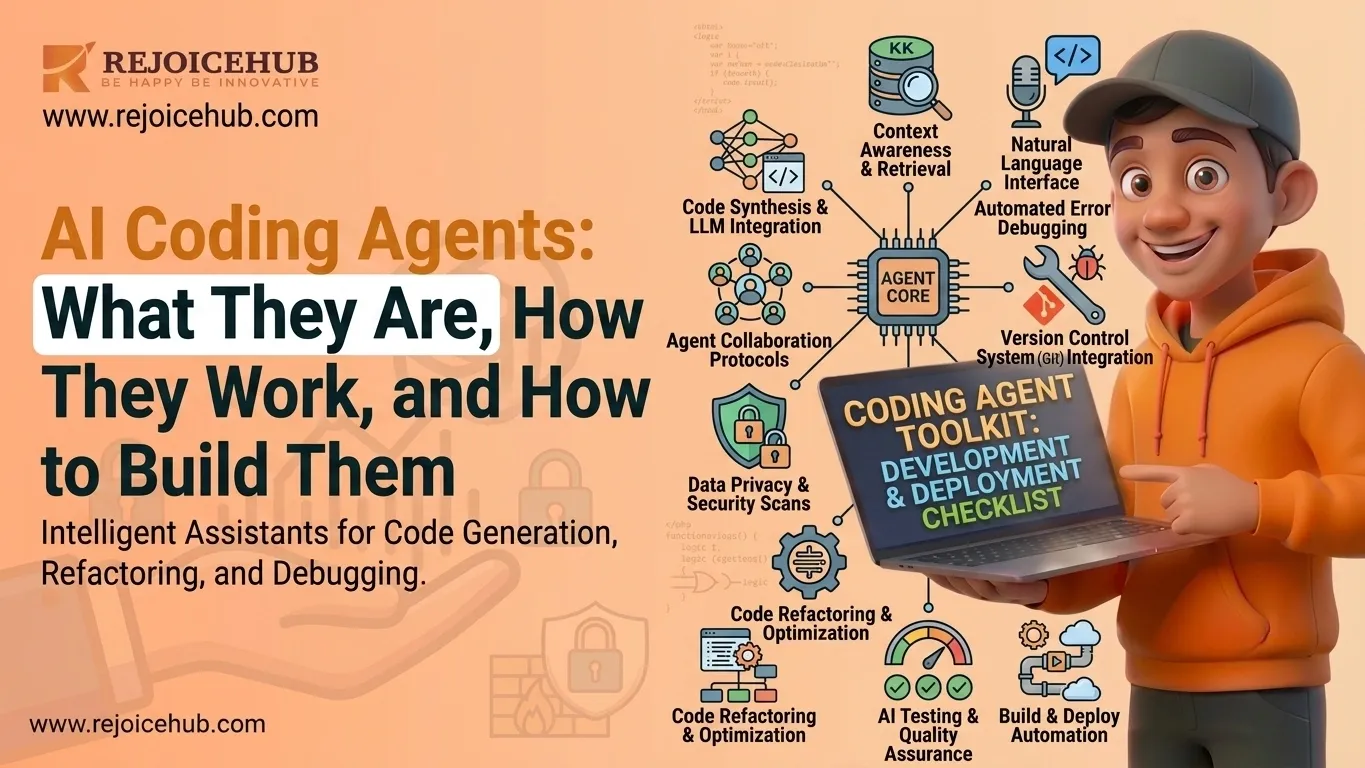
Every functioning agent is built from five core components working together.
- LLM (the brain): the large language model that reasons about the task, writes code, and interprets errors
- Memory: the system that retains context across steps, sessions, and tasks so the agent doesn't "forget" what it already built or tried
- Tool calling: the agent's ability to invoke external tools such as a terminal, a Git client, an API, or a test runner, often coordinated through protocols like the Model Context Protocol (MCP)
- Code execution: a sandboxed environment where generated code actually runs, rather than just being displayed
- Feedback loops: the mechanism that feeds test results and errors back into the LLM so it can self-correct
Memory needs to be especially addressed in the context of AI agents because it's the element that decides whether the agent is genuinely helpful or simply forgetful.
So, what is AI agent memory? It refers to the ability of an agent to store and reuse information actions performed, code previously written, bugs already fixed, project architecture, and user preferences from one prompt to the next, a discipline often described as context engineering.
Without AI agent memory, a coding agent reads through your entire codebase from scratch each time you prompt it, explains the same bug more than once, and forgets decisions it made five prompts ago. With memory in place, it remembers your project conventions, the bugs it has already fixed, and the schema of APIs it generated recently.
Accelerate Your Workflows with Custom AI
Book a free consultation session with RejoiceHub. We'll map out a tailored automation roadmap for your company.
AI Coding Agents Architecture Explained
Breaking down the AI coding agent's architecture into layers makes it much easier to design, build, or evaluate one. Most production-grade agents are structured into five layers.
1. Planning Layer
This layer takes a high-level objective and decomposes it into smaller, executable tasks essentially the agent's project manager. It decides the order of operations: write the schema before the API, write the API before the tests.
2. Reasoning Layer
This is where the LLM does the actual decision-making, choosing which approach to take, which library to use, and how to interpret an ambiguous instruction or a confusing stack trace.
3. Tool Layer
The tool layer connects the agent to the outside world: GitHub repositories, IDEs, internal APIs, databases, and deployment pipelines. Without this layer, an agent can only talk about code; it can't actually act on a codebase.
4. Memory Layer
This is the agent's context memory system, and it's arguably the most underrated layer in the whole stack. AI agent context memory typically falls into a few categories:
- Short-term (working) memory: context held during a single task or conversation, like the current file being edited
- Long-term memory: knowledge that persists across sessions, such as project architecture, coding standards, or past bug fixes
- Episodic memory: a record of past actions and their outcomes, used to avoid repeating mistakes
How does AI agent memory work in practice? Most modern systems store information as embeddings in a vector store, then retrieve the most relevant pieces using semantic search whenever the agent needs context, rather than stuffing the entire history into every prompt.
How do AI agents retrieve stored memories? Typically, the agent converts the current task into a query, searches a vector store (or a structured database) for semantically similar past context, ranks the results by relevance and recency, and injects only the most useful snippets back into the LLM's prompt window. This keeps the agent fast and focused instead of overwhelmed with irrelevant history.
5. Execution Layer
This is where code actually runs in sandboxes, containers, or CI pipelines much like how an autonomous coding agent operates in production and where test results are captured and fed back into the reasoning layer for the next iteration.
How to Build AI Coding Agents
If you're evaluating whether to build an AI coding agent in-house, here's a realistic, practical process.
1. Define Agent Goals
Start narrow. Decide if the agent's job is coding new features, debugging existing code, reviewing pull requests, or some combination. Agents that try to do everything tend to do nothing particularly well.
2. Select an LLM
Your model choice shapes everything downstream reasoning quality, tool-use reliability, and cost. Common choices include OpenAI models, known for strong general-purpose reasoning and tool use, and Anthropic models, known for following multi-step instructions and long-context reasoning, which matters a lot for agentic coding tasks. Comparing leading models side by side can help clarify these trade-offs before you commit.
3. Add Memory and Tools
This is where AI agent memory and tooling become a real engineering decision, not an afterthought.
- Vector databases: store embedded representations of code, documentation, and past interactions for semantic retrieval
- Git repositories: give the agent direct access to version history, branches, and commit context
- Documentation access: connect internal wikis, API docs, and style guides so the agent codes within your standards, not generic defaults
If you're wondering how to improve AI agent memory specifically, the highest-leverage changes are usually: pruning stale or irrelevant memories regularly, tagging memories by project and recency so retrieval stays precise, and separating short-term task memory from long-term project memory instead of dumping everything into one store.
4. Create Agent Loops
This is the planning → coding → testing → improving cycle described earlier, implemented as actual orchestration logic typically using a framework that can automate developer workflows by managing state, retries, and step sequencing rather than relying on hand-rolled scripts.
5. Deploy and Monitor
Production agents need the same operational rigor as production software, and fitting them into your broader enterprise AI adoption roadmap matters just as much as the build itself:
- Logging every action, tool call, and decision should be traceable
- Security sandbox code execution, restrict tool permissions, and never give an agent unchecked write access to production systems
- Human oversight keep a human-in-the-loop checkpoint before merges, deployments, or any irreversible action
If you're looking to build a custom AI agent for your engineering workflow, RejoiceHub can help design and implement this entire stack from memory architecture to deployment safeguards tailored to your team's actual codebase and processes.
Best AI Coding Agents and Frameworks
There's no single "best" option; it depends on your team's size, technical maturity, and budget. Here's how the popular tools stack up:
| Tool/Framework | Best For | Autonomy Level |
|---|---|---|
| GitHub Copilot | Individual developers wanting faster inline coding | Low–Medium |
| Cursor | Teams wanting an AI-native IDE with agent mode | Medium–High |
| AutoGen | Developers building custom multi-agent workflows | High (requires setup) |
| CrewAI | Teams orchestrating specialized agent "crews" for defined roles | High |
| LangGraph | Engineers building stateful, graph-based agent workflows | High |
| OpenHands | Teams wanting an open-source, self-hosted coding agent | High |
Choosing the Right Framework
Use the right tool for your circumstances, not for what's popular. For a small team with minimal engineering resources, using something like Cursor or Copilot will yield far greater value.
Those who have customized workflows, proprietary software tools, or regulatory requirements can make use of something like LangGraph or CrewAI; however, such efforts also require real engineering investment. Your budget plays a role too, since weighing custom and off-the-shelf AI software changes both your upfront and long-term costs an open-source framework costs less to license but more in implementation and management overhead.
Benefits and Challenges of AI Coding Agents
Benefits
- Faster development: agents can scaffold features, write boilerplate, and run tests in parallel with human work
- Reduced repetitive work: routine tasks like writing unit tests or fixing lint errors get offloaded
- Better productivity developers spend more time on architecture and judgment calls, less on mechanical typing
- Automated debugging agents can catch and fix errors before a human ever sees the stack trace
A mid-sized SaaS company illustrates one of many practical use cases of AI agents in business: it might use a coding agent to automatically generate and run regression tests after every pull request, catching breaking changes hours before a human reviewer would have noticed them.
Challenges
- Hallucinations: agents can confidently generate code that looks correct but calls non-existent functions or misunderstands an API
- Security risks: autonomous tool access (Git, databases, deployment) means a mistake can have real consequences if permissions aren't tightly scoped
- Poor requirements: vague objectives produce vague (or wrong) code; agents amplify ambiguity rather than resolving it
- Governance concerns: without audit trails and human checkpoints, it becomes hard to know who (or what) approved a given change
The practical lesson from teams already running these systems, including many that deploy AI agents without a dedicated ML team, is that AI coding agents work best as accelerants for experienced teams with clear processes, not as replacements for engineering judgment.
Conclusion
A coding agent is best defined as an autonomous system that plans, codes, tests, and debugs code in a feedback loop a significant leap beyond traditional tools that simply autocomplete whatever you type.
It's built from five layers: the planning layer, reasoning layer, tool layer, memory layer, and execution layer, with memory standing out as the component that defines whether an agent can hold context instead of forgetting it.
Building such an agent involves selecting the right LLM, designing a solid memory management framework, and establishing strong guardrails around execution and supervision.
Are you interested in building custom AI coding agents? At RejoiceHub, we assist businesses in creating AI-based agent solutions that meet their unique needs and challenges, as part of the broader future of business automation.
Frequently Asked Questions
1. What are AI coding agents?
AI coding agents are AI systems that plan, write, test, and fix code on their own with very little human help. Unlike a simple autocomplete tool, they take a goal, break it into steps, and keep working until the task is done.
2. How do AI coding agents work?
AI coding agents work in a loop. They take an objective, build a plan, write code for each step, run tests, check the results, and fix errors if something fails. This cycle repeats until the code meets the goal you set.
3. What is the difference between AI coding agents and coding assistants?
A coding assistant, like GitHub Copilot, suggests the next line while you type. An AI coding agent goes further; it plans multi-step tasks, writes full features, runs tests, and fixes its own errors, often needing little to no manual coding from you.
4. How do you build an AI coding agent?
To build an AI coding agent, first set a clear goal, then pick a strong LLM, add memory and tools like Git or vector databases, build a planning-coding-testing loop, and add logging plus human checkpoints before any code goes live.
5. What is the architecture of AI coding agents?
AI coding agents are usually built in five layers: planning, reasoning, tool, memory, and execution. The planning layer breaks down tasks, reasoning makes the key decisions, tools connect to real systems, memory stores context, and execution runs and tests the final code.
6. What are the best AI coding agents available today?
Some of the best AI coding agents and frameworks today include Cursor, GitHub Copilot, AutoGen, CrewAI, LangGraph, and OpenHands. Each one fits different needs, ranging from simple inline coding help to fully autonomous, self-hosted agents built for larger engineering teams and complex projects.
7. Why does memory matter for AI coding agents?
Memory lets an AI coding agent remember past bugs, project rules, and earlier decisions instead of starting fresh every time. Without it, the agent repeats mistakes and forgets context; with good memory, it works faster and stays consistent across tasks.