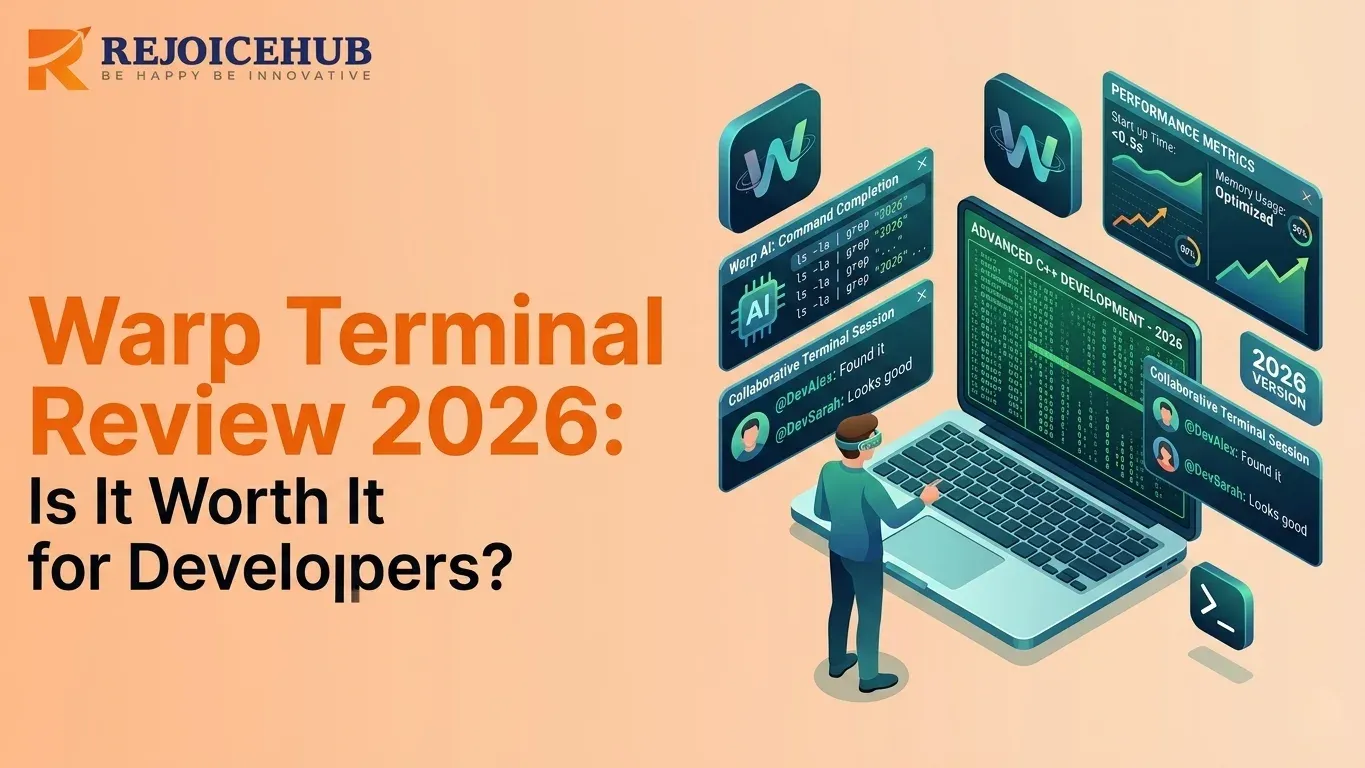
The world business environment requires you to use modern digital technologies instead of your outdated terminal system, which you currently operate in 2026. Developers are moving away from traditional text-based terminals to AI-based solutions that comprehend their work objectives. If you're exploring how AI tools are transforming business workflows, Warp Terminal is one of the most compelling examples serving as the main component that transforms the traditional command line interface into a new user experience.
What Is Warp Terminal?
Warp Terminal serves as a contemporary terminal application that uses artificial intelligence as its primary design element to boost developer efficiency. The traditional terminal system, which displays text output in its original form, has been completely transformed by Warp, which creates a new command-line interface experience emphasizing fast performance, teamwork, and built-in artificial intelligence support.
The development team used Rust to create a system that operates at exceptional speed, and they introduced their product with a mission to transform the terminal experience into a contemporary developer tool that operates at advanced usability standards.
In 2026, Warp has matured into one of the most talked-about tools in the developer ecosystem especially as AI-first development workflows become the norm, not the exception.
Why 2026 is different: The rise of AI agents, autonomous coding assistants, and LLM-powered DevOps tools has made "AI-native" a real differentiator not just a buzzword. Warp has been building toward this moment since day one.
Why It's Different From Traditional Terminals
Traditional terminals like bash, zsh, or even iTerm2 spit out raw scrolling text. The system works well for advanced developers who have committed all command options and error patterns to memory. The system creates a performance restriction that affects all other users.
Warp takes a fundamentally different approach:
- Blocks instead of raw text: The system presents each command together with its output as separate selectable units that users can choose to interact with. The system enables users to extract single command results, which they can then copy, search, share, or save as bookmarks without needing to read through extensive text.
- Built-in AI from the start: Warp's AI system functions through native integration because it does not require users to install an additional plugin for operation. The system understands your current situation by knowing your present working directory, all previous commands you executed, and all generated error messages, which it uses to provide better recommendation results.
Featured Snippet Answer: The Warp Terminal system operates in an interactive mode because it utilizes AI technology and executes commands through its Rust-based terminal system, which displays results as interactive blocks instead of showing plain text. The system enables users to work together because it includes Warp Drive support and the built-in AI assistant, which generates commands. The system creates a completely new user experience, which differs from standard terminal interfaces found in iTerm2 and Hyper.
Key Features of Warp Terminal AI
In 2026, the distinguishing trait of Warp has been its artificial intelligence. Here's an analysis of which features deliver the most impact.
1. AI Command Suggestions
This is where Warp Terminal AI really shines.
You just type "how do I find all files modified in the last 7 days" in plain English into Warp's AI input instead of searching for the answer on Google. It translates your natural language into the correct shell command instantly.
- Ask in plain English, get the exact command
- Explain what a complex command does before running it
- Get suggestions based on your recent command history
- Fix errors with one-click AI explanations
For startup teams onboarding junior developers, this alone can save hours every week.
2. Warp Drive & Workflow Sharing
Warp Drive serves as the collaborative work platform for Warp's team members. It operates as a common storage facility which contains all terminal workflows, scripts, and command templates for use by the entire team.
- Save and share common command sequences
- Build a team knowledge base of CLI workflows
- Avoid "how do I do X again?" Slack messages
- Onboard new devs faster with shared runbooks
This feature is particularly powerful for SaaS companies and startups where DevOps knowledge tends to live in one person's head.
3. Modern UI & Blocks
Warp's block-based UI is a genuine game-changer for day-to-day terminal use.
- Each command + output is a clean, isolated block
- Click to select, copy, or share specific outputs
- Inline syntax highlighting
- Persistent command history with search
No more accidentally selecting half a screen of scrollback buffer.
4. Built-in AI Assistant
Beyond command suggestions, Warp includes a full AI assistant panel for deeper coding and CLI questions.
- Ask questions about your code or environment
- Get explanations for shell scripts
- Debug errors with context-aware suggestions
- Works with Python, Node.js, Go, Rust, and more
The Warp Terminal AI assistant feels like having a senior engineer available at the command line always ready, never impatient.
Warp Terminal Performance & Developer Experience
The performance capabilities of Warp Terminal establish its main value. The application provides true speed because it operates through its Rust programming language implementation.
Warp terminal performance benchmarks (2026):
| Metric | Warp | iTerm2 | Hyper |
|---|---|---|---|
| Startup Time | ~50ms | ~200ms | ~400ms |
| Rendering Engine | GPU-accelerated (Rust) | Metal (macOS) | Electron (JS) |
| Memory Usage | Low | Medium | High |
| AI Integration | Native | Plugin-based | Limited |
| Cross-platform | macOS, Linux, Windows | macOS only | All platforms |
The GPU-accelerated rendering enables users to view extensive command outputs which include Docker logs, extended build outputs, and log tails without experiencing any delays.
Productivity Gains
The actual benefits of Warp Terminal performance show their value in multiple areas beyond increased processing speed. The AI driven error detection system provides faster debugging by delivering immediate answers to error messages without requiring a Google search. Developers now create commands through natural language while spending less time on man pages and Stack Overflow research.
The implementation of Warp Drive enables teams to distribute their runbooks and workflows, rather than keeping these resources restricted to specific users. When paired with a broader AI agent automation strategy, the startup engineering team can realize time savings totaling multiple hours per developer every workweek.
How to Use Warp Terminal for Coding (Step-by-Step)
Here's a practical walkthrough of how to use Warp Terminal for coding:
Step 1: Install Warp
Visit warp.dev to download the installer that matches your operating system: macOS, Linux, or Windows. The installation process requires less than two minutes to complete. You need to create a free account to access the AI capabilities of the system.
Step 2: Run Commands Like Normal
Warp operates with all shell environments, which include bash, zsh, and fish. The system executes your current scripts, aliases, and configurations without requiring any additional setup. You don't need to learn anything new.
Step 3: Use the AI Assistant
Press Ctrl+I (or click the AI icon) to open the AI input. Type what you want in plain English:
- "List all running Docker containers and their ports."
- "Find all .env files in this project"
- "Show me the last 50 lines of the error log."
Warp generates the command. You review it, then run it.
Step 4: Automate Workflows with Warp Drive
Store your frequently used command sequences in Warp Drive. Create separate folders for each project and team, then share the contents with your teammates. The entire team now operates with established commands that have been proven effective and for teams building custom AI agents or automation pipelines, this shared workflow library becomes even more powerful.
Warp Terminal vs Other Terminals
How does Warp stack up against the competition in 2026?
Warp vs iTerm2
iTerm2 is a strong terminal application for macOS power users. The system offers various customizable features and has proven its reliability through real-world performance. However, the product is beginning to show its age.
| Feature | Warp | iTerm2 |
|---|---|---|
| AI Integration | Native, context-aware | None (plugin workarounds) |
| Platform | macOS, Linux, Windows | macOS only |
| UI Paradigm | Blocks-based | Raw text |
| Collaboration | Warp Drive (built-in) | None |
| Performance | Rust (GPU-accelerated) | Metal |
| Learning Curve | Low (AI helps) | Medium |
Verdict: For macOS power users who live in the terminal and don't need AI, iTerm2 is still solid. For teams that want AI productivity and cross-platform support, Warp wins.
Warp vs Hyper Terminal
Hyper serves as an open-source terminal built using the Electron framework, offering users a plugin-driven customization system. The system offers multiple customization options but requires high system resources to operate effectively.
| Feature | Warp | Hyper |
|---|---|---|
| Performance | Fast (Rust) | Slow (Electron/JS) |
| AI Integration | Native | None |
| Open Source | Partially | Yes (fully) |
| Plugin Ecosystem | Growing | Mature |
| Memory Usage | Low | High |
Verdict: Hyper works better for developers who prioritize open-source software with custom plugins. Warp is better for productivity-first workflows.
Is Warp Terminal Worth It in 2026?
Let's cut to the chase.
Pros
-
The AI productivity solutions demonstrate their effectiveness in actual applications. The natural language command generation and AI assistant demonstrate practical value beyond their demonstration purposes. The tools help users execute their terminal tasks with fewer obstacles.
-
The system improves user experience while maintaining full operational capabilities. It doesn't simplify things at the cost of depth developers get a user-friendly terminal interface that still maintains all the features needed for advanced programming work.
-
The system delivers noticeable performance improvements. The Rust-based rendering engine handles large outputs with speed that no Electron-based system can match.
-
Cross-platform support in 2026. Warp now supports macOS, Linux, and Windows, enabling its use by teams working across different operating systems.
Cons
-
Learning curve for customization. If you have a deeply customized terminal setup with dozens of plugins and themes, migrating takes time.
-
Not fully open-source. Warp's core is proprietary. For teams with strict open-source requirements, this can be a blocker. (Warp has open-sourced some components, but it's not fully OSS like Hyper or Alacritty.)
-
Account required for AI features. The free tier is generous, but some teams may have concerns about cloud-connected AI features in sensitive environments.
-
Still maturing on Windows. The Windows version is solid but slightly behind the macOS/Linux experience as of early 2026.
The Bottom Line
For startup founders, SaaS developers, and engineering teams, Warp Terminal is an essential tool throughout 2026. The product delivers sufficient value through its AI productivity improvements, which make it a compelling choice for growing teams who need its unique collaboration tools.
Your team needs Warp if they're spending hours debugging code, training new developers on CLI workflows, or struggling with the limitations of a basic text terminal. When combined with a well-thought-out AI productivity stack, the efficiency gains compound quickly.
Conclusion
Most development teams will answer yes to the question of whether Warp is worth it in 2026.
The developers of Warp Terminal have taken modern development priorities AI assistance, structured outputs, and collaboration features and built a system that helps developers get more from their most important daily tool. The result provides a meaningful improvement in productivity that generates sufficient value to cover its costs within a short period.
Our recommendation:
- Startups and SaaS companies: Switch now. The team collaboration features and AI productivity gains are immediately valuable.
- Solo developers: Try the free tier. You'll notice the difference within a day.
- Enterprise teams: Evaluate the security model for AI features, but the UX and performance case is strong.
Take Your AI Tooling Further with RejoiceHub
Warp Terminal is a great start but it's just one piece of an AI-powered development workflow.
At RejoiceHub, we help startups and SaaS companies build custom AI agents and automation solutions that integrate with your entire stack from your terminal to your CRM to your customer workflows.
Whether you're looking to automate DevOps processes, build AI agents for your sales and ops teams, or accelerate your product development with AI, we can help.
Frequently Asked Questions
1. What is Warp Terminal and how is it different from regular terminals?
Warp Terminal is a modern, AI-powered terminal built with Rust. Unlike regular terminals that show plain scrolling text, Warp organizes each command and its output into clean, clickable blocks. It also has built-in AI that helps you write commands in plain English no memorizing syntax needed.
2. Is Warp Terminal worth it in 2026?
Yes, for most developers it is. The AI command suggestions, fast Rust-based performance, and team collaboration tools like Warp Drive make it genuinely useful, not just flashy. Solo devs can start free, and growing teams will likely see time savings within the first week.
3. Is Warp Terminal open source?
Warp Terminal is not fully open source. Some parts have been made public, but the core product is proprietary. If your team has strict open-source requirements, tools like Alacritty or Hyper may be a better fit. Otherwise, Warp's free tier covers most basic needs well.
4. How do I use Warp Terminal for coding?
Download Warp from warp.dev, create a free account, and open it like any terminal. Press Ctrl+I to open the AI input and type what you want in plain English. Warp turns it into a shell command. You review it, then run it simple as that.
5. How good is Warp Terminal's AI compared to other terminals?
Warp's AI is context-aware it knows your current folder, recent commands, and error messages. That makes its suggestions much more accurate than basic autocomplete tools. No other mainstream terminal in 2026 offers this level of native AI without needing extra plugins or setup.
6. How does Warp Terminal perform compared to iTerm2 and Hyper?
Warp starts in about 50ms, compared to 200ms for iTerm2 and 400ms for Hyper. It uses GPU-accelerated rendering through Rust, which means large log files and long outputs load without lag. Memory usage is also lower than Hyper, which runs on Electron and can feel sluggish.
7. Can teams use Warp Terminal together, or is it just for solo developers?
Warp is built with teams in mind. Warp Drive lets your whole team save, share, and reuse command workflows like a shared playbook for your CLI. This is especially helpful for onboarding new developers or making sure everyone runs the same tested commands across projects.