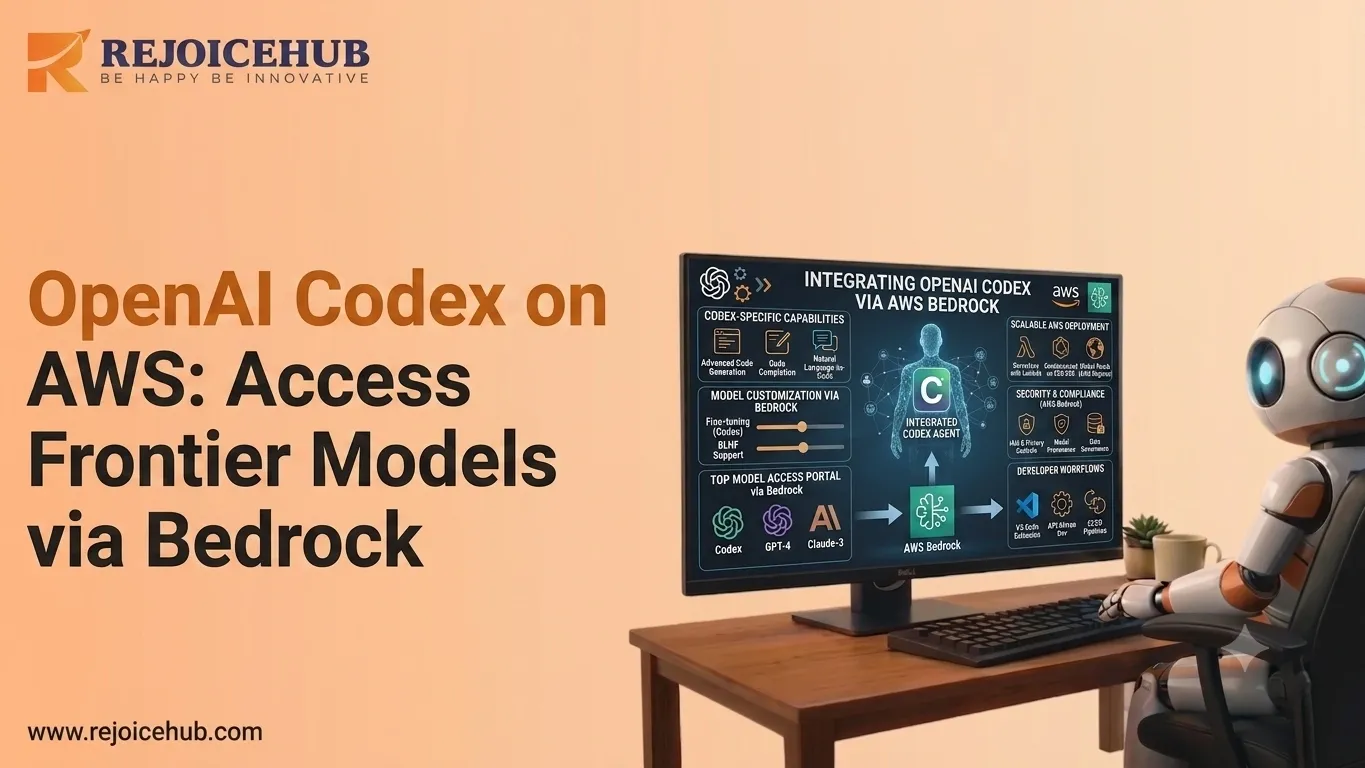
Enterprise AI adoption has reached a turning point. In 2026, businesses are no longer asking whether they should use AI. The real question is how to deploy it securely, effectively, and at scale.
As demand grows for advanced AI models with strong coding, reasoning, and automation capabilities, enterprises need solutions that fit within their existing security, compliance, and governance systems. This is where cloud-based AI platforms are becoming essential, helping organizations access powerful AI while maintaining control, reliability, and enterprise-grade protection.
That's exactly where Amazon Bedrock comes in. It bridges the gap between cutting-edge AI models and enterprise-grade deployment, giving organizations a way to run OpenAI models on Amazon Bedrock without sacrificing control or compliance. If you're evaluating how AI fits into your broader technology strategy, understanding how AI is transforming businesses is a useful starting point before diving into deployment specifics.
In this guide, you'll learn:
- What OpenAI Codex is and why AWS integration matters
- How Amazon Bedrock works as a managed AI platform
- Step-by-step: how to access OpenAI frontier models through Bedrock
- A side-by-side comparison of OpenAI API vs Amazon Bedrock
- Real enterprise use cases and best practices for 2026
What Is OpenAI Codex on AWS?
Understanding OpenAI Codex
Codex is an AI system designed for the purpose of generating code. It was developed based on the GPT architecture and can not only understand human language but also generate code in more than thirty programming languages, ranging from Python and Java to SQL and Bash.
Its core capabilities include:
- Automated code generation from plain English prompts
- Bug detection and intelligent debugging assistance
- Test generation and documentation writing
- Complex multi-step programming and workflow automation
- Integration with CI/CD pipelines and developer toolchains
The frontier model can be defined as the advanced AI models that are currently available on the frontier of the technological landscape, such as GPT-4o, o3, and Codex. This implies that by using these services via AWS, enterprises will have access to frontier intelligence in an enterprise-level environment.
Quick Definition: What Is OpenAI Codex on AWS? OpenAI Codex on AWS refers to accessing OpenAI's frontier code-generation and AI models through Amazon Web Services infrastructure typically via Amazon Bedrock giving enterprises the power of OpenAI's models within AWS's security, compliance, and cloud ecosystem.
Why AWS Integration Matters
The question posed to most enterprise IT groups isn't merely "which AI is best?" but "which AI model will we be able to safely deploy?"
Deploying OpenAI Codex on AWS via Amazon Bedrock resolves the following three key enterprise obstacles:
- Scalability: Handle thousands of concurrent AI requests without managing infrastructure
- Security: Keep data within your AWS environment no data leaving your VPC
- Compliance: Leverage AWS's built-in certifications (HIPAA, SOC 2, FedRAMP) for regulated industries
For startups and SMBs, it also means faster time-to-production without building AI infrastructure from scratch.
What Is Amazon Bedrock and How Does It Work?
1. Amazon Bedrock Overview
Amazon Bedrock is the AI service offered by AWS, where users have access to a catalog of foundation models created by top-tier AI vendors via a single and unified API.
Bedrock can be regarded as a "marketplace for models," integrated right within AWS. Rather than dealing separately with individual providers' API keys, rate limits, and other factors, you just use one unified interface, which integrates naturally into your AWS ecosystem.
Key characteristics of Amazon Bedrock:
- Serverless architecture no GPU clusters or infrastructure to manage
- Unified API for multiple foundation models
- Built-in security with AWS IAM, VPC endpoints, and encryption
- Pay-per-use pricing aligned with AWS billing
- Integrations with S3, Lambda, SageMaker, and other AWS services
2. Bedrock Architecture: How a Request Flows
Here's how a request moves when you use OpenAI models on Amazon Bedrock:
| Step | Component | What Happens |
|---|---|---|
| 1 | User / Application | Your app sends a request |
| 2 | Amazon Bedrock API | Routes request securely |
| 3 | OpenAI Model (via Bedrock) | Processes with frontier AI |
| 4 | Response | Returned to your application |
This serverless architecture means your application never directly touches the underlying model infrastructure. AWS handles scaling, failover, and compliance logging automatically.
Benefits for Enterprises
Amazon Bedrock was designed with enterprise requirements as a first-class priority:
- Governance: Centralized model usage policies across teams and AWS accounts
- Compliance: Automatic audit logs, data residency controls, and regulatory alignment
- Centralized Management: One billing dashboard, one IAM policy framework, one security posture
- Fine-tuning Support: Customize models with your own data without exposing proprietary information
- Model Evaluation: Built-in tools to compare model performance before committing
How to Access OpenAI Frontier Models Through Bedrock
Getting started with OpenAI Codex AWS integration through Bedrock is more straightforward than most teams expect. Here's the complete step-by-step process.
Featured Answer: How do I access OpenAI models through Amazon Bedrock? (1) Create or log into your AWS account → (2) Enable Amazon Bedrock in your target region → (3) Configure IAM permissions → (4) Request access to OpenAI models in the Bedrock Model Catalog → (5) Call models via the Bedrock API or AWS SDK using the model ID.
Step 1: Create an AWS Account
Go to aws.amazon.com and create an AWS account. For enterprise deployments, set up AWS Organizations to manage multiple accounts under centralized billing and governance.
Recommended setup:
- Enable multi-factor authentication (MFA) on the root account immediately
- Create separate AWS accounts for dev, staging, and production
- Enable AWS CloudTrail for audit logging from day one
Step 2: Enable Amazon Bedrock Access
Amazon Bedrock is a regional service. Navigate to the Bedrock console in your chosen AWS region (us-east-1 or us-west-2 recommended for broadest model availability).
- Navigate to the Amazon Bedrock console in the AWS Management Console
- Select "Model access" from the left navigation panel
- Review available foundation models and their terms
- Click "Manage model access" and submit your request
Model access approval is typically immediate but may take up to 24 hours for some providers.
Step 3: Configure IAM Permissions
Use AWS IAM to create a least-privilege policy for your application. At a minimum, your IAM role needs:
- bedrock:InvokeModel to call foundation models
- bedrock:ListFoundationModels to discover available models
- bedrock:GetFoundationModel to retrieve model details
Attach this policy to the IAM role used by your Lambda function, EC2 instance, or ECS task. Never embed AWS credentials directly in application code.
Step 4: Select OpenAI Models
In the Bedrock Model Catalog, OpenAI models are listed alongside Anthropic, Meta, Mistral, and Cohere. Each model has a unique Model ID (e.g., openai.gpt-4o) used in API calls.
For coding and automation use cases:
- OpenAI GPT-4o best for complex reasoning and multi-modal tasks
- OpenAI o3 optimized for advanced coding and problem-solving
- OpenAI Codex variants purpose-built for code generation
Use Bedrock's built-in Model Evaluation tool to benchmark models before committing to production. For a deeper look at how these models compare against each other, see this Claude Opus 4.7 vs GPT-5.4 model comparison for developers.
Step 5: Access Through API or SDK
AWS SDKs are available for Python (boto3), JavaScript, Java, Go, and .NET. Example flow:
- Initialize a Bedrock Runtime client with your AWS credentials
- Call client.invoke_model() with the model ID and your prompt payload
- Parse the JSON response to extract the model's output
You can also invoke models through AWS Lambda (serverless), Amazon SageMaker (ML pipelines), or directly from EC2 and ECS workloads.
Accelerate Your Workflows with Custom AI
Book a free consultation session with RejoiceHub. We'll map out a tailored automation roadmap for your company.
OpenAI API vs Amazon Bedrock: Which Should You Use?
Both platforms give you access to powerful AI models, but they serve very different use cases.
| Feature | OpenAI API | Amazon Bedrock |
|---|---|---|
| Security | Standard (API key-based) | Enterprise-grade (IAM, VPC, encryption) |
| Governance | Limited built-in controls | Advanced with AWS Organizations |
| AWS Integration | No native integration | Native works with all AWS services |
| Compliance | Moderate (SOC 2, GDPR) | Strong (HIPAA, FedRAMP, ISO 27001, PCI) |
| Multi-model Access | OpenAI models only | Anthropic, Meta, Mistral, Cohere & more |
| Cost Management | Per-model billing | Centralized AWS billing & cost allocation |
| Data Residency | Limited control | Full control via AWS regions |
Key Takeaway: When to Use Each
Use the OpenAI API directly when:
- You're a startup or solo developer prototyping quickly
- You need the very latest OpenAI features the moment they launch
- Your project has minimal compliance or data residency requirements
Use Amazon Bedrock when:
- You're an enterprise with AWS infrastructure already in place
- You need HIPAA, FedRAMP, SOC 2, or other regulatory compliance
- You want centralized governance across multiple AI models and teams
- Your team already manages IAM policies and AWS billing
When comparing enterprise AI platforms more broadly, it's also worth reviewing how custom AI software stacks up against off-the-shelf solutions for your specific business needs.
Enterprise Use Cases for OpenAI Models on AWS
1. AI Coding Assistants
Internal Developer Tools
One of the most practical use cases for enterprise AI is building internal developer tools. Engineering teams are now using AI-powered coding assistants to speed up development, improve code quality, and reduce repetitive engineering work.
These tools can:
- Generate boilerplate code from natural language instructions
- Review code inside GitHub or GitLab workflows
- Explain legacy code for faster onboarding
- Create unit tests or API documentation automatically
For software companies, the biggest advantage is control. Running these tools inside a trusted cloud environment helps ensure that proprietary source code stays within the company's own infrastructure, which is a critical requirement for security-focused enterprises.
2. Customer Support Automation
Enterprises are also using AI agents for customer support automation to handle Tier 1 and Tier 2 tickets. These agents can answer product-related questions, search company knowledge bases, resolve common tickets, and escalate complex issues with clear context for human support teams.
This helps businesses reduce ticket volume, improve response speed, and deliver consistent customer experiences without adding more support staff. For companies serving enterprise clients, this balance of automation and compliance is becoming increasingly important.
3. Internal Knowledge Agents
AI agents are also becoming powerful internal knowledge assistants for sales, marketing, operations, and leadership teams. They can connect with company documents, CRM data, internal reports, and communication history to provide fast, reliable answers.
Employees can use these agents to understand policies, find product information, prepare for sales calls, summarize reports, and turn scattered internal knowledge into actionable insights. This reduces time spent searching for information and helps teams make faster decisions. To understand the full range of use cases for AI agents in business, it's worth exploring how different industries are applying them today.
4. Multi-Agent Workflows
The most advanced enterprise deployments are moving beyond single AI assistants and toward coordinated multi-agent workflows. In this setup, different agents handle different parts of a process.
For example:
- One agent can receive and classify incoming requests
- Specialist agents can complete tasks like coding, research, or data analysis
- An orchestration agent can manage handoffs between them
This creates a more structured and scalable approach to automation, where AI systems work together instead of operating in isolation.
If you're looking to build a custom AI agent on AWS, RejoiceHub can help. We specialize in end-to-end AI agent development using Amazon Bedrock and frontier models from architecture to deployment.
Pricing, Security, and Best Practices
1. Consumption-Based Pricing
Amazon Bedrock uses a pay-per-use model you pay for input and output tokens with no upfront commitments or minimum fees.
Key pricing considerations:
- Token costs vary by model GPT-4o is priced higher than smaller models
- Batch inference is typically 50% cheaper than real-time inference
- Optimize prompts to reduce token usage (AWS Savings Plans don't currently apply to Bedrock)
For a deeper look at how token-based pricing affects your overall AI spend, this guide on Anthropic per-token pricing for enterprise AI offers useful benchmarks and frameworks.
2. Monitoring Usage
- AWS Cost Explorer: visualize Bedrock spending by service, team, or tag
- AWS Budgets: set alerts when spending approaches thresholds
- Amazon CloudWatch: monitor API call volume, latency, and error rates in real time
- AWS Cost Allocation Tags attribute AI costs to specific teams or projects
3. Security Controls
- VPC Endpoints: Keep all Bedrock traffic within your private network
- AWS KMS: Encrypt all data at rest and in transit with customer-managed keys
- IAM Conditions: Restrict which models specific teams or applications can access
- AWS PrivateLink: Establish private connectivity between your VPC and Bedrock
4. Data Governance
- AWS does not use your input data to train foundation models by default
- All API calls are logged in CloudTrail for compliance auditing
- Data residency controls restrict processing to specific AWS regions
- Bedrock integrates with AWS Macie to detect sensitive data in prompts
5. Cost Optimization Best Practices
- Use prompt caching strategies where available to avoid re-processing identical context
- Select the smallest model that meets your accuracy requirements
- Implement request batching for non-real-time workloads
- Set CloudWatch alarms to catch runaway API usage early
Conclusion
The combination of advanced AI models and AWS infrastructure marks a major turning point for enterprise AI in 2026. Organizations no longer need to choose between powerful AI capabilities and enterprise-grade security. They can now build, deploy, and scale AI solutions within the cloud environment their teams already trust.
Amazon Bedrock gives businesses access to advanced AI models, strong compliance support, scalable serverless infrastructure, and seamless integration with existing AWS tools. This makes it easier for enterprises to move from experimentation to real production use cases.
Whether a company is building AI coding assistants, customer support agents, internal knowledge tools, or complex multi-agent workflows, the priority remains the same: deploy AI securely, govern it properly, and build on infrastructure that security and engineering teams can trust. Understanding your organization's current AI adoption level is an important first step toward making that a reality.
Frequently Asked Questions
1. What is OpenAI Codex on AWS?
OpenAI Codex on AWS means accessing OpenAI's code-generation and frontier AI models through Amazon Web Services, mainly via Amazon Bedrock. It lets enterprises use powerful OpenAI models while staying inside AWS's secure, compliant cloud environment without managing any extra infrastructure.
2. How do I access OpenAI models through Amazon Bedrock?
Start by logging into your AWS account and enabling Amazon Bedrock in your preferred region. Then set up IAM permissions, go to the Bedrock Model Catalog, and request access to OpenAI models. Once approved, you can call them using the Bedrock API or AWS SDK.
3. How to use OpenAI Codex on AWS for coding tasks?
After enabling Bedrock access, choose an OpenAI Codex model from the catalog. Use the AWS SDK to send plain-English prompts and get generated code back. It works well for writing boilerplate, fixing bugs, creating tests, and automating developer workflows inside your existing AWS setup.
4. What is Amazon Bedrock and why does it matter for AI?
Amazon Bedrock is AWS's managed AI platform that gives you access to multiple foundation models through one unified API. It matters because it removes the need to manage GPU servers, offers built-in security through IAM and VPC, and fits into your existing AWS billing and governance setup.
5. Is OpenAI Codex on AWS secure for enterprise use?
Yes. When you run OpenAI Codex through Amazon Bedrock, your data stays inside your AWS environment. You get VPC endpoints, AWS KMS encryption, IAM-based access controls, and full audit logging through CloudTrail, making it suitable for regulated industries like healthcare and finance.
6. What is the difference between using the OpenAI API directly versus Amazon Bedrock?
The OpenAI API is great for quick prototyping with minimal setup. Amazon Bedrock is better for enterprises that need compliance certifications like HIPAA or FedRAMP, centralized governance, AWS-native integrations, and multi-model access all under one billing dashboard with stronger security controls.
7. How much does it cost to use OpenAI models on Amazon Bedrock?
Amazon Bedrock uses pay-per-use token-based pricing, so you only pay for what you use with no upfront fees. GPT-4o costs more than smaller models. Batch inference is usually 50% cheaper than real-time calls. You can monitor and control costs using AWS Cost Explorer and Budgets.