By 2026, it seems like there isn't anything that isn't powered by AI agents, from support ticket resolution to lead qualification to meeting scheduling. But ask any business that uses them about their experience, and you get the same response no matter how smart it is, the agent keeps forgetting stuff it was supposed to know all along.
That's not because there's a flaw in the algorithm that drives the AI agent. This phenomenon stems from one specific area of the software architecture AI agent memory and its flaws.
Poor design or a lack of AI agent memory causes all kinds of issues in customer interaction. Repetition, contradiction, and broken workflows are some of the common symptoms, which luckily don't require a lot of effort to address. In this post, we will explain what AI agent memory is and how it works, as well as why AI agents keep forgetting things and how to address this issue for the better.
What Is AI Agent Memory?
Definition of AI Agent Memory
Memory in AI agents is the process by which the agent can remember information collected through previous conversations and use it in its next conversations.
It is like a comparison between conversations you have with somebody suffering from amnesia and conversations with an experienced friend whom you know well.
The intelligence quotient of the model used as the 'brain' may be equal in both situations.
However, what changes is whether it remembers the last conversation you had, your likes and dislikes, and previous decisions you took together.
Definition of featured snippet: Memory in AI agents refers to the technology that allows an AI agent to store and use data collected during previous conversations.
Why Memory Matters for AI Agents
Memory is not a luxury but an essential capability of any actual agent. Three critical capabilities rely on memory.
-
Context management: When dealing with multistage tasks like onboarding, agents must be able to recall what was done on stage one when they reach stage five. Otherwise, each of these stages will start afresh.
-
Personalization: A sales agent who recalls the industry, budget, and objections of a lead is capable of having a productive discussion, much like the broader use cases of AI agents in business that depend on retained context. An agent who does not will repeat the same set of discovery questions every time they talk.
-
Quality of decision-making: Agents working with incomplete or outdated context do worse than those working with complete and fresh data. Support agents recommending a fix without realizing that the customer has already tried it lose credibility.
RejoiceHub can assist you with the design of your custom conversational agent and ensure that it maintains context from session one right out of the gate.
How Does AI Agent Memory Work?
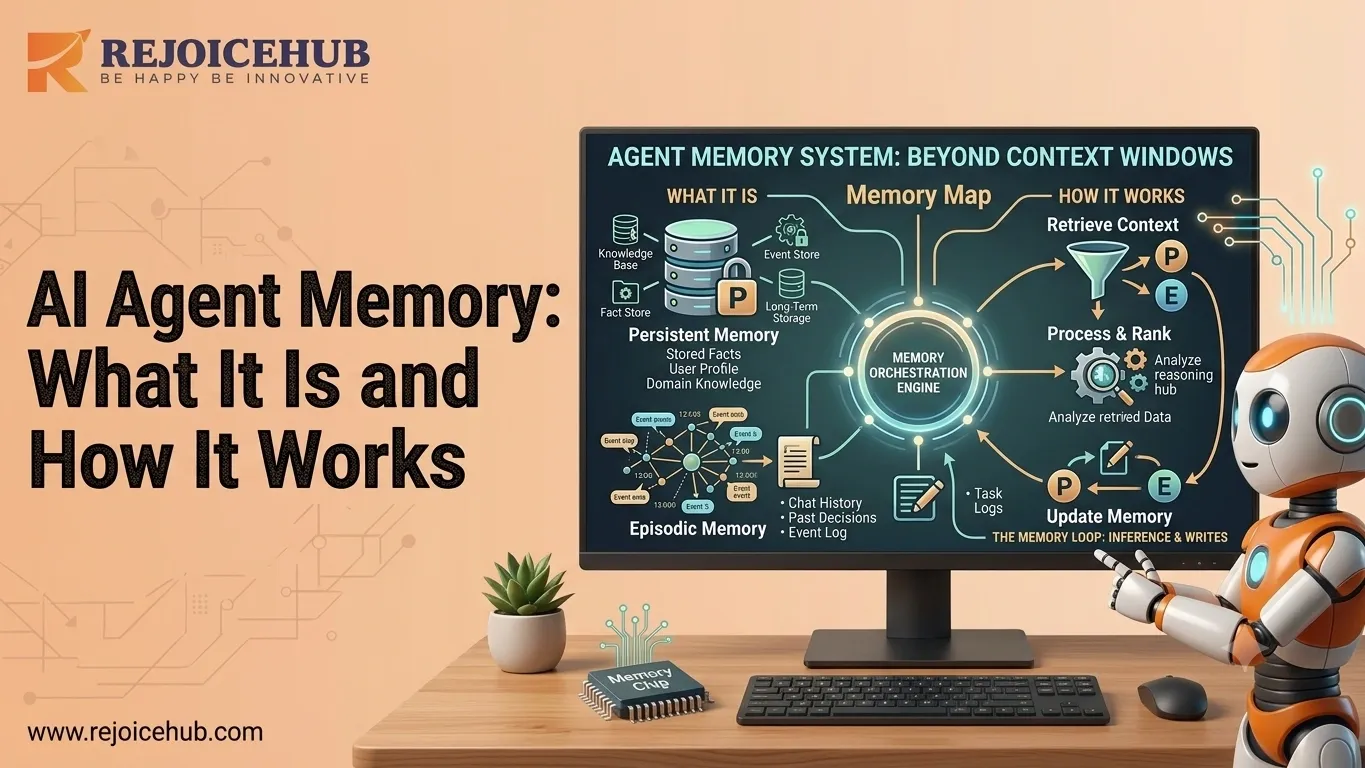
Understanding how an AI agent's memory works means breaking it into three connected stages: capturing information, retrieving it, and using it during reasoning.
1. Information Storage
Each time the agent talks to the user, system, or other agent, there is a chance that the agent will learn something worth storing. This can be the actual conversation log, knowledge distilled from that conversation ("customer's subscription expires in March"), or even the result of an action performed by the agent.
Good agents don't store everything equally well; rather, they retain useful information while transforming and condensing large logs of conversations into smaller memory units, a pattern that's increasingly common across LLM agents built for production use.
2. Memory Retrieval Process
Memory storage alone will not be enough; there must also be a way of accessing the required memory at the proper time. This is called memory retrieval.
Most current technologies use semantic memory retrieval techniques: the current query asked by the agent is encoded as a numerical vector or embedding, which allows searching for similar entries among memories stored in the database.
As a result, even if a customer says something like "my subscription," the system can access a memory in which they mentioned "billing plan."
3. Using Memory During Decision-Making
The memories that become pertinent after being triggered are then incorporated into the agent's thought process, together with the present request. It is what allows the agent to say, for instance, "Based on what you told me last week about the size of your group, I have a recommendation for you," rather than beginning from scratch.
Here comes another risk when memories are not properly selected; however, incorporating unrelated memories into the thinking stage can be even more harmful to the result than having no memories at all.
Accelerate Your Workflows with Custom AI
Book a free consultation session with RejoiceHub. We'll map out a tailored automation roadmap for your company.
Types of AI Agent Memory
Not all agent memory works the same way. Understanding the different types of AI agents and how each handles memory helps clarify what's actually being built (or missing) in a given system.
1. Short-Term Memory
Short-term memory spans a single session or dialogue. It is effectively the context window of the agent, the amount of text that the underlying model has access to.
This is the reason why the agent may understand a dialogue in a single chat but completely fail to remember what was discussed if the dialogue is too lengthy or if a new session is initiated.
2. Long-Term Memory
The long-term memory lasts across sessions and is stored in an external database as opposed to in the context of the model. This is why an agent can recognize a customer from their interaction three weeks earlier.
It is precisely the layer that real-life AI agents are lacking, and which separates a good demo from actual performance in practice.
3. Episodic vs Semantic Memory
Borrowed from cognitive science, this distinction is useful for agent design too and it matters whether you're comparing autonomous systems or working through how AI agents differ from AI assistants in your own stack.
| Memory Type | What It Stores | Example |
|---|---|---|
| Episodic Memory | Specific events and interactions | "Customer called on June 3rd asking to cancel, then changed their mind" |
| Semantic Memory | General facts and knowledge | "This customer is on the Enterprise plan" |
Episodic memory gives an agent a sense of history. Semantic memory gives it a stable knowledge base it can rely on, regardless of when a fact was learned. Strong agent architectures use both.
Why AI Agents Forget Information
But if there are infrastructures for memory storage, what causes the agent to forget? There are generally four reasons for agent forgetting:
-
Short context windows
All language models have token limits, so when the input surpasses the window, the older tokens get kicked out of memory, quite literally forgotten.
-
Inadequate retrieval systems
Information may be saved, but if the retrieval engine does not realize that the information is useful to the request, it simply does not use it. This makes a never-retrieved memory equivalent to never-stored memory.
-
Memory fragmentation
When information is not consolidated in one place but scattered all over disconnected tools, databases, and systems without a retrieval layer on top, agents get a limited view rather than a complete context. This is one of the more common enterprise infrastructure gaps businesses run into once agents move past the pilot stage.
-
Outdated memory storage
Without a system to update outdated or delete redundant pieces of knowledge, agents can base their decisions on information that stopped being true ages ago, such as outdated pricing tiers or contacts long gone.
All of these problems are solvable through architectural fixes.
AI Agent Memory Architecture Explained
A production-grade AI memory architecture generally breaks down into three layers, sitting on top of a fourth the infrastructure that makes fast, relevant retrieval possible at scale.
-
Memory Layer
This is the storage layer: databases that hold raw interactions, extracted facts, and summarized history. It's the agent's record-keeping system.
-
Retrieval Layer
The retrieval layer is responsible for searching that storage and surfacing what's relevant to the current task. This is where query understanding, ranking, and filtering happen, and it's closely tied to good context engineering practices.
-
Reasoning Layer
The reasoning layer combines retrieved memory with the current input and the model's general capabilities to generate the agent's next action or response. This is where memory actually gets put to use.
-
Vector Databases and Embeddings
Vector databases make it possible for semantic retrieval to happen. They do not keep memories as plain texts and can only be searched through exact keyword matching; instead, they keep memories as vectors, which encode meaning.
Once the need arises to recall a memory, the current question/query is encoded into a vector similar to the one used for memories. The closest match or matches to the vector encoding the query/question are then sought out.
That is the very thing that enables the agent to recall the relevant context irrespective of the mismatch between the phrasing of the question and that used in memory.
How Businesses Can Improve AI Agent Memory Performance
If you're evaluating or building AI agents for your business, here's how to actually improve memory performance rather than just hoping it works.
1. Implement Long-Term Memory Storage
Don't rely on context windows alone. Build (or choose a platform with) a persistent storage layer so agents retain information across sessions, not just within a single conversation, as part of a broader AI agent stack for business.
2. Use Vector Databases
Vector-based retrieval consistently outperforms simple keyword search for finding relevant context, especially as the volume of stored memories grows. This is foundational infrastructure, not an optional upgrade.
3. Improve Retrieval Accuracy
Storage is wasted if retrieval doesn't work. Invest in better query understanding, relevance ranking, and filtering so the agent pulls the right memory at the right time not just the most recent or most generic one.
4. Regular Memory Pruning
Set up a process to archive or remove outdated, duplicate, or irrelevant memories. A memory store that grows forever without cleanup eventually slows retrieval down and increases the odds of surfacing stale information.
5. Monitor Memory Quality Metrics
Track things like retrieval accuracy, response consistency, and how often agents need information repeated to them. These metrics tell you whether your memory system is actually working in production, not just in testing.
| Lever | What It Fixes | Business Impact |
|---|---|---|
| Long-term storage | Forgetting between sessions | Better continuity, fewer repeated questions |
| Vector databases | Slow or inaccurate search | Faster, more relevant responses |
| Retrieval tuning | The right memory has not surfaced | Higher quality, more consistent decisions |
| Memory pruning | Stale or bloated data | Lower costs, faster retrieval at scale |
| Quality monitoring | Invisible degradation over time | Early detection before customers notice |
This is exactly the kind of system architecture RejoiceHub builds for clients who need agents that hold up under real, ongoing business use not just a one-off demo.
Conclusion
The ability to retain memory is precisely what makes a difference between a truly useful AI agent and one that ends up annoying all of its users. With the ability to remember past interactions, agents can provide contextualized answers based on actual experiences, not guesses.
There are reasons why AI agents end up forgetting their past actions, namely due to context window limitations, weak retrieval capabilities, scattered information, and obsolete information retention. Each of these issues can be fixed using proper engineering solutions.
It all starts with choosing the correct architecture based on three layers: information storage, retrieval, and reasoning, usually powered by vector databases and embedding technology, against the backdrop of a fast-growing AI agent infrastructure market. Companies that understand how important it is to build their AI infrastructure can create truly valuable agents that only get better with time.
Are you interested in developing AI agents with the capabilities to remember and retrieve necessary information? Then contact RejoiceHub's developers and let us help you with it.
Frequently Asked Questions
1. What is AI agent memory?
AI agent memory is the system that lets an AI agent remember what happened in past chats and use that information later. Think of it like a coworker who remembers your name, your past requests, and your preferences, instead of treating every conversation like the first one.
2. How does AI agent memory work?
It works in three steps. First, the agent stores useful details from a chat. Second, it searches the stored data when a new question comes in, using semantic search to find related memories. Third, it adds those memories to its thinking so the reply feels informed, not random.
3. How do AI agents retrieve stored memories?
Most AI agents use vector databases to retrieve memories. Your question gets turned into a numeric code called an embedding, and the system looks for stored memories with a similar code. This way, even if you use different words, the agent can still find the right memory and use it.
4. What is AI memory architecture?
AI memory architecture is the overall design behind how an agent remembers things. It usually has three layers: a memory layer to store data, a retrieval layer to search that data, and a reasoning layer that uses the result to decide what to say or do next.
5. Why do AI agents forget information?
Agents forget mainly for four reasons: the chat gets too long for the context window, the retrieval system fails to pull up the right memory, data is scattered across different tools, or old information was never updated or removed. Each of these problems has a fix.
6. How can businesses improve AI agent memory performance?
Businesses should set up long-term memory storage instead of relying only on context windows. Adding vector databases helps the agent find the right details faster. Regularly removing old or wrong memories and tracking how often agents repeat questions also helps keep the system accurate over time.
7. How can you improve AI agent memory in your own setup?
Start with persistent storage so memory survives between sessions, then add a vector database for smarter search. Keep your AI agent's memory management simple by pruning old or duplicate entries regularly, and check quality metrics often so agent context memory stays accurate as your data grows.